


InSave is a lightweight utility that streamlines saving photos and videos from social platforms for offline viewing. It offers quick downloads, batch processing, and simple sharing options while keeping the workflow minimal. The app focuses on speed and ease, letting users store media safely for personal use.
InSave delivers a concise set of tools for capturing media from public profiles and posts. You can download single images, save multiple videos at once, or extract story content with minimal taps. It maintains the original quality of files when possible and organizes saved items into a local gallery for fast retrieval.
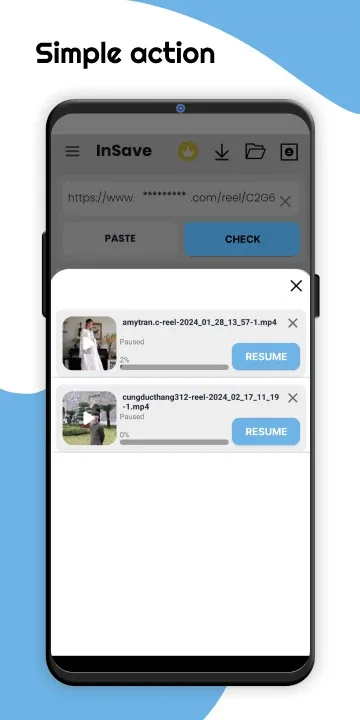
The typical workflow in InSave centers on three steps: locate the media in your browser or social app, copy the post link, and paste it into InSave to initiate the download. A built-in link detector also monitors your clipboard, offering a quick prompt when a valid URL is copied. Batch download mode lets you queue several links and process them together, reducing repetitive actions.
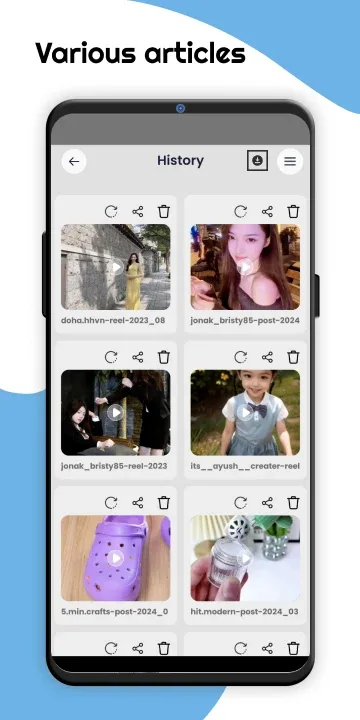
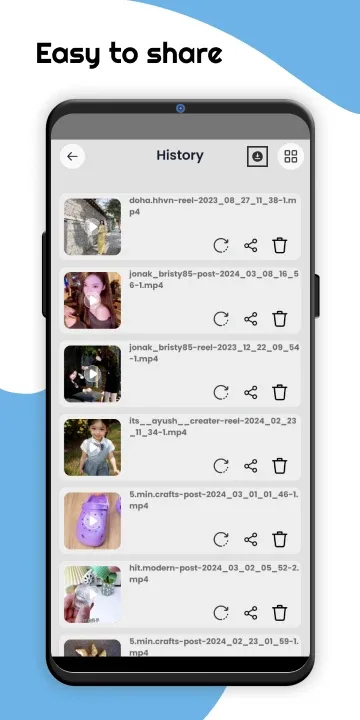
The interface keeps controls simple and clear. A primary download button, an organized history view, and an accessible gallery are placed within reach. Visual cues and inline help guide new users through permission requests and file location choices. Dark and light themes improve visibility across devices and make long browsing sessions more comfortable.
Saved media in InSave is stored into a local folder that can be browsed inside the app or accessed through the device’s file manager. The app supports basic file operations: rename, move, delete, and share. Sharing integrates with installed apps so you can send files via messaging, cloud storage, or social platforms without leaving the InSave environment.
Privacy is treated as a practical priority: InSave requests only the permissions required to save and manage media on the device. It does not require access to unrelated data, and local storage keeps downloaded items on your device unless you choose to share them. Users should always respect content ownership and use saved media for personal, non-commercial purposes when required by platform rules.
Built for efficiency, InSave performs downloads quickly even on modest hardware. The app uses optimized threads to handle multiple transfers without blocking the interface, and a retry mechanism helps recover from transient network issues. Compatibility extends across a wide range of Android versions and screen sizes, and the app keeps a small footprint to preserve device storage and battery life.
Installing InSave is straightforward. After granting storage permission, try saving a single post to confirm settings. Explore the gallery to find saved media, and adjust download preferences in settings to match your needs. The app’s help section offers short walkthroughs for less common tasks like story extraction and bulk exports.
Many users prefer InSave for its balance of functionality and simplicity. It focuses on the essentials—reliable downloads, clear organization, and respectful handling of permissions—without overcomplicating everyday tasks. Whether you need a quick offline copy of a favorite photo or a way to compile visual references for a project, InSave offers a compact, dependable solution.