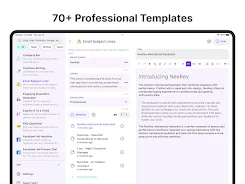
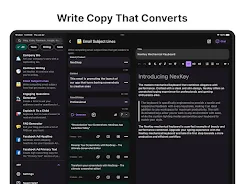
NexBot AI is a mobile productivity assistant that brings conversational automation to everyday tasks, combining fast text generation, contextual actions, and workflow integrations into a single app. It helps users draft messages, summarize documents, and automate repetitive steps while staying responsive and easy to navigate.
NexBot AI focuses on practical AI utilities rather than abstract bells and whistles. The app prioritizes utility: quick responses, templates you can adapt, and task-oriented actions that plug straight into your device. For professionals who juggle emails, notes, and short edits, the app shortens delivery time and reduces friction.
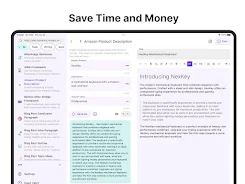
The interface emphasizes clarity. A simple home screen surfaces recent prompts and commonly used templates. Conversations are threaded so you can follow context and refine results iteratively. Buttons for copying, sharing, and exporting are placed close to outputs to reduce taps. This design helps you move from idea to delivery in fewer steps.
Users can create a prompt, refine the generated text, then turn it into a calendar entry or to-do item. That tight loop eliminates manual copy-paste between apps. NexBot AI syncs with system notifications and supports quick actions from the notification shade, making it convenient when you need to capture or act on information immediately.
NexBot AI offers configurable templates and a modest set of integrations to connect with popular productivity platforms. You can map outputs to email drafts, cloud notes, or task managers, which keeps your workflow centralized. Developers will appreciate clear export options and the ability to save custom prompt presets for team use.
Adjust response length, tone, and formality via sliders or quick presets. These controls let you aim for concise technical summaries or more conversational messages without rewriting prompts from scratch. The app also remembers recent settings to speed up repeated tasks.
Performance is focused on low-latency replies and stable background processing. NexBot AI balances local operations with cloud-based models to keep common actions fast while preserving more advanced capabilities. The app includes straightforward privacy options so users can control what data is stored and how long context is retained.
Privacy settings allow you to clear conversation history, opt out of analytics, and limit contextual memory. For users handling sensitive text, the app provides clear indicators when content is sent to remote servers and offers an offline mode for basic drafting tasks.
Start with a few simple templates: one for emails, one for summaries, and one for meeting notes. Test tone presets on short messages before applying them to important communications. Use the export actions to link generated text to your calendar or task list so you can measure real time savings.
NexBot AI stands out because it addresses common productivity gaps: drafting speed, context preservation, and straightforward integration with everyday tools. The app scales from single users automating mundane replies to small teams creating consistent messaging. If you want a lightweight assistant that adapts to your workflow rather than forcing one, it’s worth exploring.