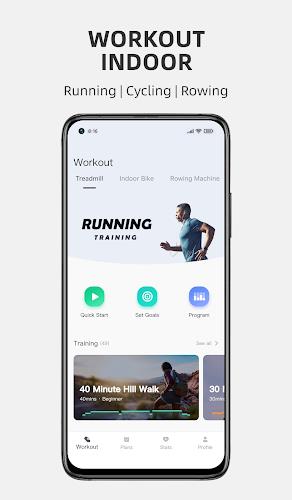
FitShow: Treadmill Workout is a focused mobile companion that turns treadmill sessions into guided workouts with real-time metrics, interactive training plans, and motivational audio cues. The app places pacing, video coaching and progress tracking at your fingertips so you can turn unstructured treadmill time into measurable training sessions whether you are walking for fitness or running for performance. This editor overview explains how the app organizes workouts, what controls you can expect, and how customization and offline features support long-term progress.
Workouts in FitShow: Treadmill Workout are built around a clear segment structure: warm-up, main set (intervals, tempo work or steady-state), and cooldown. Each segment shows an on-screen target for pace or effort and a countdown so you always know how long a phase lasts. Sessions can be defined by time, distance or calories, and interval segments automatically switch with audible prompts to guide transitions. That structure helps users focus on technique and intensity rather than device fiddling during a session.
The control scheme emphasizes one-handed operation and glanceable feedback. Start, pause and skip controls are reachable from the main screen, while large numerals display pace, elapsed time and distance. Voice cues announce upcoming interval changes and remaining time in a set so you can keep your eyes on the treadmill belt. Volume and cue frequency are adjustable, and vibration prompts are supported for users who prefer tactile alerts over sound.
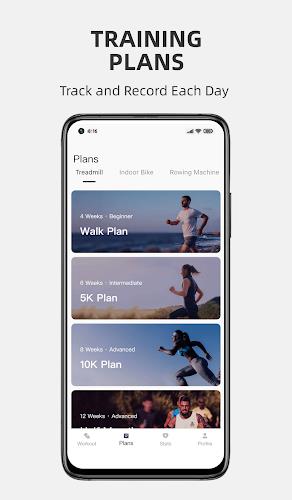
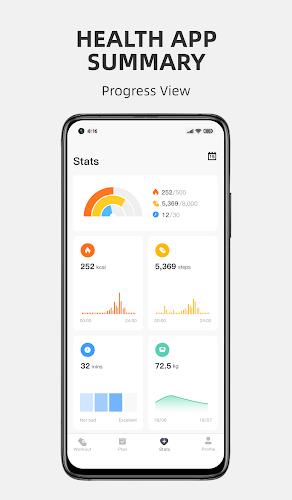
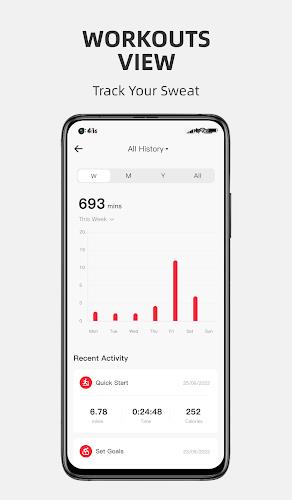
FitShow: Treadmill Workout uses progressive plans that adapt to simple goals like building endurance, improving pace, or maintaining weight with regular walking. Plans break training into weekly microcycles with gradual increases in duration and intensity to reduce injury risk. The app records workout history and shows weekly summaries and trend lines so you can see how pace, distance and heart-rate zones evolve. Milestone badges recognize consistency and key achievements, which provides short-term targets while long-term progression is guided by the plan structure.
The visual design favors clarity and low distraction: high-contrast numerals, color-coded effort zones and minimal animation make it easy to read metrics at a glance. Split times and simple trend charts are shown after each workout in a compact layout that reads well on smaller screens. The interface reduces clutter during a run, while more detailed analytics are available in the post-workout view for users who want to drill into form and performance.
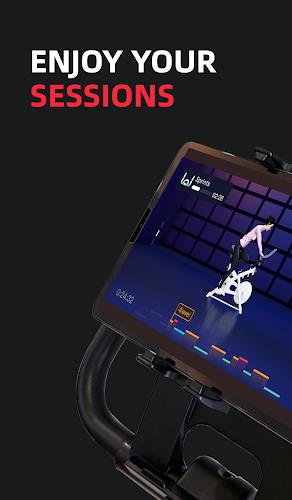
Customization options let you match workouts to your physiology and schedule. Users can set target pace ranges, calories, or heart-rate zones, and create custom intervals by duration or distance. Plans can be scheduled across days with reminders, and alternating program days are supported for variety. Personalization extends to the coaching voice and video clips that demonstrate warm-ups and technique, so you can choose the level of guidance that feels right.
Replay value comes from modular workouts and simple challenge systems that encourage consistency. Daily and weekly challenges focus on time, distance or completing a set number of interval sessions. Because sessions are short and configurable, many users stack quick workouts across a busy day to meet goals without committing to long runs. Milestone tracking and an incremental plan model keep the training fresh while rewarding steady progress.
Accessibility is built into both visuals and controls: large fonts, color contrast for effort zones and adjustable audio cues help a broad range of users. The app supports common external sensors, including chest straps and wrist heart-rate monitors, improving accuracy for heart-rate-based sessions. Background syncing with health platforms ensures data stays unified without repeated exports, and pairing is designed to be straightforward for first-time users.
FitShow: Treadmill Workout preserves saved workouts offline so you can train where connectivity is poor. The app keeps basic session logging locally and synchronizes with connected health apps when a connection is restored. Installation requires only basic permissions and offers a simple first-run setup to calibrate settings like stride length or treadmill feedback if prompted, making the initial configuration fast and unobtrusive.
Overall, the app is aimed at people who want structure without complexity. FitShow: Treadmill Workout balances visual feedback and audio coaching so users maintain pace and motivation across different fitness levels. Adjustable cues, a compact metrics dashboard, and clear progression systems make it suitable for beginners who need guided buildup as well as experienced treadmill users who value precise interval control and reliable post-workout summaries.