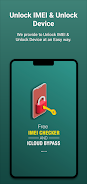
Unlock Device is a compact utility designed to help Android users locate, read and share a phone’s IMEI and to assist with iCloud-related lock information. Unlock Device presents device identifiers and owner-related status in a clear way so you can make informed decisions before selling, buying or reporting a handset, and it places recommended professional resources within reach when additional unblocking assistance is needed.
The app reads the device IMEI and displays associated details such as model, manufacturer, Android build number, carrier hints and the reported lock status where available. Rather than claiming to perform a direct remote unlock, Unlock Device focuses on accurate extraction and presentation of identifying data, plus convenient tools to copy the IMEI to clipboard, attach it to an email or share it with a contact. The app can surface owner contact hints when public owner information is accessible and links to reputable service providers and information sources so users can pursue verified unlocking or recovery services.
Unlock Device guides users through a simple multi-stage workflow that mirrors common troubleshooting progression. First, a device scan reads system properties and displays the IMEI and related identifiers. Next, a verification step cross-references available databases and owner hints to summarize registration or lock indicators. Finally, the app offers next-step options: copy or share identifiers, prepare a report for a carrier or law enforcement, or open contact options for professional unlocking services. Each stage includes a clear status indicator and short contextual guidance so you always know whether the app completed a read, needs network access for additional checks, or could not find owner data.
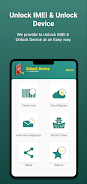
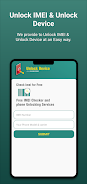
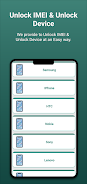
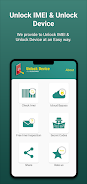
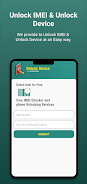
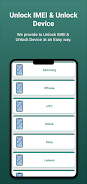
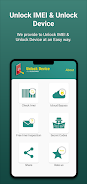
The interface follows a minimal, material-inspired layout with large, well-labeled controls so key actions are a tap away: Scan, Copy IMEI, Share, and Contact Service. Buttons and links are grouped logically and actions include inline confirmations and undo where appropriate, for example when copying an identifier. Accessibility options include adjustable font scaling, high-contrast mode and compatibility with Android screen readers. Clear labels and in-app help text reduce error risk for users who are not familiar with device identifiers.
In settings you can choose which device fields to display, set a preferred contact or service provider, and toggle whether the app attempts online verification automatically. Unlock Device preserves the last scanned information locally so you can re-open and view IMEI details without an immediate network connection; online checks and service links require connectivity. Stored data is presented plainly and can be removed at any time from the app’s local history for privacy.
The app intentionally does not promise a guaranteed unblocking outcome: direct IMEI unlocks and iCloud removals are performed by carriers or third-party services, not by the app itself. Unlock Device will connect you with professional providers and link to documentation, but successful unblocking depends on those external providers and on legal ownership verification. The app encourages users to rely on certified, guarantee-backed services rather than risky or anonymous websites, and it provides clear warnings about potential fraud and legal considerations when attempting to bypass account locks.
Users will find repeated value in Unlock Device whenever they buy or sell a phone, transfer ownership, prepare a theft report, or recover a handset. The app’s quick-scan workflow and persistent history make it practical to run routine checks on multiple devices, while the share and contact features streamline communication with carriers, buyers or support services. By focusing on dependable data capture and practical next steps rather than speculative promises, the app delivers consistent utility over time.
Unlock Device is built for a wide range of Android releases and aims to be lightweight and responsive on phones and tablets. Regular updates refine device detection and keep provider contact lists current. The app includes an in-app feedback channel and links to updated documentation so users can report issues or request support. For legal or account-related questions, the app directs users to their carrier or device manufacturer for authoritative guidance.