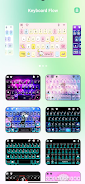
Keyboard Flow is a compact productivity utility that places cross-device typing and screen switching within easy reach, letting you swipe between screens and type across computers without cables or repeated configuration. Keyboard Flow targets people who actively use more than one machine during a work session — writers, developers, designers, and anyone who moves text and short content between systems — and aims to reduce friction so pauses for reconnection or repeated logins become unusual exceptions rather than routine interruptions.
The core interaction model centers on fast, gesture-driven transitions: a simple swipe or an optional keyboard shortcut transfers keyboard control from one device to another, preserving your typing flow. Keyboard Flow supports seamless text entry across paired devices and includes clipboard integration for quick transfer of copied text and small snippets, reducing the need to retype content. The app operates wirelessly to reduce desk clutter, provides an unobtrusive status indicator so you always know which device has focus, and exposes basic customization so you can tune swipe sensitivity, shortcut keys, and the visual feedback to match your workflow. The design emphasizes low overhead and responsiveness so switching feels immediate rather than disruptive.
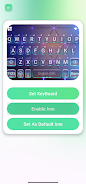
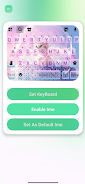
Getting started is straightforward: install the companion component on each computer you want to control, pair devices over the same local network or direct wireless link, and choose your preferred switching method. Keyboard Flow supports both gesture-based swipes on touch-enabled devices and keyboard-only switching for users who prefer not to use touch. There is an option to assign a modifier key plus a direction key as a quick switch, and an on-screen indicator briefly confirms the active machine after each switch. Setup screens guide initial pairing and provide troubleshooting steps if connections fail; once paired, devices typically reconnect automatically so you can focus on work instead of setup.
The interface favors clarity and subtlety: compact overlays show connection state and active device without taking over the desktop, and transition animations are intentionally brief to avoid distracting movement when you switch screens frequently. Visual elements scale to match system font sizes and display resolutions so the controls remain readable whether you are on a laptop or a large external monitor. Keyboard Flow is designed to be visually consistent across devices while staying out of the way during extended editing sessions, with options to reduce animation, only show indicators when switching, or hide the UI entirely except for a small persistent icon.
Accessibility is part of the design: adjustable sensitivity and larger on-screen controls help users who need bigger touch targets, and a full keyboard-only mode ensures switching is possible without touch input. Keyboard Flow also supports local operation, meaning it can run on a private local network without sending keystrokes or clipboard data over the internet. This allows users to maintain a reliable connection in offline or air-gapped environments, subject to the companion software remaining installed and paired on each computer.
Performance depends on the quality of the wireless link and device proximity; in practice, low-latency local networks provide the smoothest experience, while weaker connections can introduce brief pauses during handoff. Some setups may require firewall or permission adjustments to allow the companion component to communicate across devices. Keyboard Flow only requires the minimal supporting software to function and offers configurable privacy options, including a preference to keep all traffic on the local network and to limit any logging to basic connection diagnostics. If you use battery-powered devices, be aware that continuous wireless activity may affect runtime between charges.
People who switch frequently between a desktop and laptop, or who use a dedicated drafting machine alongside a testing laptop, will find Keyboard Flow reduces repetitive interruptions and helps maintain momentum during extended creative or focused work sessions. Because switching is quick and reversible, users often discover new productive patterns: drafting on one device and editing on another with little overhead, or keeping reference material open on a second screen while composing on the primary keyboard. The app's customization and low intrusiveness encourage repeated use, and routine updates focus on stability and small refinements rather than major workflow changes, which helps the tool remain dependable as your setup evolves.