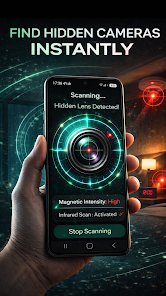
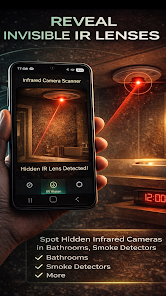


Hidden Camera Detector: Finder helps you protect your privacy by using the sensors already built into your phone to locate hidden cameras, microphones and other covert electronic devices. The app combines an infrared camera lens scanner with a magnetic field (magnetometer) analysis and clear visual feedback so you can perform quick, discreet sweeps of hotel rooms, rental properties, changing areas and offices. Simple vibration and audible alerts accompany on-screen readings to make it easier to notice suspicious devices even in low-light environments.
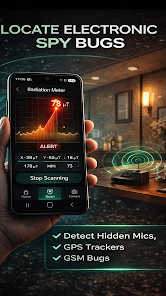
The core tool is an infrared camera scanner that highlights reflective lenses and optical elements that may be otherwise hard to see; this works by using your device camera with a filter overlay and manual focus guidance. A separate magnetic sensor meter reads local electromagnetic fluctuations and displays a numerical value and a live graph of intensity, helping you pinpoint small electronic components that contain coils, batteries or radios. An active detection mode provides instant beeps, vibration and visual thresholds when readings exceed the defined sensitivity, and a simple calibration routine helps reduce false positives in crowded or metal-rich environments. Hidden Camera Detector: Finder also includes an on-screen guide with step-by-step sweep suggestions, a log of recent scans and the option to lock brightness or activate the phone flashlight to aid physical inspection.
The app uses two complementary detection approaches so you can cover more likely hiding spots: optical scanning for camera lenses and magnetic scanning for powered electronics. For optical checks, aim your phone camera at suspected areas while reducing ambient light; the app highlights glints and suspicious reflections and explains what to look for. For electromagnetic inspection, slowly pass your device along walls, ceilings and around furniture while watching the live graph and listening for alert tones. Results are diagnostic: a high magnetic spike suggests a powered device, while a strong optical reflection may indicate a lens; neither reading is proof on its own, but combined they guide targeted physical checks.
The interface is designed for quick operation: a prominent scan button starts either an infrared camera pass or a magnetometer sweep, and on-screen sliders let you change sensitivity and smoothing of the sensor readouts. Visual feedback includes color-coded bands and a realtime waveform so you can easily see trends as you move. Calibration is accessible from the main screen with a one-tap baseline reset, and a simple tutorial explains where to hold the phone and how slowly to sweep to improve detection confidence. All controls are optimized for one-handed use and the app keeps power consumption low during background monitoring.
Hidden Camera Detector: Finder offers several scan modes to match different inspection goals, including a quick-sweep mode for routine checks, a focused-probe mode for detailed inspections of a single area, and a persistent-monitor mode that runs in the foreground to watch for intermittent signals. As you use the app you may rely more on focused probing in high-risk situations and reserve quick-sweeps for regular travel checks, which increases the practical value of repeated use. A saved-scan history and timestamping makes it easy to compare readings across visits or rooms, helping you spot patterns and improving your confidence with each inspection.
The app presents sensor data with high-contrast graphs and large numeric readouts to remain readable in bright or dim lighting, and color-blind friendly palette options are available to ensure alerts are discernible for most users. Text labels are succinct and the tutorial includes both visual and plain-language instructions to support a broad audience. Voice-over compatibility and adjustable font sizes improve accessibility for users with limited vision or who prefer spoken guidance during sweeps.
All detection functions work offline and do not require an internet connection, which makes the app suitable for travel and remote locations. Keep in mind that detection depends on your phone’s hardware and environmental conditions: metal furniture, dense wiring and some materials can mask or trigger sensor readings. The app provides practical tips for reducing interference such as moving slowly, calibrating before each sweep and combining optical with magnetic checks. It does not guarantee discovery of every device, but it gives a structured, repeatable approach to reduce blind spots during inspections.
Hidden Camera Detector: Finder is compatible with phones that include a camera and a magnetometer; the magnetic features will be limited or unavailable on devices without the required sensor. The app does not transmit sensor data off your device and is intended purely as a privacy tool to aid personal inspections. Read the in-app guidance before use and consider professional assistance if you find suspected devices or if readings remain ambiguous after careful checks.