
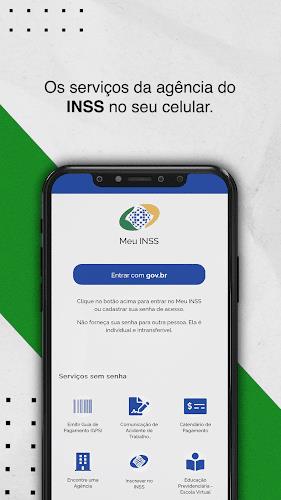
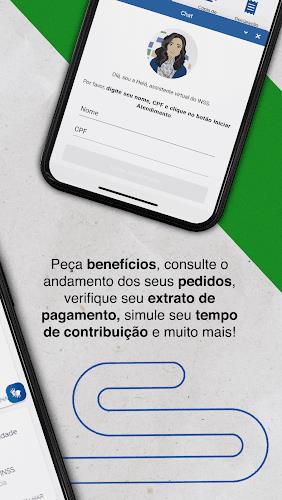
Meu INSS puts Brazil's social security tools into your hand, combining benefit requests, document access and appointment scheduling in a single mobile interface so users can manage contributions, benefits and retirement planning without needing to visit an office. The Meu INSS app guides you through registration, verification and everyday interactions with the INSS ecosystem, offering calculators, status tracking and easy access to historic payment records and CNIS details from your phone.
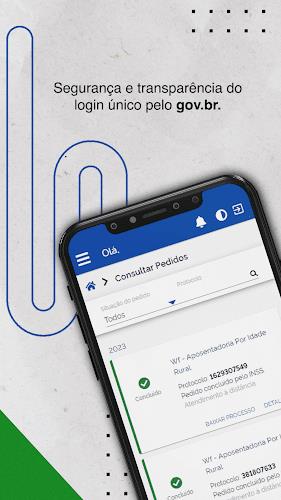
Requesting benefits and monitoring progress is central to the experience: you can submit applications for common services, follow each case by its current status and receive updates as your request moves from analysis to decision. The tracking system acts like a progression timeline, showing clear stages and timestamps so you understand where a process stands and what to expect next.
Retirement planning tools include several built-in calculators that estimate eligibility, projected benefit values and the effect of additional contributions. These tools are designed for practical planning: enter contribution history or simulate future contributions to compare different retirement scenarios and prepare documents before submitting an application.
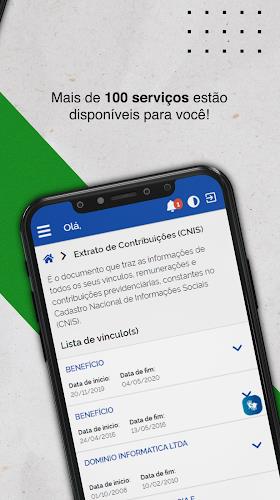
Documentation access is streamlined: the app centralizes income tax statements, CNIS contribution records, payroll-deductible loan information and benefit payment histories so you can download or share official statements when required. Documents are presented in readable formats, and recent records are cached for quicker retrieval on subsequent visits.
Scheduling and medical expertise functions let you book required medical appointments and choose available times at nearby INSS locations. The service includes location tools that show the nearest offices and the services offered at each site, helping you plan an in-person visit only when necessary.
Registration and identity verification are handled inside the app through a guided process that requests CPF, full name, birth date, mother's name and birth state. These verification questions protect access to sensitive records and reduce the risk of incorrect or unauthorized data retrieval.
The Meu INSS interface focuses on clarity and task-based navigation: a main menu directs you to sections for benefits, documents, appointments and profile settings, while contextual help explains each form field or requirement. Touch controls are standard and intuitive—tapping to open sections, swiping through documents and using clear buttons for submission and confirmation—so users of varying technical skill can complete common tasks quickly.
Visual design emphasizes legibility with high-contrast text, clear headings and simple icons that identify common actions. Screen layouts are organized by function rather than dense menus, which reduces cognitive load when you need to find a payment history, run a calculation or check the status of an ongoing request.
Customization options let you manage notifications, choose preferred contact methods and update personal data. Notification settings help you receive timely alerts about document availability, appointment reminders and status changes without excessive messages, improving the app’s practical utility for ongoing use.
Progression in the app reflects real-world administrative stages: after submitting a request you’ll see stages such as ‘received’, ‘under analysis’, and ‘decision issued’. Each step may require different types of supporting documents, and the app indicates when additional uploads or clinic appointments are needed. This staged approach helps users prioritize actions to reduce processing delays.
Identity verification is a necessary challenge system: to enable complete access you must pass a verification routine that compares supplied information to INSS records. While this adds steps to initial setup, it protects personal data and ensures benefits are delivered to the right person. If verification fails, the app explains the next steps and available alternatives for proving identity.
Accessibility features include resizable text and compatibility with screen readers; these improve usability for people with visual or motor impairments. The app is optimized to reduce battery use and minimize data consumption, and it caches recently viewed documents so they remain available briefly when you are offline or have intermittent connectivity.
Offline functionality is limited but practical: previously downloaded statements and CNIS records can be opened without a connection, and appointment confirmations stored on-device remain accessible for on-site reference. For submission of new requests and real-time status updates an internet connection is required.
Security measures in the app include encrypted transmission of personal data and checks against official databases during verification. Regular updates from the INSS maintain compatibility with official procedures and help address bugs or performance issues. For assistance, users can consult in-app help pages and contact INSS customer service by phone at 135 for case-specific guidance and clarifications.
Meu INSS is designed for repeated use over the long term: whether you are verifying contribution history, updating personal information, scheduling medical expertise or planning retirement, the app centralizes routine interactions with the social security system and reduces paperwork by keeping official documents and status information accessible on your device.