Subway is a streamlined food ordering app that helps you discover nearby sandwich shops, browse menus and manage pickup or delivery from your phone. Subway combines a map-driven outlet finder with card-style menus, simple cart controls, and real-time order status so you can move from selection to pickup or doorstep delivery in a few focused taps. The app is built around quick re-orders, visible estimated times and periodic mobile-only promotions to reduce friction when you need a meal on a timetable.
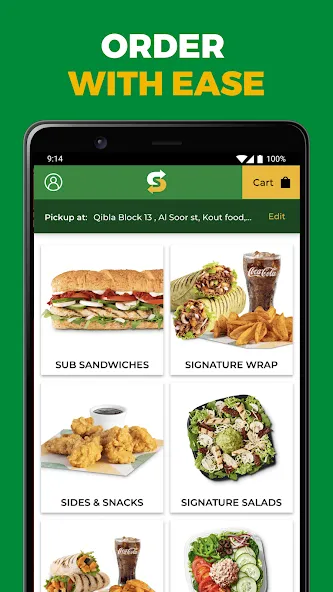
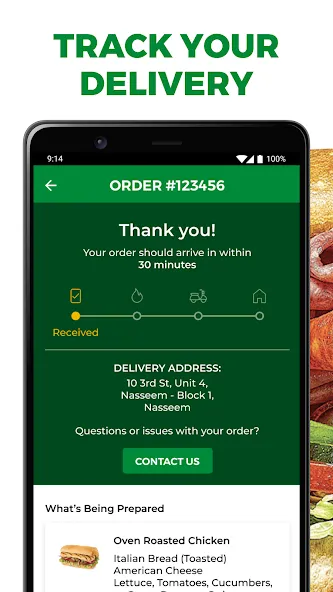
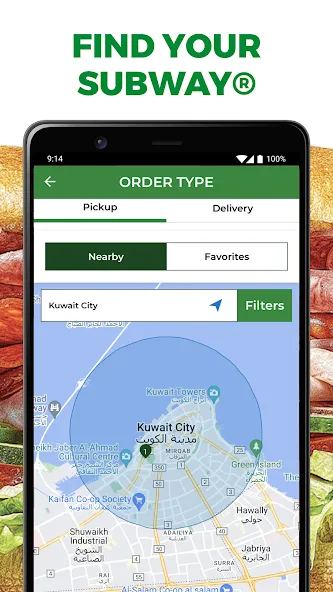
The app’s discovery view shows local outlets on a map and in a sortable list so you can filter by distance, available service (delivery, pickup, dine-in) and open hours. Menus are presented as clear item cards with ingredient lists and customization options; add items to the cart with a tap, adjust quantities from the cart screen and review special instructions before checkout. Order tracking updates each stage—preparing, ready for pickup or out for delivery—and delivers short status messages and estimated arrival windows so you can plan your time around the order.
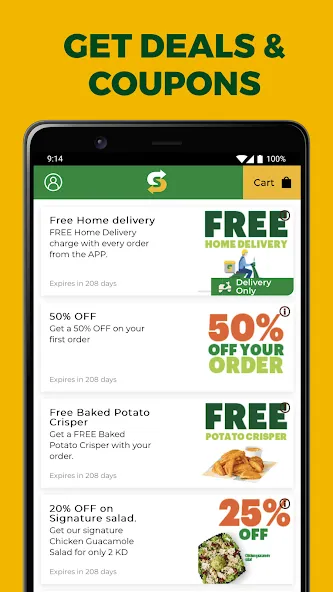
Subway supports multiple ways to receive an order: delivery to an address, scheduled in-store pickup or small catering requests for meetings and events. The controls are intentionally simple: tap to add, tap a cart item to edit options, and use clear checkout buttons to complete payment. The interface highlights pickup times and recommended lead times for catering so you can choose the mode that best fits a work lunch or an evening meal. The app also surfaces relevant promotions automatically at checkout, helping you apply coupons without extra steps.
Rather than game-style progression, Subway focuses on practical progression through order history and saved favorites. The app remembers past orders so frequently chosen sandwiches become one-tap re-orders; you can save custom builds as favorites and name them for quick access. Customization covers common options—bread, toppings, sauces and portion sizes—with notes fields for special requests. These features reduce repetitive setup and speed checkout for regular users, improving convenience over time.
The visual design favors contrast and legibility: map tiles and list cards are balanced, menus use imagery and short descriptions, and estimated times are emphasized with bold labels. Navigation follows a logical structure of Home (discover), Menu (per store), Cart (review and pay) and Orders (active and history). That level structure keeps core tasks a few taps apart and lets users quickly switch between browsing and order management without losing context.
Subway’s replay value comes from utility rather than novelty: saved favorites, regularly updated deals and a predictable ordering flow encourage repeated use for daily lunches or ad-hoc catering. Time-sensitive promotions and limited-availability bundles add a light urgency that can influence ordering choices during peak hours. The app also adapts to practical challenges—long preparation windows or store closures—by showing alternate nearby outlets and estimated wait times so you can adjust plans quickly.
The app prioritizes straightforward interactions with large tap targets, clear labels and concise instructions to assist screen readers and users who need simplified navigation. Text sizes and contrast are chosen to be readable across devices, and action buttons remain prominent during checkout to reduce accidental taps. For low-connectivity situations, Subway caches recently viewed menus and outlet details so you can review prior orders or saved favorites offline, though placing a new order and live tracking require a network connection.
Check the offers section before you pay to capture current vouchers and bundles; use saved favorites for routine orders to cut time spent recreating custom builds; and allow status notifications so you receive timely updates about ready-for-pickup or delivery ETA. For large catering requests, the app supports small orders directly but recommends calling the local outlet to confirm capacity and timing for bigger events. If you encounter a sign-in problem, use the Forgot your password? link or contact support if an expected reset email does not arrive promptly.
What happened to older loyalty and gift programs? After the Subcard Loyalty and Gift Programme closed on 31 August 2026, guests with valid, unexpired gift balances were advised to submit refund claims where eligible. How does the app handle dietary needs? You can request vegetarian options and add special instructions, but please note restaurants prepare items on shared equipment and cross-contamination cannot be fully ruled out. Can I change pickup to delivery after ordering? Depending on store policies and order stage, some orders can be switched; consult the order status screen and contact the store if you need an urgent change.
Use Subway when you want a dependable, no-frills ordering experience that emphasizes speed, clear tracking and repeatable convenience. It is particularly useful for daily commuters, office lunch coordinators arranging group deliveries, and anyone who values a consistent checkout flow with saved presets and visible time estimates. If you want straightforward ordering, quick re-orders and predictable delivery updates, Subway makes the process approachable and easy to integrate into busy schedules.