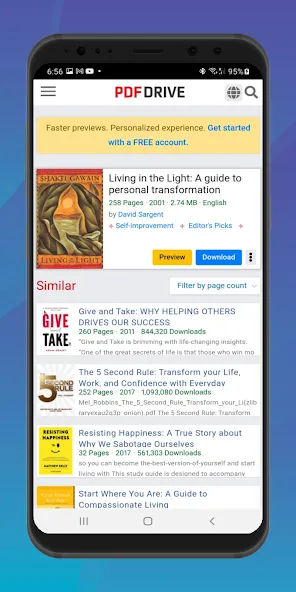
Pdf Drive is a versatile e-book platform that helps readers search, preview, download and organize a large collection of PDF titles across genres. Pdf Drive offers straightforward discovery tools—keyword search, organized categories and subject browsing—so you can find fiction, textbooks, technical manuals or reference material quickly. The app focuses on simple, reliable offline access and basic reading tools such as bookmarking and highlighting to help you maintain reading progress and capture important passages for later reference.
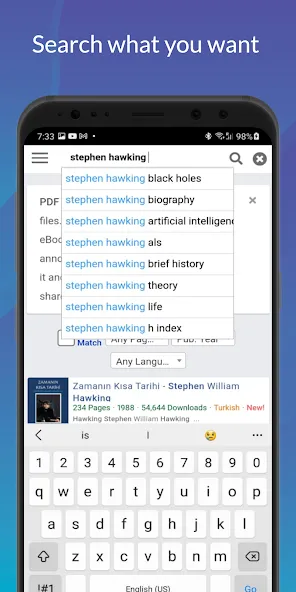
Pdf Drive provides a fast keyword search across the catalog and clear category navigation that makes locating authors, editions or topics efficient. The built-in PDF viewer supports page thumbnails, continuous scroll or single-page viewing so you can choose the layout that suits your reading style. You can bookmark pages, add highlights and store notes attached to specific passages, which makes studying and revisiting content much smoother. Downloads are saved locally for offline reading and the library view groups downloaded files for quick access. Simple sharing options let you send a file or a link to a friend, and personalized recommendations surface related titles based on recent searches and saved items.
Pdf Drive uses familiar reading gestures and controls to minimize the learning curve. Tap edges or swipe to turn pages, pinch to zoom into dense diagrams or shrink a page to fit the screen, and use on-page search to find specific words or phrases within a PDF. The reader includes adjustable text rendering options where available, and interface controls for changing page orientation and zoom level so documents render correctly on different devices. Navigation is designed to be responsive on phones and tablets, with clear icons for bookmarks, highlights and document-level search.
Organizing your collection in Pdf Drive centers on simple, practical tools: a personal library view shows recent reads and downloaded books, and you can create local collections or folders to group titles by course, interest or project. Progress tracking is automatic—each file remembers your last page and highlights—so you can pick up exactly where you left off. Customization options include adjustable font size where text extraction is available, night or high-contrast viewing modes for low-light reading, and display scaling to improve legibility for long study sessions. These options make the app adaptable to different reading habits and workflows.
The interface of Pdf Drive emphasizes clarity and low visual clutter for focused reading. Document pages are presented with generous margins and unobtrusive control panels that hide automatically during reading. Accessibility considerations include adjustable text sizes, high-contrast view modes and a layout that works well with common screen readers, helping users with visual challenges navigate the app. The app aims to be usable for long sessions by reducing visual distractions and offering simple contrast and zoom choices.
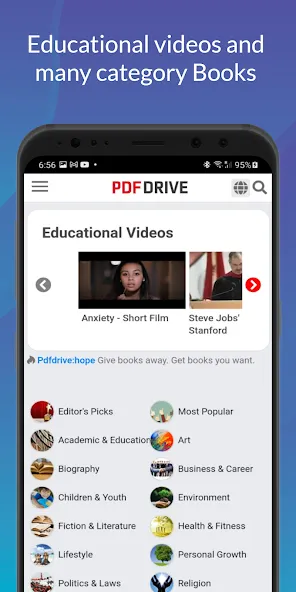
Content in Pdf Drive is organized into topical categories, curated collections and search facets so you can drill down from broad subjects to specific titles. New material is added regularly and recommendation cues help surface related works, which gives the app continued discovery potential even after you’ve built a personal library. Replay value comes from the ability to re-open and annotate books, revisit highlights and reorganize collections for different projects or study cycles. That organizational flexibility makes Pdf Drive useful for students, professionals and casual readers alike.
Offline access is a central feature: once downloaded, PDFs remain on your device so you can read without an internet connection. This is especially useful for travel, commutes or areas with limited connectivity. Occasionally downloads can fail due to network interruptions or server issues, so the app includes retry behavior and clear error messages to help troubleshoot failed transfers. Keeping a copy of important files on device ensures uninterrupted reading and study sessions.
Pdf Drive provides access to a vast array of third-party PDF files, and while many are safe and legitimate, some files obtained from external sources can contain malware; it is wise to scan downloaded files with antivirus software before opening them on sensitive devices. Also be aware that some commercially copyrighted books may be restricted in certain regions—downloading copyrighted material without authorization could violate local laws. Users may occasionally encounter access restrictions or temporary download problems due to cache issues or network speed, so basic troubleshooting such as clearing the browser cache or retrying later often resolves most issues.
Pdf Drive aims to be a straightforward, dependable tool for building and maintaining a personal digital library, balancing fast search and discovery with offline convenience, basic annotation and clean reading controls to support study, research and leisure reading.