

AniDub Max is a lightweight utility app that helps pet owners capture better photos by drawing an animal’s attention with simple animations and targeted sounds. AniDub Max places playful visual cues and interactive digital toys on your screen so pets look toward the lens while you frame a shot, and the app is designed to be free, easy to use, and respectful of a typical phone camera workflow. This introduction explains how the app works, what to expect from its controls and effects, and practical tips for making the most of each quick photo session.
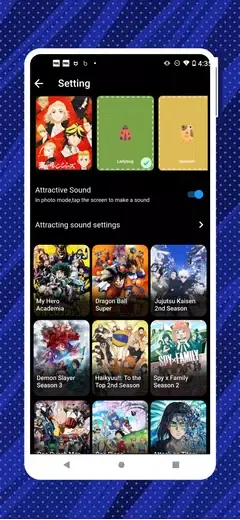
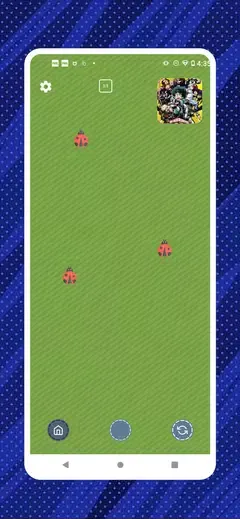
AniDub Max offers a collection of themed animations and sound effects crafted to be visually bright and high-contrast, which helps attract dogs, cats and small animals without overwhelming them. The app focuses on short, attention-grabbing loops: moving shapes, fluttering objects and friendly on-screen toys combined with chimes, clicks and soft buzzes. These elements are tuned to be noticeable at small screen sizes and from a few feet away, and the overall visual style favors bold colors and clear motion paths so animals can follow the stimulus easily. All effects are preloaded so core functionality remains available offline once installed.
In a typical session you open AniDub Max, choose a theme or animation, and trigger the on-screen effect while your phone is positioned for a photo. The app is not a camera replacement: it is intended to be used alongside your device’s default camera or any third-party camera app. A simple overlay mode and a quick-launch button let you toggle effects while the camera app runs in parallel or from split-screen. The aim is a short interaction that brings the pet’s gaze toward the lens for a natural, expressive shot, not extended play that replaces regular training routines.
AniDub Max keeps controls minimal so anyone can operate it with one hand while holding a camera. Tapping cycles between animations, long-pressing holds an effect active, and swiping changes sound intensity and animation speed. Users can adjust audio volume independently from the device volume control to find the level that works best for their pet. The app lets you create and recall a few favorite combinations of sound and animation so common setups are instantly available during a shoot. Visual contrast, animation speed and sound length are adjustable to match different temperaments and lighting conditions.
Rather than a leveling system, AniDub Max supports progression in the sense of familiarizing your pet with cues over repeated short sessions. Pets often respond differently to particular colors, motion patterns and sounds, so experimenting across several shots increases the chance of an expressive photo. Because effects are quick to trigger and the interface is uncluttered, many users find the app useful for repeated short interactions—preparing for a family portrait, catching candid moments, or setting up a playful series of photos. The variety of animations and adjustable parameters helps maintain replay value without introducing complex game-like progression.
The app provides a clear, large-button interface and unambiguous icons so it’s usable for people with limited dexterity or those who need a fast, reliable tool during a photo session. AniDub Max keeps resource use modest: animations are optimized for battery life and run smoothly on most modern Android devices, and core functionality works offline after initial installation so you can use the app on walks or in areas without a reliable connection. Simple visual and audio settings also help accommodate users who prefer lower volume or quieter animations for anxious pets.
AniDub Max is intentionally focused on pet engagement and not designed to replace advanced camera software or image editing suites. It provides minimal photo editing and organizational tools, so users who want post-processing should export their images to a dedicated editor. Effectiveness depends on your pet’s personality, environment and ambient noise levels, and results may vary by device performance. For best results, try several short attempts at moderate volume and contrast, avoid startling sounds, and use natural breaks between sessions to keep interactions positive.