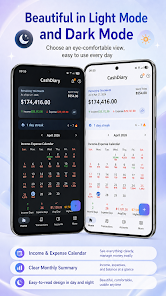
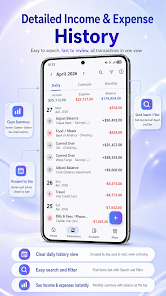
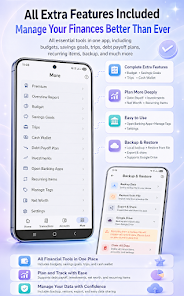
CashDiary - Money Manager is a private, offline-first personal finance app that helps you track expenses, set budgets, manage accounts and monitor investments without creating an account or sending your data to a server. Transactions are stored locally with an optional, opt-in cloud backup tied to your account, and the app offers on-device receipt OCR plus voice input to speed up logging. Whether you need a travel wallet with multi-currency support, a household budget planner, or tools to pay down debt, CashDiary - Money Manager brings those functions together in a compact, privacy-focused package.
⭐ CashDiary - Money Manager is local-first with optional cloud backup — transactions stay on your device unless you enable backup.
⭐ Voice input in 24 languages and on-device receipt OCR automatically parse amounts, dates and categories for fast entry.
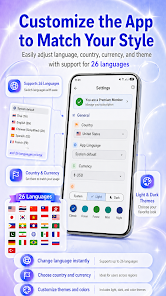
⭐ Multi-currency support and Travel Mode with per-trip base currency, automatic conversion and exchange-rate warnings.
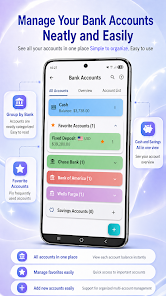
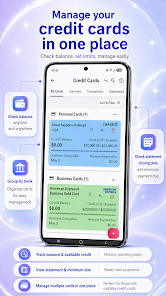
⭐ Full account management: unlimited bank and savings accounts, a cash wallet tracking denominations, and credit card handling with statements, due dates and interest.
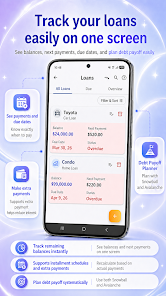
⭐ Loans and a debt payoff planner with amortization, extra payments and Snowball/Avalanche projections.
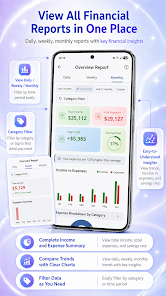
⭐ Budgets, savings goals, investment tracking with FIFO cost basis, reports, recurring transactions and home-screen widgets.
✅ Strong privacy model: local storage by default and opt-in cloud backup for cross-device needs — CashDiary - Money Manager keeps control with you.
✅ Fast, low-friction entry thanks to voice input, Smart Add prediction chips and receipt OCR.
✅ All-in-one financial tools covering budgets, accounts, loans, credit cards and investments in a single interface.
✅ Flexible export and backup options (Excel, CSV, PDF), widgets for quick access, and PIN/fingerprint screen protection.
❎ Advanced features such as the investment tracker and debt payoff planner require the Premium upgrade.
❎ Cross-device sync is not automatic; you need to enable and manage optional cloud backups to move data between devices.
❎ Because data is stored locally by default, losing your device without a backup can lead to permanent data loss.