
Smart Notepad is a lightweight, privacy-focused note app that helps you capture ideas, memos and to-do lists directly on your device. Smart Notepad places emphasis on fast entry, local storage and simple security so you can write, edit and retrieve information without relying on cloud services. The app is designed for people who prefer a minimal, dependable tool for everyday notes, whether you are jotting down a grocery list, saving a meeting memo or keeping short reminders for yourself.
Smart Notepad keeps its core functions deliberately simple: create plain text notes, build basic checklists for to-do items, and lock either individual entries or the entire app using a PIN or your device biometrics. Sharing is straightforward and handled through the system share sheet, so you can pass a note to another app or contact when needed. The interface focuses on speed: note creation is immediate, editing is direct, and common actions like delete, duplicate or share are reachable with minimal taps. Small touches such as autosave while typing and an undo for recent edits help preserve work without adding complexity.
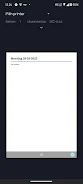
The visual style of Smart Notepad is intentionally uncluttered to reduce distraction. Text is presented with clear line spacing and a neutral color palette that keeps focus on your content rather than decorative elements. You can adjust basic display preferences such as text size and list sorting to suit comfortable reading and faster scanning. Because screens vary, the app maintains a consistent, responsive layout so lists and notes remain readable on phones with different resolutions and aspect ratios. Overall the interface is meant to make frequent, short interactions frictionless and predictable.
Controls in Smart Notepad follow familiar mobile patterns: tap to open, long-press for context actions, and swipe gestures to archive or delete items depending on your settings. For faster input, the app supports the system keyboard and handles pasted content gracefully. Accessibility features include support for larger text sizes and compatibility with standard screen readers so the app can be used by people with differing needs. Biometric unlock options make it quicker to access locked notes while preserving security, and the app avoids overly small tap targets to reduce input errors.
Rather than a complex hierarchy, Smart Notepad uses simple organization methods that scale as your note collection grows: pin important notes to the top, mark checklists as completed, and archive items you no longer need visible. This basic progression model helps you keep a small set of active notes and move older content out of the way without deleting it permanently. Search and quick scrolling make retrieving past entries fast, and repeated use rewards you with a predictable rhythm — create, check off, archive — that fits daily routines and long-term personal productivity.
All notes in Smart Notepad are stored locally on your device by design, which means you can use the app completely offline and retain control over your data. Local storage eliminates automatic cloud backups or cross-device synchronization, so if you switch devices or want remote backups you will need to export notes manually using the provided export or share functions. This trade-off is part of the app’s privacy-first approach: there is no hidden server-side storage and your sensitive entries remain on the device unless you choose to share them.
Smart Notepad intentionally avoids advanced formatting, rich text editing or collaborative features found in larger note platforms. If you require version history, multi-device sync, or extensive organizational tagging, this app may feel limited. However, for users seeking a fast, private place to capture thoughts, simple checklists and short memos, Smart Notepad offers a minimal, reliable toolset that minimizes distractions while protecting on-device data. It’s best suited for individuals who prioritize speed and privacy over feature-heavy note ecosystems.