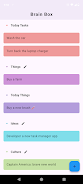
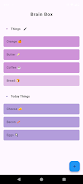
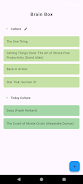
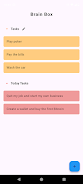
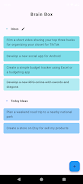
Brain Box is a minimalist note-capture app built to help you record discoveries and fleeting ideas the moment they occur. Whether it's a movie recommendation, a product to consider, a question that sparks curiosity, or a passing insight from a meeting or commute, Brain Box keeps those items out of your head and stored in a single, simple interface so you can retrieve and act on them later. The app emphasizes speed and low friction so adding an item takes seconds rather than interrupting your flow.
Quick capture: a dedicated entry field and one-tap workflow let you add notes without navigating menus. The design focuses on minimal required fields so you can jot things down fast and come back to them when you have time. The core experience is built around immediate capture rather than long-form editing or heavy organization.
Simple organization for retrieval: items are presented in a clear chronological list that makes it easy to scan recent captures. Basic search and a compact item view let you find past notes quickly; the goal is straightforward retrieval rather than complex filing. You can edit and remove entries with a straightforward press-and-hold or edit action, keeping the interface lean.
Lightweight and local-first: Brain Box is intentionally small and unobtrusive. It performs well on older devices and is designed for everyday use without lengthy setup. Because the app emphasizes personal, immediate capture, it keeps the interaction model intentionally simple to reduce cognitive overhead.
Entry is designed for speed: tap the input area, type your thought, and save. The interface supports fast keyboard entry and common clipboard workflows, so copying text from other apps and pasting into the capture field is seamless. Basic gestures such as tapping to open an item and long-pressing for edit or delete keep controls predictable and easy to learn.
The app minimizes layers of navigation: the main screen is the capture surface and recent list, so you rarely need to switch contexts. This directness reduces the time between an idea arising and it being recorded, which is the core behavioral goal of Brain Box.
Brain Box uses a minimalist visual approach: uncluttered screens, clear typography, and generous tap targets to speed input and reduce errors. The visual hierarchy emphasizes the capture field, recent entries, and the action to save, helping users focus on recording rather than configuring. Subtle visual cues and consistent spacing make it easy to scan notes at a glance.
Design choices prioritize readability and low distraction: restrained color use and high-contrast text improve legibility in varied lighting conditions. These choices support quick comprehension when you return to old notes and reduce friction during capture moments.
While Brain Box is not gamified, it supports personal productivity by making the habit of capturing discoveries painless. Over time, the app becomes a personal repository that increases in value as more observations are collected. The replay value comes from the practical utility of having a reliably fast place to store ideas you otherwise might forget.
The app's simple layout and prominent controls make it naturally accessible: large touch areas and clear labeling help users who prefer straightforward interactions. Brain Box is designed to operate without requiring a constant internet connection, so you can capture thoughts offline and review them later, which is useful during travel or in areas with limited connectivity.
Brain Box deliberately avoids advanced organizational features such as complex tagging, automation, or project-level task tracking. If you need deep note organization, nested folders, or automated workflows, this app may feel too minimal. It is best suited for people who want a fast, low-friction place to capture small insights, links, and reminders rather than a full-scale note management system.
Brain Box began as a personal project by an individual developer who wanted a better way to collect quick ideas during daily life and later released it publicly. The app reflects that single-purpose approach: focused on the capture experience and keeping things simple. Because it was designed with personal use in mind, the workflow keeps user interaction local and straightforward.