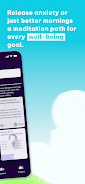





Embrace is a guided emotional recovery and mindfulness app created to help people manage anxiety, addiction recovery, stress, and sleep difficulties through short, structured practices. Embrace introduces personalized meditation paths, progressive mini-challenges, and adaptive guided sessions so users can build realistic daily habits and measure improvement in attention and calm. The interface is built around clear session goals, immediate feedback and a nonjudgmental progression model that encourages consistent practice rather than perfection.
The app centers on a few core features: adaptive guided meditations that change in response to your progress, brief progressive challenges designed to build resilience, and visual concentration meters that show attention fluctuations during each session. Embrace combines session dashboards with trend charts so you can see daily, weekly, and monthly patterns of focus and calm. Smart reminders suggest practice times based on your activity patterns while customization options let you choose themes, session lengths, and whether guidance is voice-led or silent with timed prompts.
Sessions are presented as short, approachable exercises rather than long sit-down meditations, making them easier to fit into a busy routine. When you start a path, the app creates a sequence of exercises that increase slightly in difficulty or duration as you succeed, allowing steady progression without abrupt jumps. Real-time feedback is provided through simple visual indicators that highlight focus, drift, and recovery moments, and the dashboard summarizes what improved after each session so adjustments to practice can be made intentionally.
Interaction is simple and touch-driven: start, pause, skip, or replay sessions with single taps. Audio narration can be adjusted for volume and playback speed, and session timers are flexible so you can select micro-sessions of a few minutes or longer practices. Visual controls let you switch between a guided audio view, a silent timer with subtle visuals, and a metrics view that surfaces concentration readings. The app keeps controls uncluttered to minimize distraction during practice.
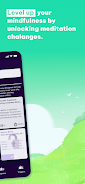
Progression is incremental and transparent: each path includes milestones and short challenges that adapt to your consistency and performance. Rather than leveling up in opaque ways, Embrace displays clear indicators of progress such as streaks, completed challenges, and improvements in session metrics. This structure supports gradual habit formation and provides variety so users can revisit earlier exercises or try deeper variations as they gain confidence.
The visual design focuses on calm, readable screens with soft color palettes and uncluttered typography to reduce cognitive load. Charts and meters are intentionally simple, using gentle animations to show attention trends and session highlights. Personalization options let you change color themes, button size, notification types, and the voice guiding sessions so the environment feels comfortable and tailored to individual preferences.
Accessibility is considered across audio and visual options: guided content includes easy-to-read captions, adjustable narration speed, and enlarged text modes. Controls are reachable and intentionally minimal for people with limited mobility, and visual contrast settings help users with low vision. The app’s steps and prompts use straightforward language and avoid technical jargon so newcomers to mindfulness can follow sessions without prior experience.
Most core meditations and challenge sequences can be downloaded for offline use so you can maintain regular practice without a constant internet connection. Replay value comes from adaptive sequencing, multiple thematic paths focused on sleep, anxiety relief, addiction support, and productivity, and the ability to revisit earlier sessions with different settings for a fresh experience. Small variations in guidance and difficulty make returning to the same session feel varied rather than repetitive.
Embrace is designed for people who find traditional stillness difficult by using interactive elements and measurable feedback to make short daily practices achievable. The combination of adaptive guidance, clear metrics, and gentle progression supports long-term habit building rather than offering one-off relaxation. The app’s compact sessions and scheduling suggestions make it easier to maintain consistency even on busy days.
The focus of the app is recovery-oriented mindfulness and anxiety support, so users seeking a very broad, unstructured library of every meditation style may find the selection more specialized. Meaningful improvements rely on regular use and commitment; benefits accumulate over weeks and months and are not instantaneous. Embrace is a supportive tool and not a substitute for professional medical or psychiatric care when those services are needed.