Inkpad Notepad & To do list is a lightweight, flexible note-taking and task manager designed for quick capture, organized lists, and offline use. It combines a simple text editor with checklist features, reminders, and cloud sync options to keep ideas, errands, and projects tidy across devices.
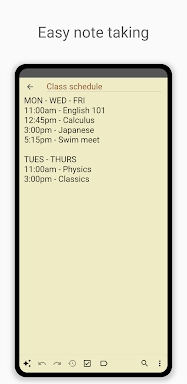
At its heart, Inkpad Notepad & To do list offers a clear set of tools for capturing thoughts and turning them into actionable tasks. Notes can be created instantly, converted into checklists, or expanded into multi-line entries. The app supports nested lists and basic formatting for fast readability. Built-in reminders and optional notifications help ensure deadlines are visible without extra effort.
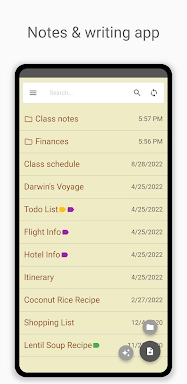
The user interface focuses on minimalism and speed. A clean list view shows notes sorted by date or custom order, while a single tap opens a note for editing. Inkpad Notepad & To do list keeps essential controls within easy reach: add, edit, pin, and archive actions are accessible from the main screen so common workflows stay uninterrupted. The thin learning curve makes it useful for users who want immediate productivity without a steep setup.
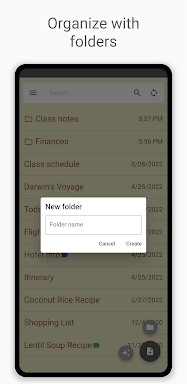
Organizing information is straightforward. You can tag notes, pin important items, and archive finished tasks. The search tool locates keywords across titles and body text quickly, which is helpful when projects grow. Filters let you view only checklists, only starred notes, or items updated within a chosen timeframe. These options reduce clutter and help you focus on what matters now.
Inkpad Notepad & To do list supports multiple sync options so your notes stay consistent across phones and tablets. Automatic backups protect against accidental loss, and offline editing means you can work without a connection. When a connection returns, changes merge to cloud storage smoothly. This combination of local-first reliability and cloud convenience is tailored for users who switch between devices throughout the day.
Customization helps the app adapt to personal habits. Choose sort orders, enable compact list spacing, and toggle dark mode to reduce eye strain. The app also supports pinning frequently used notes to the top and converting plain text into checklist items with a single command. These small options make repeated tasks less tedious and reduce the time spent managing notes.
Lightweight code and efficient data handling keep performance snappy even on older devices. Inkpad Notepad & To do list launches quickly and responds to typing and navigation without lag. Compatibility covers a wide range of Android versions, and the app is designed to run with modest battery and memory impact, so it won’t interfere with other background apps or essential services.
When you need to move information out of the app, export tools make it simple. Notes can be saved as text files or shared via email and messaging. Integration with system-level actions means you can open notes from widgets or share content directly into the app from other software. These options help incorporate the app into existing productivity routines.
Begin by creating a few core lists: a daily tasks list, a projects list, and a shopping or errands list. Use tags to separate work and personal items, and turn recurring actions into templates you can copy. For busy days, pin the most important tasks to the top of the list and enable reminders for time-sensitive items. Regularly archiving completed notes keeps the workspace focused and fast.
Many users pick Inkpad Notepad & To do list because it balances simplicity with capabilities. It doesn’t overwhelm with unnecessary features, yet it covers the essentials for planning, quick capture, and task follow-up. For people who want a reliable, no-nonsense note and list manager that syncs and performs well, this app is a practical choice.
Tip: Try the widget to add notes without opening the app and test sync settings once after setup to confirm backups are working as expected.