Catchwell CR10 brings a modern approach to floor care by pairing strong suction and adjustable water flow with LDS (Laser Detection System) navigation and a dedicated remote-control app. The Catchwell CR10 mobile interface puts mapping, scheduling and manual control at your fingertips so you can monitor cleaning progress in real time, set prohibited zones and fine-tune suction settings for different floor types. Designed for homes and small offices, the Catchwell CR10 system aims to reduce daily maintenance with intelligent routing while still giving users precise, app-based control.
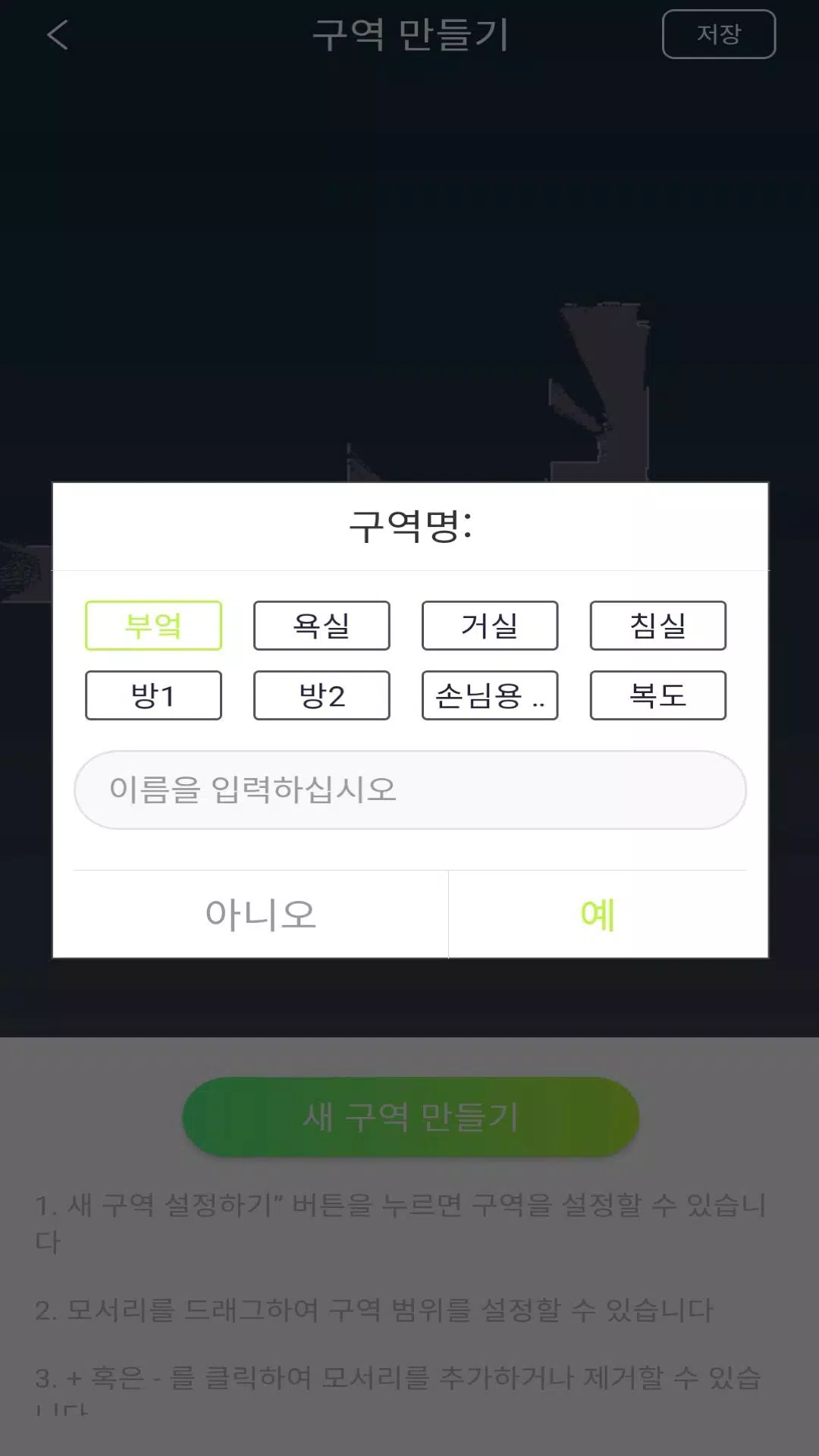
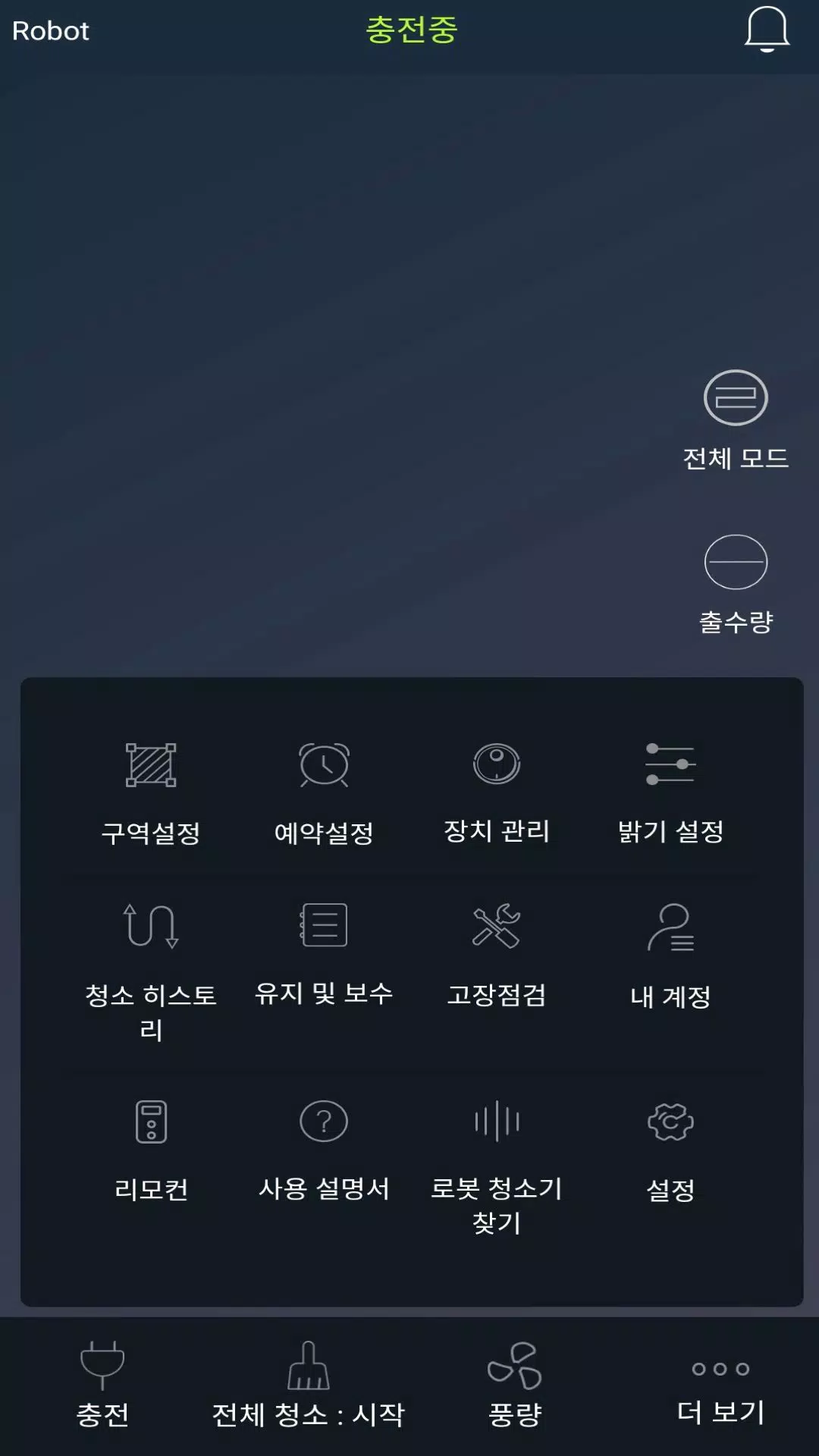
The app provides a live map that visualizes the robot's path and coverage, plus intuitive controls for starting, pausing or steering the unit remotely. Within the interface you can create named rooms or areas on the map, draw prohibited or no-go zones and save recurring schedules for specific days and times. Suction power and water outlet levels are adjustable in real time so you can switch between deeper vacuuming for carpets and gentler mopping for hard floors without interrupting a run. Multi-user access is supported so households can share the device without exchanging a single account login, and map snapshots and cleaning histories are available for quick review.
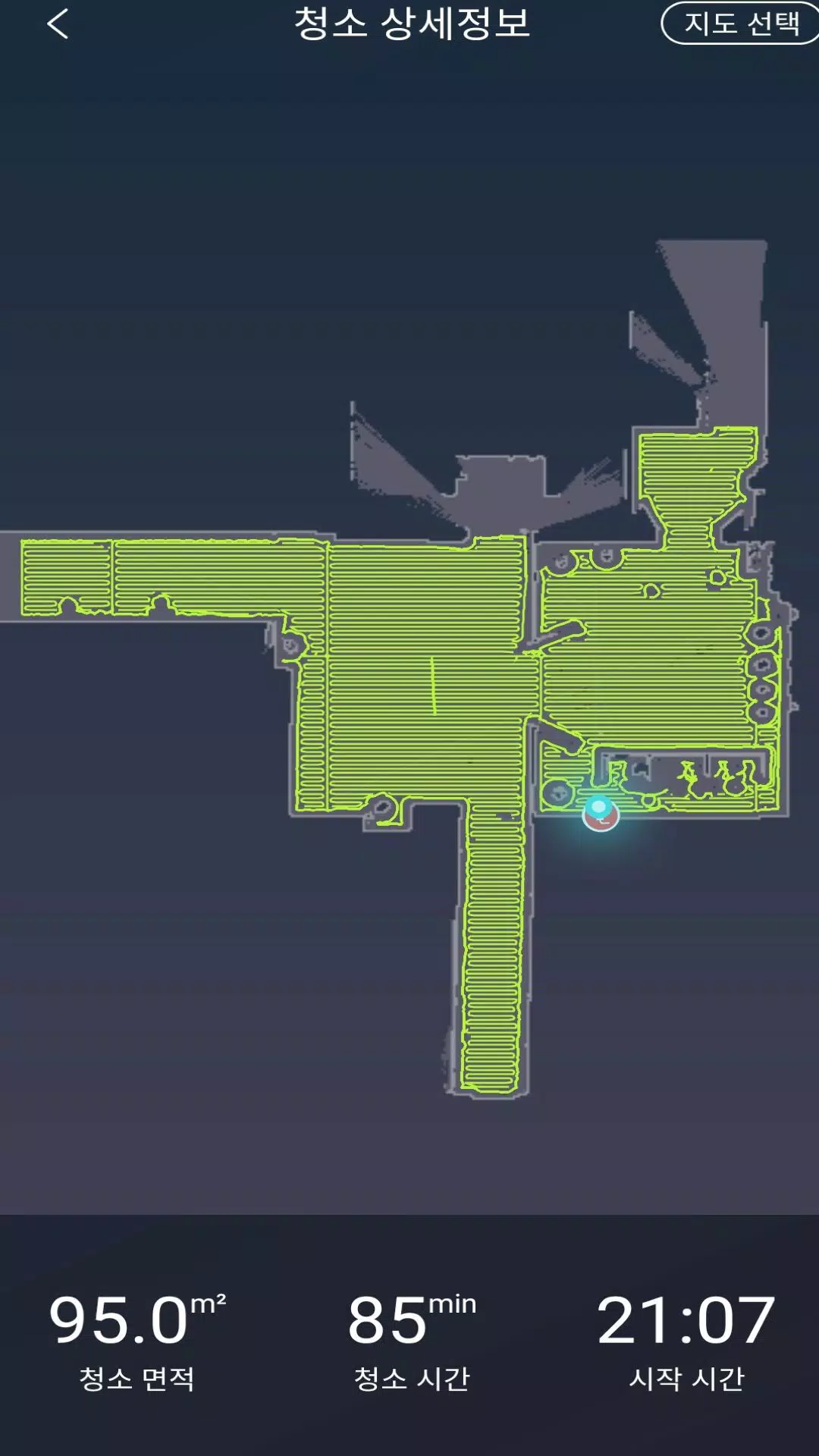
The LDS navigation system builds accurate floor plans as the robot explores, creating a visual representation of rooms and obstacles that the app displays. This mapping lets the device follow efficient routes instead of random back-and-forth motion, reducing missed spots and repeat coverage. The app's map view highlights completed areas and the current location of the robot during a session, making it easy to confirm whether a problem area has been reached. Initial mapping runs are recommended so virtual boundaries and scheduled routines can be applied reliably across future cleanings.
Controls are designed to be straightforward for everyday use: start a full-clean cycle, send the robot to a specific room, or trigger a short spot clean. For customization, you can name rooms, set cleaning priorities and store recurring schedules that reflect your household rhythm. The suction and water flow settings can be adjusted independently for each run, enabling nuanced performance tuning when moving between rugs, tiles and wood floors. Access sharing is handled within the app so family members or colleagues can control the device from their own phones without sharing primary credentials.
Rather than game-like progression, the app emphasizes routine refinement: as you use the device and review cleaning logs, you can adjust schedules, refine no-go zones and set room-specific preferences to improve efficiency over time. The more you fine-tune these parameters the fewer manual interventions are needed, which increases the practical replay value of the system—regular maintenance becomes more automated and predictable. Cleaning histories also let you track frequency and duration so you can plan deeper cleaning sessions when needed.
The app focuses on clear map visuals and simple controls to reduce friction. Map colors and icons indicate floor coverage and restricted areas, while clean, labeled buttons guide common tasks so users of varying technical skill can operate the robot. Notifications alert you to completed jobs, mapping milestones or if manual attention is required, and the app layout keeps schedules, maps and device controls on distinct screens for fast access during busy days.
Accessibility considerations include readable text sizes, logically grouped controls and straightforward language in prompts and alerts. The remote-control functionality works when the phone and robot are connected through the local network or paired via the app; some features that sync across accounts require internet access, while core remote controls and mapping are primarily handled locally during a session. The app supports multiple users on the same device and is intended to be compatible with standard home Wi-Fi environments typical of small residences and offices.
Initial mapping and some advanced functions require an initial configuration pass so the robot can learn room layouts; until that mapping is complete features like prohibited zones and room-targeted routines may not behave as expected. Because many of the advanced features are accessed through the companion app, full control depends on keeping the app updated and maintaining a reliable network connection. Users should allow a few trial runs to refine the map, schedules and suction/water settings for their specific space.
Overall, the Catchwell CR10 app is a practical control center for a laser-mapped robot designed to minimize manual floor care while giving users the tools to customize performance by room and routine. The combination of real-time maps, adjustable cleaning power and scheduled automation makes it a useful option for households and small offices seeking a more hands-off cleaning workflow.