Volume Panel Pro puts precise audio control at your fingertips on Android, replacing the default volume popup with a compact, customizable on-screen panel. It offers quick access to media, call, alarm and notification volumes, plus themes, gestures and profiles for tailored sound management.
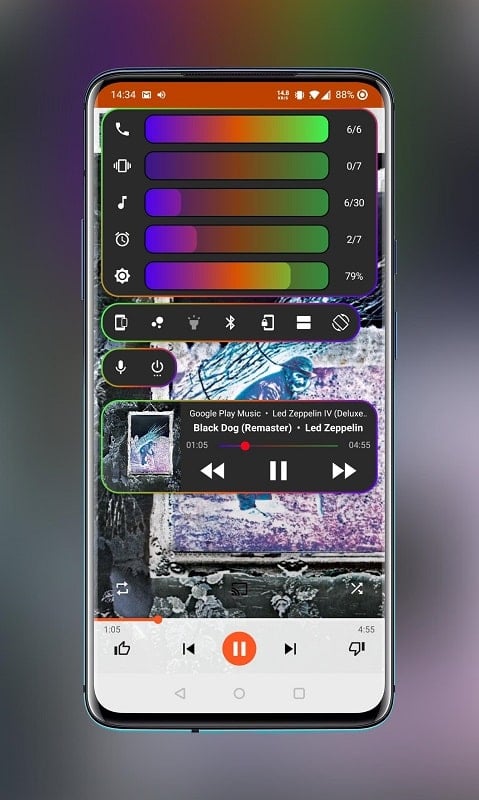
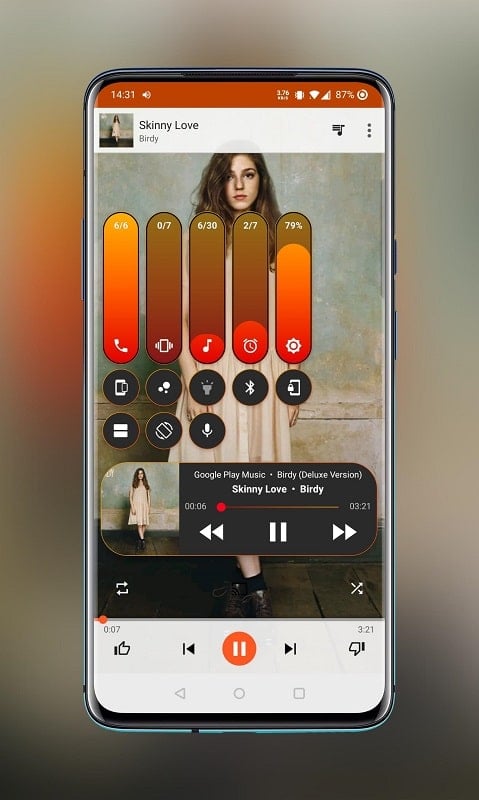
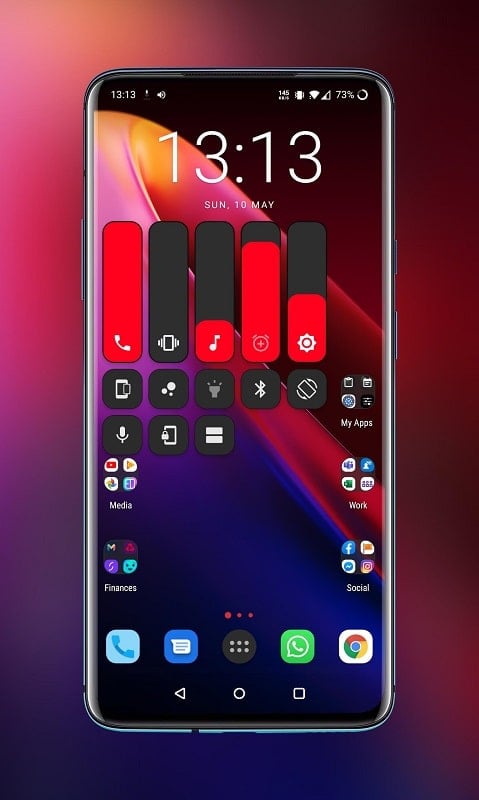
Volume Panel Pro transforms how you adjust sound on your device. Instead of cycling through multiple menus or enduring the system overlay, the app displays a sleek panel that appears where you need it. Sliders and buttons let you change individual streams independently, mute or restore audio, and modify behaviors per app or context.
The user interface is designed for rapid use. Volume Panel Pro places controls in reachable areas on screen and keeps them persistent or transient based on your preference. A compact mode minimizes screen real estate while still showing all essential controls. Menus are organized so you can create or edit profiles in a few taps and preview changes instantly.
Personalization is a core strength. Choose color accents, slider sizes, bar orientations and the position of the panel. Accessibility features include larger sliders, high-contrast themes and voice feedback to support users with vision or motor impairments. The combination of profiles and gestures makes it straightforward to maintain silent routines or quickly raise volume when needed.
Volume Panel Pro works alongside Android’s native audio system without replacing essential functions. It requests only the permissions needed to manage volume and overlay the panel safely. The app respects Do Not Disturb rules and can be configured to defer to system-level audio policies. For power users, advanced settings control how hardware buttons interact with the app and whether the panel appears on the lock screen.
Designed to be lightweight, Volume Panel Pro prioritizes low memory usage and minimal battery impact. Animations are optimized, and background services are kept to a minimum unless profile automation is active. The app runs on a wide range of devices and Android versions; compatibility notes are provided inside the app for specific OEM customizations where behavior may vary.
Daily tasks become smoother with this app. Use profiles to silence notifications during meetings, automatically lower media volume at night, or boost call volume while driving. Quick-access gestures let you react to incoming audio needs without disrupting what you’re doing. For users who frequently switch between headphones, Bluetooth devices, and built-in speakers, Volume Panel Pro speeds up adjustments and reduces misconfigured audio moments.
To begin, install the app, grant overlay and audio permissions, then select a default theme and layout. Create a couple of profiles—perhaps Work and Home—and assign simple gestures to switch between them. Explore the step settings for each slider to fine-tune how incremental changes respond to hardware keys. The initial setup takes only a few minutes but yields more intuitive control every day.
Volume Panel Pro provides a polished alternative to the standard volume UI, offering customization, accessibility options and automation that suit both casual users and power users looking for a smarter way to manage sound on Android devices.