
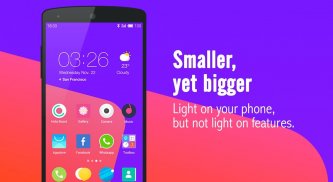
Hola Launcher is a lightweight Android home screen replacement that focuses on speed, customization, and simplicity. It rearranges your apps, offers theme packs, and integrates smart folders and gesture shortcuts to streamline daily tasks, making it easy to personalize your phone without sacrificing performance or battery life.
At its core, Hola Launcher transforms the standard Android interface into a more organized, visually consistent environment. It provides a flexible app drawer, adaptive icons, and a variety of themes that change colors, icons, and wallpaper combinations with a single tap. The launcher also adds utility features such as search shortcuts, app categories, and instant access to frequently used contacts.
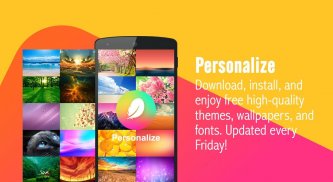
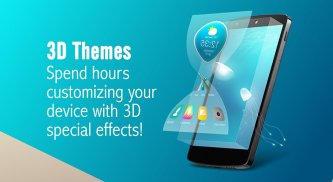
Customization is a main attraction. Hola Launcher includes a theme marketplace where you can browse dozens of free or paid skins. Themes often bundle wallpapers, icon packs, and widget styles that keep the look coherent. You can also tweak individual elements like grid size, label visibility, and icon scaling to fine-tune how many apps appear on each page.
Hola Launcher emphasizes fast navigation. Gesture controls let you assign swipes, pinches, and double taps to actions like opening the notification panel, launching the camera, or pulling up a custom app list. Shortcuts and quick actions are configurable from the home screen, enabling single-tap access to directions, messages, or a playlist. These shortcuts reduce clutter and speed up common tasks.
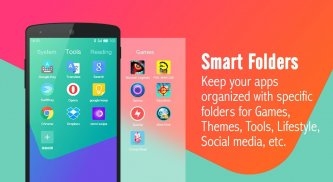
Beyond cosmetics, Hola Launcher aims to improve daily workflow. The smart folder system groups similar apps automatically, and a built-in search bar locates apps, contacts, and web results instantly. You can pin important widgets to a persistent panel and use a one-handed mode to shift the interface for easier reachability on large devices. The launcher also supports multiple pages and gesture-enabled app switching for efficient multitasking.
Performance remains lightweight: Hola Launcher is designed to run smoothly on mid-range devices without heavy memory usage. It minimizes background services and provides options to disable animations or reduce refresh intervals to save power. Users can monitor memory consumption within the settings and force the launcher to free resources when switching to another home manager.
The launcher supports a wide range of Android versions and adapts to different screen sizes, including tablets and foldable devices. It respects Android’s accessibility settings, making it easier to use with larger fonts or high-contrast modes. Compatibility with popular icon packs and widgets ensures you won’t lose favorite tools when switching to Hola Launcher.
Hola Launcher requests a limited set of permissions required to manage home screen features and deliver notifications. It provides privacy settings to control what data is accessed for suggestions and search. Users can opt out of personalized recommendations or cloud backup to keep layout data only on their device.
Getting started with Hola Launcher is straightforward. After installation, a quick setup wizard walks through theme selection, gesture configuration, and whether to import your existing home layout. New users can experiment with default presets and then gradually adjust finer settings as they become comfortable.
Hola Launcher is a practical choice for users who want a balance of style and utility on Android devices. Its combination of theme-driven visuals, gesture shortcuts, and lightweight performance makes it a compelling alternative to stock launchers, especially for those seeking a faster and more personalized daily experience with their phone.