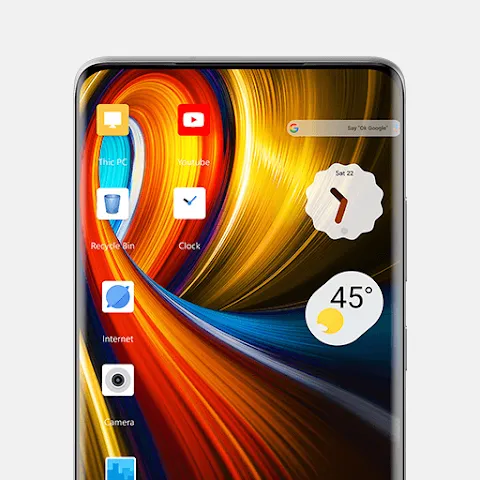
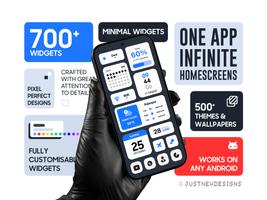
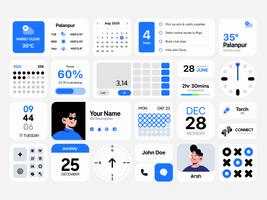
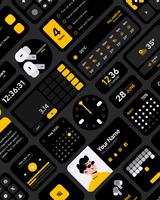
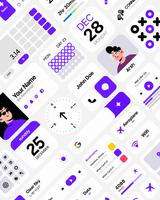
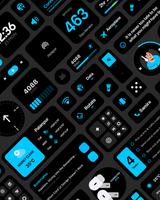
Minimal Widgets is a compact home screen widget toolkit designed for Android users who want a clean, distraction-free interface. This personalization widget app focuses on essential modules—clock, weather, calendar previews and quick shortcuts—so you can keep your home screen orderly without the bloat of full-featured alternatives. Minimal Widgets emphasizes speed, readable typography and consistent color choices while giving you straightforward controls to tailor widgets to your workflow.
Minimal Widgets provides a small, curated set of widget types that display information at a glance: time and alarm indicators, concise weather summaries, upcoming calendar events and tappable shortcut tiles. Each widget is built to be readable on different wallpapers and to occupy minimal RAM and CPU time. Rather than offering dozens of unrelated functions, the app concentrates on reliable presentation and useful tap actions that replace the need for extra launcher extensions.
After installing Minimal Widgets, add your chosen widget from Android’s widget picker and place it on the home screen. Sizing follows standard grid sizes so widgets fit alongside app icons and other elements. Tap or long-press a widget to open its configuration panel; there you adjust content modules, set tap actions to open apps or deep links, and define refresh intervals for weather and calendar data. Settings save as presets so you can reuse preferred configurations across multiple home screens.
Controls are intentionally simple: sliders and toggles manage font weight, transparency and refresh frequency while live previews show changes immediately. Resize handles integrate with the launcher’s resizing behavior so you can drag to expand or shrink widgets visually. Tap actions support single and double-tap assignments where Android allows, and the app respects system-level shortcuts to avoid conflicts with your launcher or accessibility settings.
Customization in Minimal Widgets follows a lightweight progression model: start with one of the supplied presets and progressively refine fonts, colors and module visibility to fit your needs. As you create and save custom presets, you can assemble a consistent set of widgets that evolve with how you use your device—morning layout for quick time and commute weather, daytime layout with calendar focus, and a pared-down night screen. This gradual refinement gives meaningful progression without forcing complex menus.
Visual choices center on clarity and restraint. Minimal Widgets offers a small palette of accent colors and carefully selected typefaces with a few weight options to preserve legibility. Backgrounds can be semi-transparent, fully transparent, or use a subtle blurred panel where supported. Widgets adapt text size and spacing to available space, so a 1x1 shortcut remains readable while a 4x1 clock can emphasize typography and spacing for a balanced look.
The app is designed to be battery-friendly: it minimizes background polling, lets you set longer intervals for weather and calendar refresh, and caches recent data so widgets remain useful while offline. These choices reduce wakeups and network activity compared with heavier alternatives, helping maintain system responsiveness and longer battery life on older devices.
Accessibility options include adjustable contrast, font scaling and simplified layouts that help users who need larger text or stronger color separation. Calendar and location permissions are requested only when necessary and you can restrict which calendars the app reads. When connectivity is limited, Minimal Widgets shows cached weather and the most recent calendar snapshot so your home screen remains informative without constant network access.
Begin with a two-column layout, placing a clock widget next to a calendar or weather preview, then use presets to match colors quickly. If you prefer tighter control, schedule less frequent updates for weather and limit calendar sync to a few important calendars to save data. Save any custom configuration as a preset to reuse it across multiple profiles or home screens. Minimal Widgets keeps configuration pages compact and context-driven to speed setup and reduce friction.
Install Minimal Widgets, grant optional permissions for calendar and location access if you want those modules, then add your first widget from the system picker. Choose a preset, adjust sizing, and assign tap actions to open apps or specific screens. Over time you can save and organize presets to match different routines, making the home screen both more functional and visually consistent without unnecessary complexity.