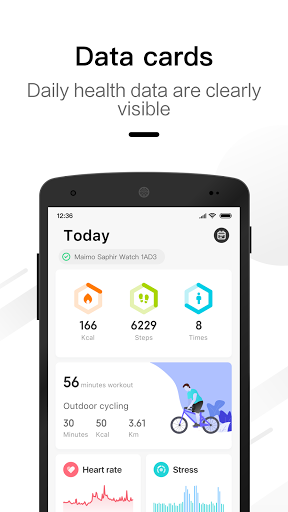
Maimo Fit is a companion app designed to pair with Maimo smartwatches and collect exercise and health data so you can manage daily activity, workouts and overall wellbeing. The Maimo Fit app brings together step counts, calorie estimates, heart rate recordings, sleep insights, stress indicators and a "body battery" metric into a single dashboard, and stores detailed exercise traces and reports that you can review or share. The app is intended to support everyday fitness and lifestyle tracking rather than provide medical diagnosis or clinical interpretation.
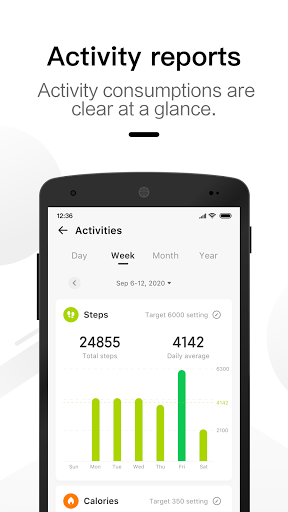
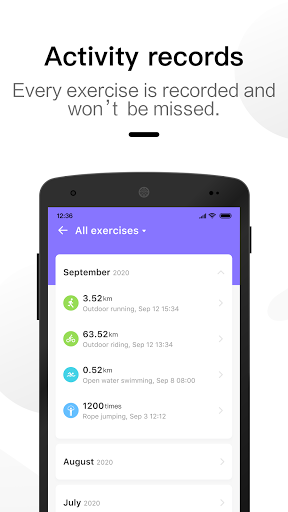
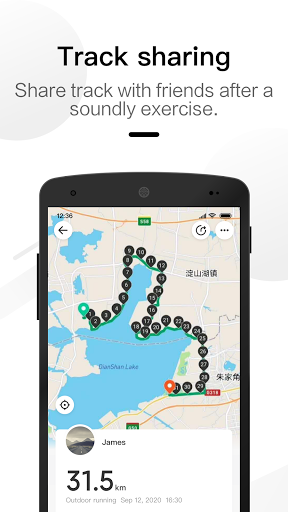
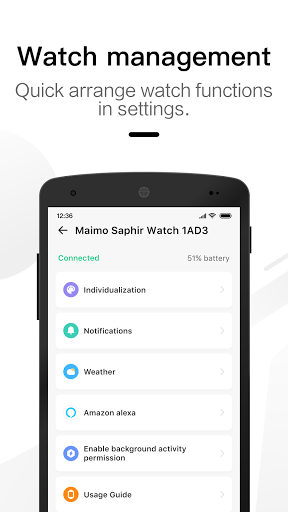
The app continuously records biometric and activity data and presents it in multiple timeline views so trends are easy to spot: day-by-day summaries, month-over-month trends and yearly comparisons. Heart rate sampling and sleep tracking appear as graphs with timestamps so you can see when intensity or rest changed during a session or night. When GPS permission is enabled, Maimo Fit logs route maps for outdoor workouts and overlays pace and heart rate on the traced path. Each exercise entry contains duration, distance (when available), calories and a detailed trace that can be exported or attached to a photo saved with the activity. Notifications, watch face selection and widget arrangement are handled from the same device manager interface, and the app supports QR pairing and device discovery to simplify initial setup.
Pairing is straightforward: enable Bluetooth on your phone, open Maimo Fit and follow the on-screen prompts to scan a QR or discover the watch. The app interface is built around a central timeline and a device panel; taps and swipes let you move between days, expand a workout to see traces or long-press to edit the name or add a photo. Watch controls remain consistent with the paired device—use the watch to start/stop workouts, view real-time heart rate, and receive vibration prompts. Data recorded while the phone is offline is cached locally and synchronized automatically when a connection is re-established, so you can use the watch away from your phone and still keep a continuous log.
Progression in Maimo Fit comes from tracked improvement rather than gamified rewards: regular timeline views and summary reports make it easy to compare current performance to previous weeks and months, letting you spot gains in endurance, consistency of sleep, or reductions in resting heart rate. Workout history serves as a personal archive that shows how frequently you train, how long sessions last, and how intensity changes over time. Exported reports are suitable for sharing with coaches or saving for personal records, and simple trend indicators on the dashboard highlight when you’ve exceeded recent averages or need to increase activity to meet personal targets.
The visual design of Maimo Fit favors clarity and quick interpretation: clean charts, color-coded zones for heart rate or sleep stages, and customizable watch faces that let you prioritize the information you glance at most often. Widgets and watch face modules can be rearranged in the device manager, so whether you prefer a compact step counter or a larger heart-rate readout on your watch face, the layout adapts. Photos attached to activities add a visual memory to workouts and can be exported along with activity data for richer session reports.
Maimo Fit supports common accessibility considerations such as scalable text in the app, high-contrast charting for clarity, and the use of the paired watch’s vibration and audible alerts for people who rely less on visual feedback. Since the app caches sensor and exercise data when the phone is out of range, you can record workouts and biometrics offline; the app performs synchronization and backup once the device reconnects. Optional features like GPS route maps or contact-based call reminders require explicit permissions and can be turned off without affecting core tracking functions.
Maimo Fit requires pairing with compatible Maimo smartwatches for full functionality; while some summary information can be viewed in the app without a device, many features depend on the watch. The app requests optional permissions for location (for route mapping and local weather), storage (for media export and photo saving), and contacts/phone (to enable call reminders), and those permissions can be denied if you prefer tighter privacy. Maimo Fit is not a medical device and should not be used to diagnose or treat health conditions; data is intended for general fitness and wellness tracking. If you need clinical-grade measurements or medical advice, consult a qualified professional rather than relying on app output.