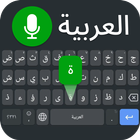
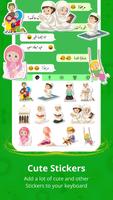
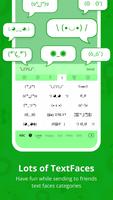
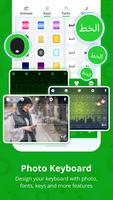
In7 is a combined Arabic keyboard and English-learning app built for Arabic speakers who want to type comfortably and study practical English in the same place. In7 pairs a professional Arabic input method — complete with diacritic options and emoji support — with a phrase-based English course that emphasizes everyday sentences, Arabic translations, Romanized transliteration and clear audio for pronunciation practice. This introduction explains how the app works, what to expect from daily practice, and how the keyboard and lessons fit together to support steady progress without requiring an internet connection.
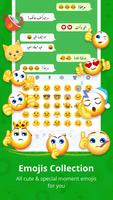
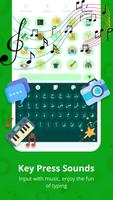
The In7 package brings three primary components together: a responsive Arabic keyboard, a sentence-oriented English curriculum, and audio-guided pronunciation. The keyboard supports easy typing with accurate Arabic character entry, quick access to diacritics via long-press or pop-up keys, and a full set of emojis to use inside any messaging app. Lessons contain more than a thousand short, practical English sentences with clear Arabic translations and Romanized transliteration to help bridge reading and speaking. Each phrase includes audio you can play repeatedly to model natural rhythm and intonation.
Interaction focuses on simple, familiar controls. Typing uses standard tap and long-press gestures for letters and diacritics, plus a fast switch gesture or key to move between Arabic and English layouts. Lesson navigation is tap-based: select a category, open a sentence, tap the audio icon to listen, and tap again to hear the phrase at normal or slowed speed. Practice sessions let you listen, repeat aloud, and type the English or Arabic sentence to reinforce recognition and production. The keyboard integrates with other apps so you can practice real conversations directly in chats, notes, or social media while retaining access to lessons from the keyboard menu.
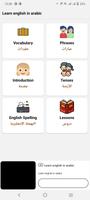
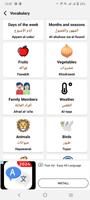
Lessons are organized into short modules that focus on daily expressions, common vocabulary groups and basic tense forms. New learners start with foundational sentences and simple exchanges, then move into slightly longer dialogue patterns and vocabulary clusters as they progress. The app tracks completed modules locally, showing which lessons you have studied and which are due for review. Practice sessions encourage repetition of key phrases until they become familiar, and course pacing is deliberately steady so learners build confidence without overwhelming detail. Regular exposure to the same phrases in typing and listening helps reinforce both comprehension and writing speed.
Design emphasizes clarity and legibility: clean key shapes, clear Arabic script rendering and readable transliteration alongside each English sentence. Users can adjust keyboard size and key height to match finger reach and typing comfort, and there are options to show or hide diacritics by default to suit learning stage. Audio playback controls allow you to replay phrases or pause between segments so that imitation and shadowing exercises are easy to follow. The interface keeps lesson text and phonetic guidance visible so that learners can both read and listen without switching screens.
The app encourages short, repeatable practice sessions that fit into daily routines. Because lessons are built around useful daily sentences, learners can reuse phrases in real conversations immediately, increasing the app’s practical replay value. Typing practice with the integrated keyboard turns natural messaging into learning time, while repeated listening and speaking of key sentences helps improve pronunciation over multiple passes. The combination of typing, listening and quick review cycles makes it natural to return to the app frequently for incremental improvement.
In7 is designed to be usable without constant internet access: core lessons, transliterations and audio files are available offline after download so you can practice while commuting or in low-connectivity situations. Text size and transliteration visibility can be adjusted for readability, and the clear audio recordings support learners who rely on listening to develop pronunciation. Progress is tracked on-device, so you can see which modules you have completed and which still need practice without requiring external accounts or online services.
The app’s strengths lie in combining a high-quality Arabic typing experience with a practical, phrase-focused English course that suits absolute beginners and casual learners. It is especially convenient for users who want to practice English while using their keyboard in everyday messaging. Limitations reflect intention: the content targets foundational spoken English and daily situations rather than advanced grammar or specialized vocabulary, and the interface and explanations are optimized for Arabic speakers, so learners seeking deep academic study or multilingual support beyond Arabic and English may need supplemental resources.