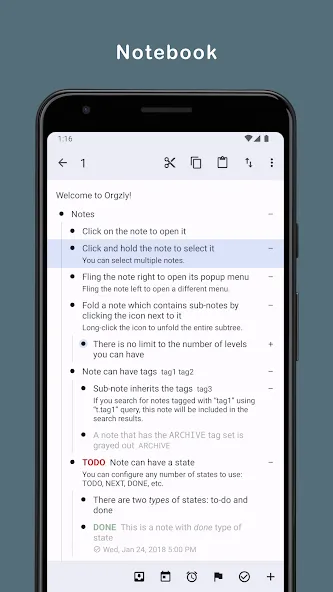
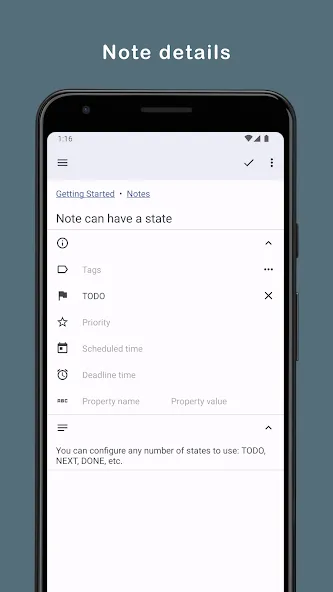
Orgzly is a minimalist, outline-based note-taking app for Android that organizes tasks, ideas, and research into nested lists. It combines quick capture with rich structuring tools, offline storage, and optional synchronization. Users who prefer hierarchical notes and keyboard-driven workflows will find it efficient and unobtrusive.
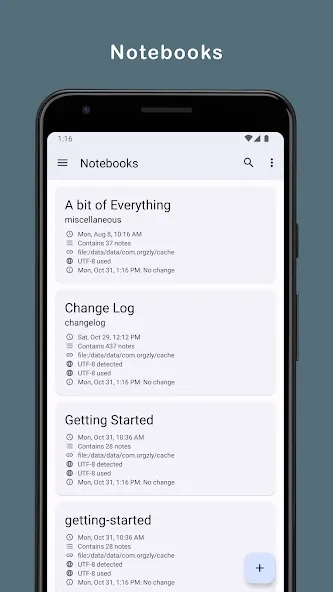
Orgzly targets people who work with outlines, project notes, and task lists rather than freeform, card-style notes. The app stores information as plain-text outlines so content remains portable and accessible outside the app. This simplicity favors reliability: notes are easy to back up, script, or edit with other tools.
The workflow is straightforward: open an outline, add nodes to capture thoughts or actions, and nest related items beneath parent nodes. Orgzly supports timestamping and basic scheduling so items can be ordered by priority or date. You can collapse branches to reduce visual noise and concentrate on the current task.
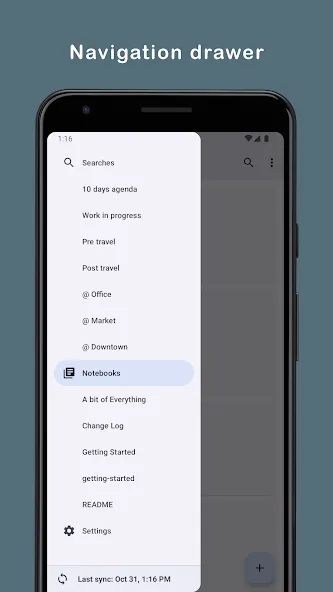
Customization is focused on structure rather than appearance. You can set default behaviors for new lists, organize files into folders, and apply tags or properties to nodes for cross-cutting queries. For people who use multiple devices, the app plays well with external file managers and optional sync services, letting you manage your notes alongside other plain-text documents.
Orgzly keeps the interface minimal: a clear reading mode, compact editing controls, and an outline navigator that surfaces context without distraction. The lightweight design preserves battery and memory, so it remains responsive even with very large outline files. Scrolling and collapsing are often instantaneous, which helps when you rely on the tool throughout a busy day.
Project managers can use Orgzly to track action items as child nodes under meeting notes. Writers can outline chapters and move sections around without losing context. Developers may store bug lists and short-run checklists as plain-text files that travel with the codebase. These patterns demonstrate how the app adapts to varied workflows while staying centered on structure.
Power users often combine Orgzly with cloud-backed file storage or version control to maintain a single source of truth accessible from multiple devices. Scripts can parse the plain-text outlines for automated reporting or task export. The app’s format is intentionally simple so these integrations remain practical.
Install the app, create a new outline file, and add a top-level title to serve as your project root. Practice toggling TODO states and collapsing branches to get comfortable with the flow. If you need remote access, enable optional synchronization and point it to a folder that your preferred cloud or file-sync tool watches.
For users who value privacy and portability, Orgzly delivers a no-frills environment for structured thinking. It won’t replace freeform notebooks for every use case, but when hierarchy, predictability, and plain-text longevity matter, this app offers a dependable toolkit for organizing work and ideas.