

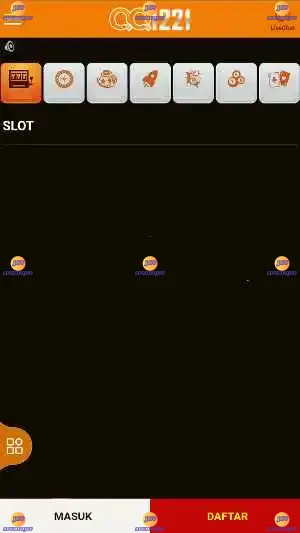
QQ1221 is a compact slot-style entertainment app for Android that focuses on short, approachable sessions and a lightweight install for phones with modest hardware. QQ1221 offers colorful visuals and straightforward controls so casual players can jump in immediately; the interface groups core settings together so you can switch themed modes, adjust spin behavior and collect daily bonuses without digging through nested menus. Designed as a single-player experience, the app emphasizes fast rounds, clear feedback and configurable options that suit both newcomers and repeat players.
The app provides several themed modes ranging from classic fruit reels to contemporary animated skins, each with distinct icon artwork and background music. Adjustable control options include standard tap-to-spin input, auto-spin for hands-free play and configurable spin speed so sessions can be paced to personal preference. A daily reward system and periodic in-app bonus mechanics provide steady progression tokens that are spent on cosmetic customizations and mode unlocks. The interface is optimized for low memory use, keeping the APK small while maintaining smooth animations and responsive controls across a broad set of Android devices.
Gameplay centers on short, repeatable spins that deliver quick outcomes, which makes QQ1221 well suited to brief play sessions or longer stretches when players want to accumulate bonuses. Controls are deliberately simple: a single tap initiates a spin, while an auto-spin toggle allows continuous rounds for a set number of spins. Spin speed and sound can be adjusted from the same panel so you can tailor how fast reels settle and whether audio cues are used. Clear visual cues and outcome indicators explain wins and bonus activations without requiring a manual, keeping the learning curve minimal.
Progression is driven by a combination of daily rewards, in-session bonuses and a modest unlock path for themes and modes. Regular logins build a streak of rewards that can be redeemed for in-app tokens, and occasional bonus mechanics during play give extra tokens or free spins when certain patterns occur. These systems are designed to encourage return play without forcing long grind cycles; rewards are paced to feel meaningful across several short sessions. There are also tiered difficulty or payout modes that gradually change the risk/reward balance, giving casual players room to experiment while preserving a clear sense of advancement.
Visually, the app balances bright, easy-to-read iconography with smooth reel animations, making outcomes readable even on smaller screens. Theme packs change both the reel art and ambient decorations, and some visual themes include alternate soundtracks to match the aesthetic. Customization focuses on non-gameplay cosmetic changes and basic UI preferences — for example, switching between compact and expanded layouts, toggling sound and adjusting animation speed — allowing players to personalize the experience without complicating core mechanics.
Replay value comes from short-session design, variable themes and the reward loop rather than from complex mechanics. Because rounds are quick and results immediate, players often return to try different modes or chase streaks of bonuses. Challenge is introduced through selectable mode tiers that alter payout patterns and bonus frequency; these tiers act like session difficulty options so players can pick a relaxed playthrough or a slightly more demanding one without needing separate level maps or campaigns.
QQ1221 is built to work well offline and does not require a persistent network connection to play standard sessions, which makes it convenient for travel or limited-data situations. The lightweight design minimizes battery drain and keeps performance smooth on older devices. Accessibility options include adjustable sound levels, straightforward contrast between symbols and backgrounds, and simplified controls to reduce input complexity for new users. Because the app is optimized for a wide range of hardware, it performs reliably on many Android versions and phone configurations.
Be aware that QQ1221 may not be distributed through every official app store, so installation could require manual APK sideloading; the app package is intentionally small to ease this process on low-storage devices. Manual installation steps are typical for APKs: enable unknown sources where required, download the package from a trusted source, and follow on-screen prompts. The developer provides basic guidance for compatibility and troubleshooting, and the app itself includes built-in checks to adjust graphics and sound settings automatically to match device capabilities.