


BudPal is a smart mobile companion designed to simplify daily organization and habit tracking with intuitive workflows and timely reminders. It combines task management, calendar integration, and progress visualization to help users stay on top of routines and projects without clutter or steep learning curves.
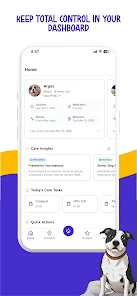
At its heart BudPal offers a compact set of tools focused on productivity: task lists with subtasks, daily and weekly habit trackers, a synced calendar view, and lightweight note-taking. Each tool is designed to be accessible from the main dashboard so you can add, edit, or reschedule items in just a few taps.
BudPal emphasizes a clean, distraction-free interface. The layout places your most relevant items at the top of the screen, with contextual actions appearing when needed. Drag-and-drop ordering, swipe gestures for quick completion, and collapsible sections reduce clutter and accelerate daily use.
The app supports focused workflows: create a morning routine with repeated actions, plan a work session with set blocks of time, or batch low-priority errands into one list. Templates let you save common setups so starting a new week or project takes seconds.
Customization in BudPal is practical rather than flashy. Choose color themes, adjust reminder behavior, and define notification windows to match your schedule. You can tailor the dashboard to show only the modules you use most, and set goal targets for habits to receive progress nudges.
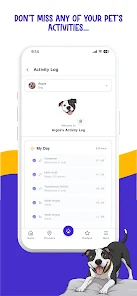
Tracking goes beyond simple checkmarks. BudPal compiles weekly and monthly summaries that highlight streaks, completion percentages, and time spent on categories. Visual charts and simple metrics help you spot patterns—when you’re most productive, which habits need attention, and how tasks trend over time.
These insights are presented with actionable suggestions, such as breaking large tasks into smaller steps or scheduling high-focus work during your peak hours.
BudPal is built for seamless syncing across multiple devices. Data is stored securely and can be backed up to cloud services to prevent accidental loss. Compatibility covers modern Android versions and common calendar providers, and the app is optimized to use minimal battery and memory while running background reminders.
Smart reminders are a standout element. Instead of repetitive alerts, BudPal adapts reminders based on your behavior: if you routinely snooze a particular notification, the timing adjusts; if you miss a habit several days in a row, the app suggests a smaller goal to rebuild momentum. Location-based reminders are available for context-sensitive tasks like errands.
Privacy is treated with clear controls. You decide what to sync and what to keep local. BudPal provides settings to export your data, delete accounts, and manage permission access. The privacy options aim to be transparent so users understand where their data is stored and how it is used.
Installing BudPal takes only moments. On first launch you’ll be guided through a brief setup to choose your main goals, connect calendars if desired, and pick a default theme. A short interactive tour demonstrates key gestures and the location of primary controls so new users feel confident within minutes.
BudPal fits people who want a straightforward, reliable system for organizing days and building habits without a steep setup. It works well for professionals managing deadlines, students balancing coursework, and anyone looking to form better routines. The app scales from simple to-do lists to more structured productivity plans without forcing complexity.
Performance is lightweight and responsive. Regular updates refine features and improve synchronization speed. If you value a practical approach to daily organization with modest power under the hood, BudPal offers a balanced toolkit that stays out of the way while keeping your schedule on track.