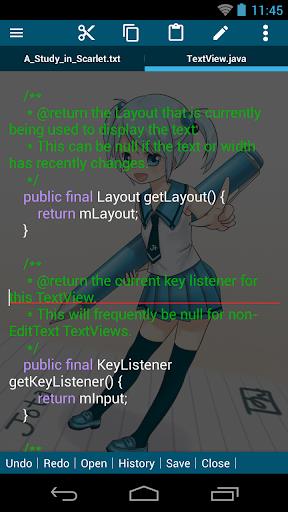
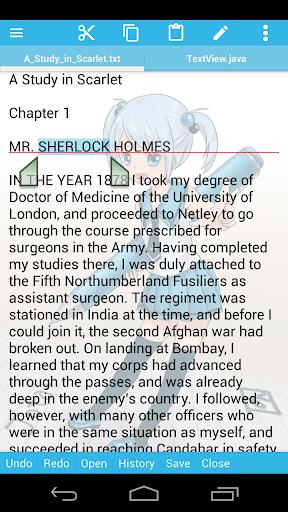
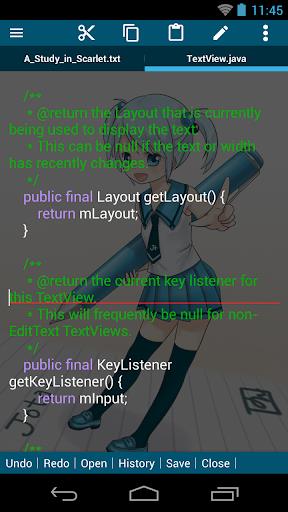
Type, organize, refine: Jota brings a focused text-editing workspace to Android that feels closer to a lightweight desktop editor than a simple notes app. It handles multiple documents, quick tab switching and a handful of power tools so you can edit longer drafts or tidy up snippets with confidence. Whether you need a clean place to write, a compact code viewer with syntax coloring or a reliable quick-edit tool, Jota aims to sit between basic notepads and full IDEs while keeping the interface uncluttered.
Open and switch files: Tap to load text files from your device and move between open documents using tabs for instant access.
Tab management: Create, close and reorder tabs to keep related drafts together and reduce time spent hunting through folders.
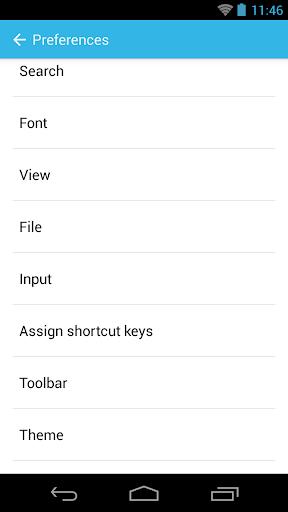
Customize your toolbar: Place the most-used actions on a personal toolbar so common edits are one tap away.
Adjust syntax settings: Pick a language mode or highlight style to make code and structured text easier to scan while you edit.
Multi-file support: Work on several documents at once without losing context, ideal for cross-referencing notes or copying text between files.
Practical file management: Basic file operations are accessible from inside the app so you can rename, save and organize documents without switching apps.
Seamless tab switching: Jump between open files smoothly so editing sessions stay fluid and interruptions are less disruptive.
Language syntax highlighting: Built-in highlighting helps you spot structure in code or formatted text, which speeds up review and reduces errors.
Instant text counter: A live word or character counter helps when you need to meet length limits or track progress during writing.
Set a focused toolbar: Trim the toolbar to only the tools you use most often and keep your main editing area clear.
Use it for quick edits between tasks: Jota is handy for polishing a message while waiting for a meeting to begin or trimming notes during a study session.
Organize files by topic: Keep related drafts in a single folder and open them as a group to speed up repetitive work like revisions or batch edits.
What file types can I edit with Jota?
Jota is built for plain text and common encodings, so it handles notes, source snippets and other unformatted text files without complications.
Does Jota work offline?
Yes. The app works locally on your device so basic editing and file operations do not require an internet connection.
Can I change the syntax highlight language?
You can switch highlighting modes to match many common programming and markup languages, which makes reviewing code or structured text easier.
Jota provides a steady, no-frills text editor with multi-file support and useful tools like syntax highlighting and a live text counter, making it a practical choice for writers and casual coders alike. Features and appearance may vary between versions, so check the app notes for the latest changes before relying on a specific workflow.