Pockets is a smart daily planner that uses AI to build a realistic schedule around the pockets of time already in your day. Pockets learns your goals — whether exercise, study, focused work, or reading — and automatically places tasks into appropriate slots so you stop staring at a blank calendar and start following a plan. Rather than treating all hours the same, the app accounts for your energy levels, existing commitments, and priorities to schedule demanding tasks when you’re fresh and lighter activities for low-energy periods, producing practical plans you can use day after day.
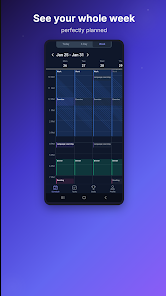
The app combines an AI-powered schedule generator with simple controls so you can shape a day without micromanaging every minute. You can import fixed events from external calendars so the scheduler creates plans around meetings and classes. Built-in goal and habit tracking records frequency, duration, and per-activity progress while streaks and visual progress bars make momentum easy to follow. A focus timer supports deep work sessions and offers interval check-ins to keep you engaged. Multiple views — Today, 3-Day, and Week — make it easy to zoom between single-day detail and broader planning, and drag-and-drop rescheduling lets you move tasks when real life intervenes.
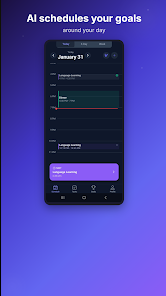
When you tell Pockets what you want to accomplish and attach rough durations, the scheduler analyzes your calendar availability and your stated priorities to place tasks into the best open slots. Energy-aware placement means heavy cognitive tasks are scheduled when you typically have more focus while routine or recovery activities land in lower-energy windows. Editing is done with familiar mobile gestures: tap to edit an item, drag to reposition, long-press for additional options. The AI engine that proposes schedules performs best with an internet connection, but viewing and editing existing plans remains possible offline so you always have access to your day.
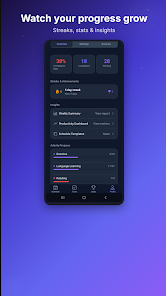
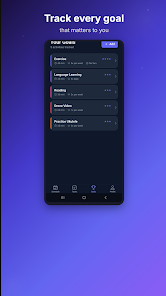
Pockets treats habit-building like a progression system rather than a checklist. Each goal tracks completion, cumulative time spent, and streaks; over time you’ll see progress metrics that reflect consistency and total effort. You can set custom frequencies and durations for habits, create recurring templates for weekly routines, and let the scheduler prioritize certain goals on particular days. The combination of visible progress and automatic placement reduces friction: instead of choosing what to do, you follow the plan and focus on execution.
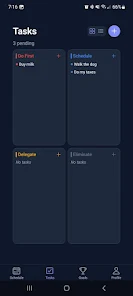
The interface favors clarity and quick adjustments: time blocks are color-coded by activity type and intensity, allowing a glanceable view of how your energy and priorities distribute across the day. Adjustable theme and font-size options improve readability, and customizable labels let you organize personal or professional work distinctly. Daily views are compact and actionable while the week view reveals patterns and recurring commitments so you can tune your energy profile and goal cadence accordingly.
Pockets aims to be useful across different routines and accessibility needs. Text size and contrast settings help with readability, while the simple tap-and-drag controls reduce complexity for new users. Cloud sync keeps your plans consistent across devices, but local edits are preserved when you’re offline. Fixed calendar entries are protected so important meetings stay put, and the app prompts for occasional regenerations when plans shift instead of attempting intrusive automatic changes.
The planning experience stays engaging because schedules are dynamic: regenerate suggestions when priorities change, experiment with different goal sets, or create weekly templates to push productivity in focused bursts. Challenge-style goals are possible by adjusting target frequencies and durations, and seeing streaks and cumulative time encourages repeat engagement. Because the AI provides a fresh plan when you ask, the app remains useful both for routine maintenance and for short-term sprints of high output.
Pockets requires an initial setup of goals and energy profiles to produce the most accurate schedules, and the AI scheduler needs an internet connection to generate proposals. Fixed events imported from calendars are intentionally protected and won’t be moved by the planner, which preserves commitments but limits automatic flexibility in some situations. Occasional manual regenerations or tweaks may be necessary when real life changes rapidly, but these adjustments are simple thanks to the app’s intuitive interface and drag-and-drop controls.