

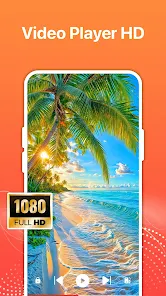
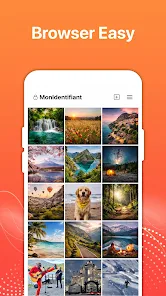
HD Fast Video Downloader Files is a compact utility designed to save online videos to your device quickly, privately and with straightforward controls. This editor-style downloader combines an integrated browser, smart media detection and multi-threaded downloading so you can capture clips in resolutions from 360p up to 4K without a complicated setup. The app aims to make offline viewing easy: use the built-in player to preview files, the download manager to organize transfers, or paste a direct URL for one-tap saving while keeping browsing activity contained inside the app.
The integrated browser in HD Fast Video Downloader Files behaves like a lightweight web view with privacy in mind, so you can browse sites without saving history to other applications. Smart auto-detection watches pages for playable media and surfaces a clear download action when a supported stream or embedded file is found. Multi-threaded downloads split transfers into concurrent parts to make better use of available bandwidth and reduce overall wait times compared with single-thread approaches. Resolution choices such as 360p, 720p, 1080p and 4K let you choose between conserving data and retaining high visual fidelity, depending on the source file's available qualities.
Controls are designed to be intuitive: tap the browser address bar to navigate or paste a link, and a single on-screen button begins detection and download. The URL paste option allows you to start a direct save immediately when you already have a link, and the download queue shows each task's status so you can monitor progression from start to finish. The built-in player opens downloads for instant playback with basic transport controls; you can pause, seek and resume without leaving the app. There is no leveling or online progression system — organization comes from folders and a simple file manager where you can rename, move or delete downloads to keep your offline library tidy.
The user interface favors clarity: prominent download controls, a visible progress indicator and a minimal settings screen make customization straightforward for both new and experienced users. Settings allow you to limit concurrent downloads, toggle background operation and select a default save location so the app adapts to different device storage situations. Accessibility is considered through large touch targets, readable labels and consistent layouts that scale with system font sizes; these design choices help users who need larger text or simpler navigation. Offline play is fully supported: once files are downloaded they can be watched without a network connection using the in-app player or opened with other media apps you prefer.
HD Fast Video Downloader Files focuses on resilient downloads by supporting pause and resume for interrupted transfers and retrying failed segments automatically when a network returns. The download manager reports real-time progress and estimated remaining time, and background downloading lets you queue multiple items and continue using your device while transfers complete. Because performance depends on the source and network, the app avoids promising artificial upscaling; instead it preserves the original quality options provided by the host site and optimizes transfer speed within those constraints to reduce waiting when possible.
Some websites use protection measures that can prevent detection or block direct saving, so success varies by site and by the media host. Users should respect copyright and obtain permission before downloading or redistributing protected content; HD Fast Video Downloader Files is a tool for personal offline access and is not a substitute for rights clearance. For best results, choose the highest resolution available when you have sufficient bandwidth, adjust concurrent download settings to match your connection, and keep an eye on available storage space, since high-resolution files require more disk capacity. If a download fails repeatedly, try a different source or use the app's URL paste workflow to attempt a direct link save.