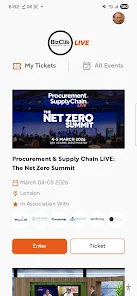
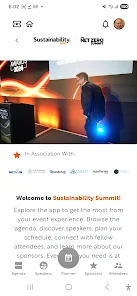
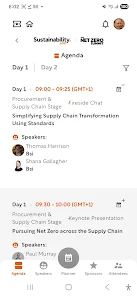
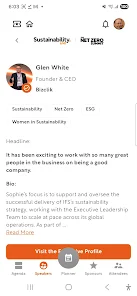
BizClik Live is a mobile app designed to streamline live business events, virtual meetings and customer-facing broadcasts with simple controls and real-time analytics. It centralizes scheduling, broadcasting and audience engagement into a single interface, making it easier for teams to host professional streams and capture actionable data from viewers.
The app bundles tools commonly needed for professional streaming and virtual engagement: multi-source video input, scheduled broadcasts, chat moderation, audience polling and automated recording. Built-in templates let you configure overlays, lower-thirds and branding elements so streams look polished without external tools. High-quality audio and video encoding options help maintain clarity across varying network conditions.
BizClik Live structures the production process into clear stages: planning, setup, live production and post-event review. Event planners create a session, invite presenters and attach assets such as slide decks or product images. At broadcast time, hosts can switch camera sources, display graphics and trigger polls while moderators manage questions and filter chat. Once the session ends, recordings and engagement reports are available immediately for team review.
The interface focuses on speed and accessibility. A single dashboard presents upcoming events, live sessions and recent analytics. During a live event, controls are organized into obvious panels: source selection, scene composition and audience tools. Touch-friendly buttons, quick presets and keyboard shortcuts reduce friction for fast-paced productions. Visual indicators show stream health and participants’ connection quality in real time.
Companies can tailor the look and feel of broadcasts with logo placement, color themes and custom overlays. Templates support product-specific messaging, sponsor banners and call-to-action panels that appear on cue. Lower-thirds and name tags are auto-generated from your attendee list, saving setup time when multiple presenters rotate through a session.
BizClik Live integrates with calendar systems, CRM platforms and marketing tools so event data flows to the rest of your stack. Registration lists, chat transcripts and poll results export to CSV or sync directly with lead management software for immediate follow-up. Built-in analytics track viewer counts, engagement duration, peak interaction moments and conversion events to help measure ROI and refine future broadcasts.
Security is handled through role-based permissions, secure stream keys and encrypted recordings. Admins can assign moderator, presenter and viewer roles to control access levels. Data retention, export controls and consent mechanisms support basic compliance needs for handling attendee information in commercial settings.
The app optimizes bandwidth usage and adapts video quality to network conditions to minimize dropouts. It supports popular Android devices and works with external cameras and microphones when higher production value is required. Background upload of recorded sessions ensures that long events finish processing even if the device experiences brief interruptions.
To launch your first session, install the app, connect your camera and microphone, and schedule an event. Invite colleagues and assign roles before going live. Use the preview mode to confirm overlays and transitions, then start broadcasting with a single tap. Post-event tools make it easy to review metrics and export leads for follow-up.
Small teams, marketing departments and training organizations will find the app particularly useful for converting live interactions into measurable business outcomes. Whether hosting product demos, customer Q&A sessions or internal town halls, the platform aims to reduce technical overhead so presenters can focus on content and engagement.
With straightforward controls, integration options and a focus on measurable results, BizClik Live positions itself as a practical solution for teams that need reliable, data-driven live streaming without a steep learning curve.