Pushup Counter: 30 Day Workout helps users build a consistent push-up routine with guided sets, progress tracking, and adaptive difficulty. The app simplifies training into daily goals, automated counting, and visual charts to monitor improvements over a month-long plan for measurable upper-body strength gains and habit formation.
Designed for beginners and experienced exercisers alike, Pushup Counter: 30 Day Workout packages a structured progression that gently increases volume across 30 sessions. It focuses on repetition quality, rest management, and simple analytics, turning a common bodyweight exercise into a reliable short-term training cycle that fits into busy schedules.
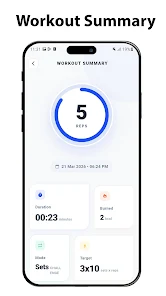
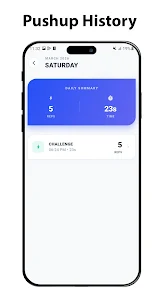
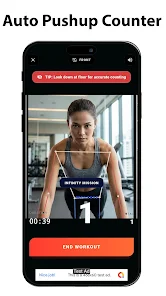
Each workout starts with a target number of sets and suggested repetitions. Use the automatic counter that detects motion or count manually for maximum reliability. Between sets, the app displays a countdown and coaching tips to maintain tempo. At the end of every session you get a concise summary showing reps completed, time spent, and a simple score that feeds into your 30-day progress total.
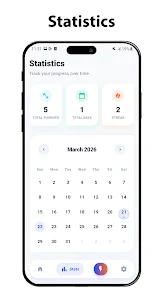
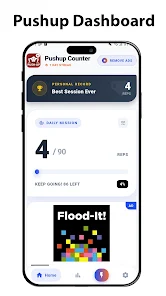
The user interface prioritizes clarity: large counters, high-contrast timers, and a clean progress dashboard. Performance is optimized for minimal battery impact so tracking sessions outdoors or in a gym won’t drain your phone. Visual feedback during a set is immediate, and animations are kept to a minimum to avoid distraction while exercising.
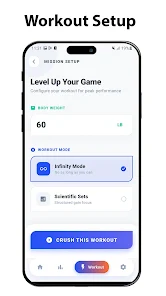
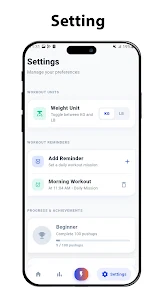
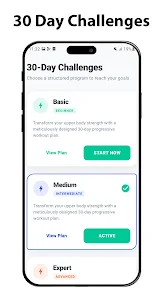
Flexibility is built in. You can reorder rest durations, disable motion detection if it misfires, and switch between beginner, intermediate, or custom plans. For those who prefer concise analytics, exportable logs are available in common formats so you can keep a backup or analyze trends externally.
Installation takes moments: download, grant optional permissions for motion detection, and complete a brief onboarding that sets your starting level. Pushup Counter: 30 Day Workout saves your preferences and syncs history locally so your progress remains private unless you choose to back it up or share results.
Casual exercisers wanting structure and people returning from a break will find the app especially useful. Because it splits a larger goal into bite-sized daily tasks, it reduces intimidation and keeps momentum. Even seasoned athletes can use the counter as a focused tool for endurance or volume blocks without complex programming.
Users often report that the combination of clear goals, low setup friction, and visible progress is what keeps them engaged. Pushup Counter: 30 Day Workout removes guesswork from daily training, offering reliable counting, gentle progression, and just enough coaching to help habits form quickly.
For anyone looking to add a short, structured strength challenge to their routine, the app provides practical tools, a simple workflow, and measurable results over four weeks.