Smart Text Weight is a focused typography utility that helps designers, developers, students and content creators preview, test and fine-tune font weights with precision and speed. The app places a clean, live preview at the center of the workflow so you can compare weight variations quickly, assess legibility at different sizes, and choose the right emphasis for headings, subheads and body text without opening a full design suite. Smart Text Weight is lightweight, responsive and designed to slot into an existing design process rather than replace more comprehensive editors.
At its core, Smart Text Weight provides immediate visual feedback as you change numeric weight values or drag a weight slider. The interface renders text samples in real time, showing how subtle weight shifts affect readability, contrast and perceived hierarchy. You can test multiple font sizes, line heights and sample strings for a realistic sense of how a chosen weight will work across headings and body copy. This makes the app suitable both for quick decisions during a review and for deeper typographic exploration when preparing style guides.
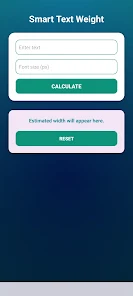
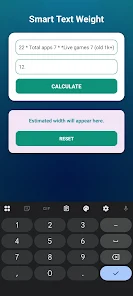
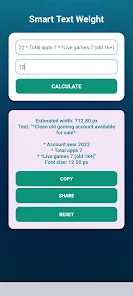
Controls in the app are intentionally simple: use a slider for continuous weight adjustments or type precise numeric values for exact matching to design specifications. Options to switch sample text, toggle between point sizes and adjust line height let you see the combined effects of weight and spacing. A split preview mode allows side-by-side comparisons when evaluating two weight choices, so you can test alternatives in a compact view and make decisions faster. These controls are optimized for touch and mouse input, offering smooth, predictable behavior on phones and tablets.
Smart Text Weight supports a progression-style workflow that helps you iterate from rough choices to a final selection. Start by testing a broad range of weights to narrow your direction, then move to finer increments for final tuning. You can store a small set of preferred weights and sample texts as quick presets to revisit later, enabling consistent decisions across sessions. This lightweight state management encourages repeatable workflows during design reviews, style guide development and classroom exercises.
The app presents a minimal, distraction-free canvas so typography remains the focal point. Sample contexts include simulated headlines, paragraph text blocks and UI labels to show how a weight performs in different roles. Contrast simulation tools and a simple background toggle help you evaluate legibility on light and dark surfaces. The emphasis is on clarity: what a weight looks like in practical use rather than as an abstract number, which helps with decisions that affect branding and user interfaces.
Beyond weight adjustments, Smart Text Weight offers basic customization to match your project needs: choose from a curated set of common system fonts, enter custom sample copy, and switch between display scales to check behavior at responsive breakpoints. Accessibility-minded controls are included so you can preview larger text sizes, high-contrast combinations and stricter line-height settings to ensure readability for diverse audiences. These options make the app a useful tool during accessibility reviews and inclusive design sessions.
The app is designed to work offline and without cloud dependencies, so you can experiment on the go or in secure environments where network access is limited. Performance focuses on delivering smooth, real-time previews even on midrange devices: weight changes update immediately and the UI stays responsive while you test multiple combinations. Because the app is lightweight, it launches quickly and consumes minimal storage, making it a convenient utility to carry on mobile devices.
Replay value comes from the app’s role in iterative design: repeated use during mockups, client reviews and classroom exercises reinforces typographic choices and helps teams converge on a consistent visual language. While Smart Text Weight does not replace layout or full-feature design tools, it integrates naturally into a designer’s toolkit by providing rapid answers to one of the most common questions in typography—how heavy should this text be? Exporting decisions manually to design files or style guides is straightforward because the app surfaces precise numeric values and sample screenshots you can reference.
Smart Text Weight is intended for UI designers, typographers, front-end developers, students and content creators who need to make clear typographic choices quickly. It focuses specifically on weight selection and legibility analysis and does not attempt to include full typeface creation, advanced kerning tools or complex layout features. As a companion utility, it complements comprehensive editors by making weight experimentation fast, repeatable and easy to communicate to collaborators.