

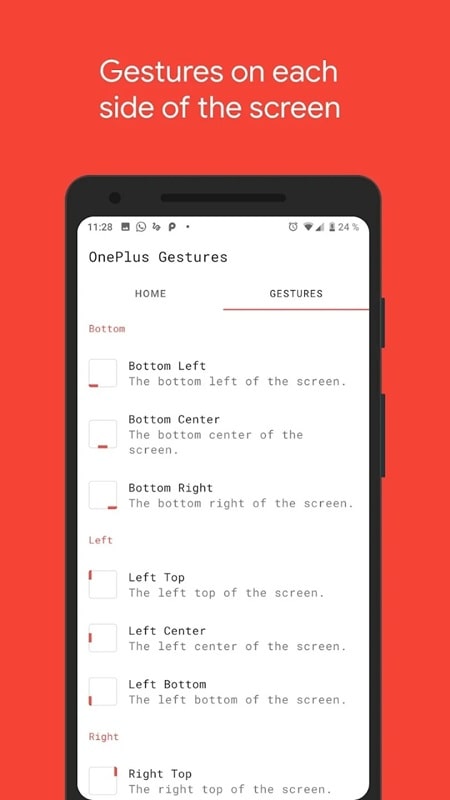
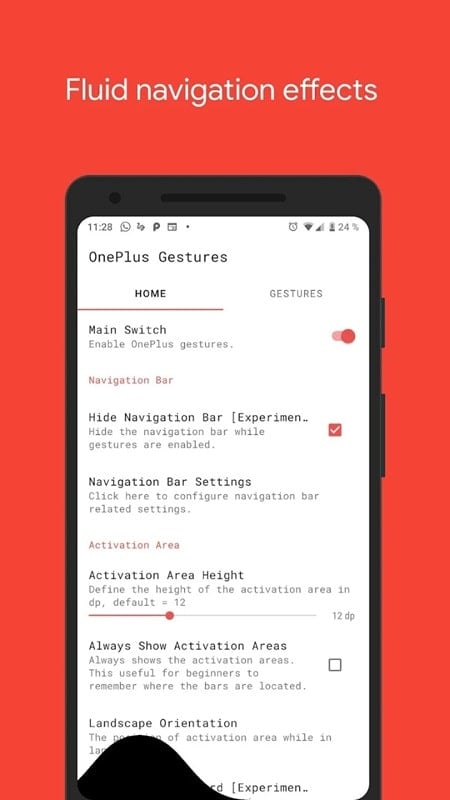
Vivid Navigation Gestures transforms Android navigation by replacing traditional buttons with smooth, customizable gesture controls that adapt to any device. It delivers precise visual cues, configurable swipe zones, and quick shortcuts so you can navigate apps, return home, or switch tasks with fewer taps and cleaner screen real estate.
Vivid Navigation Gestures offers a focused set of tools designed to replace the standard system bar without compromising functionality. The app supports edge swipes, long-press actions and multi-finger gestures, each of which can be mapped to system actions or shortcuts. Visual indicators help you confirm gestures at a glance, while haptic feedback options make interactions feel responsive. Additional features include adaptive behavior for full-screen apps, an optional gesture pill, and a compact mode that minimizes visual clutter.
One of the strengths of Vivid Navigation Gestures is its depth of personalization. You can change the look and position of the gesture handle, adjust sensitivity and swipe length, and define distinct actions for short, long, and diagonal swipes. Theme options let you pick colors, transparency levels, and icon styles so the gestures blend with your launcher and wallpaper. For users who prefer subtlety, the app provides minimalist cues and auto-hide settings to keep the interface clean when gestures aren’t being used.
The mapping system is straightforward yet powerful. Assign core navigation tasks—Home, Back, Recent—directly to single swipes or taps. More advanced mappings let you trigger app-specific shortcuts, launch recent apps, open notifications, or run custom intents. Vivid Navigation Gestures supports contextual rules, so actions can change when a particular app is in the foreground, or when the device is in landscape versus portrait. This flexibility turns simple gestures into a fast, context-aware workflow.
Integrating gesture controls into daily use requires little adjustment. The default presets are designed to mimic familiar navigation flows, so most users will feel comfortable immediately. Power users can create multi-step macros that combine gestures with delayed actions, deep links, or split-screen triggers. Because the gestures are invoked from the screen edge or an optional pill, they coexist with on-screen content and don't interfere with typing or gaming when properly configured.
Performance is a priority: the gesture recognition engine runs with low latency and minimal battery impact. Vivid Navigation Gestures is built to be compatible with a wide range of Android versions and OEM skins, handling manufacturer-specific behaviors for devices from different vendors. The app includes fail-safes to prevent conflicts with system gestures, and offers logging tools to diagnose issues if an interaction doesn’t behave as expected.
The app requires only the permissions necessary to simulate navigation and detect screen state. It does not collect personal content or transmit user data. Permission prompts are explained within the setup flow so you understand why each access is needed. If you prefer limited capabilities, there are reduced-permission modes that trade a few advanced features for a smaller permission footprint.
Setting up Vivid Navigation Gestures is guided and fast. After installation, a setup assistant walks you through granting the accessibility and overlay permissions required for gestures to work across the system. Preset profiles let you choose conservative or aggressive gesture schemes, and an on-screen tutorial demonstrates each movement. Once configured, you can test gestures in a sandbox area before applying them globally.
To get the most from Vivid Navigation Gestures, start with default mappings and gradually enable advanced options. Adjust sensitivity if you trigger gestures accidentally while typing, and use per-app rules to disable gestures in games or creative apps where edge swipes are used for content interaction. Keep the visual cue subtle but visible until muscle memory forms, and consider exporting your profile to back up your custom layout.
Vivid Navigation Gestures brings a modern, efficient alternative to button-based navigation, offering both newcomers and experienced users a way to speed up interactions and reclaim screen space. Thoughtful defaults, rich customization, and consistent performance make it a practical choice for anyone looking to modernize how they navigate Android devices.