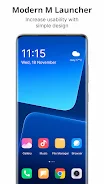
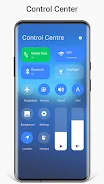
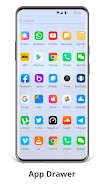
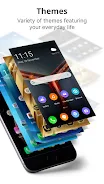
If you're the kind of Android user who prefers a desktop-like layout over a standard home screen, M Launcher brings that PC-inspired look directly to your phone while keeping mobile convenience intact. The launcher recreates a compact desktop environment with a Start-style menu, task bar and tiles, while bundling a file explorer and a few utility apps so you can manage files and shortcuts without switching tools. It’s aimed at people who want more structure on their device and fast access to common actions.
Install and set default: After installing, open M Launcher and accept the prompt to set it as your default home app so the desktop and Start menu appear whenever you press Home.
Customize the desktop: Long-press the desktop to add shortcuts, widgets or change folders; drag icons into the task bar or arrange them into desktop folders for quick grouping.
Use the built-in file manager: Navigate your storage like a simple PC file explorer: create folders, move files, and open media without a separate file app.
Adjust appearance: Change themes, icon packs and task-bar colors from settings to match the look you want, and toggle task-bar transparency for a subtler interface.
Start-style app menu: A tiled application menu provides quick scanning of installed apps and lets you pin favorites for one-tap launch.
Desktop and task bar: A removable task bar mirrors a desktop workflow—place frequently used apps there or hide it for a cleaner screen.
File explorer with archive support: Browse storage, copy/paste files, create folders and extract ZIP/RAR archives directly from the launcher’s file manager.
Widgets and live tiles: Add clock, weather, RAM info and photo tiles; tiles update dynamically so your desktop stays informative.
App management and privacy: Hide apps from the menu, create desktop shortcuts by long-pressing app icons, and rearrange start menu and task-bar entries with press-and-hold gestures.
If you want a launcher that blends PC-style organization with mobile convenience, M Launcher is worth trying; it helps keep apps and files in reach while offering customization options to suit your taste. Install it to experiment with a desktop layout on your phone and see whether the Start-style navigation improves your daily workflow. Try M Launcher and decide if this approach to home-screen management fits how you use your device.