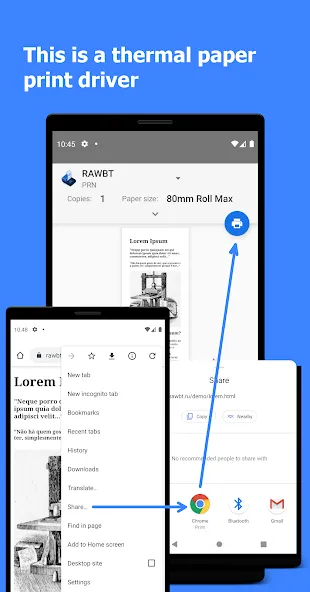
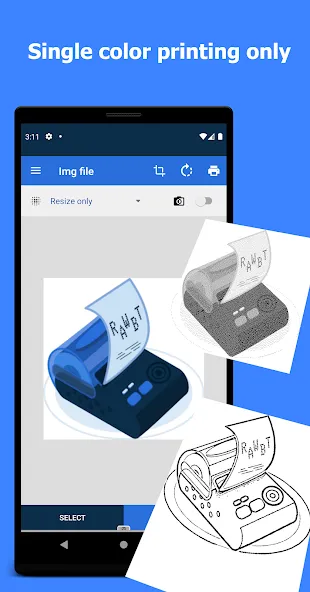

RawBT is a compact Android utility that lets you send raw data to Bluetooth printers and other serial devices. It streamlines direct printing of receipts, labels, barcodes, and images by giving developers and operators a simple way to transmit ESC/POS commands and binary payloads from a phone or tablet.
RawBT focuses on delivering low-level printing control over Bluetooth SPP and Bluetooth Low Energy connections. The app exposes an interface to push raw bytes, construct printer commands, and preview how printers will react. It removes the layers of abstraction common in generic printing apps so you can manage encoding, line feeds, and cutter commands precisely.
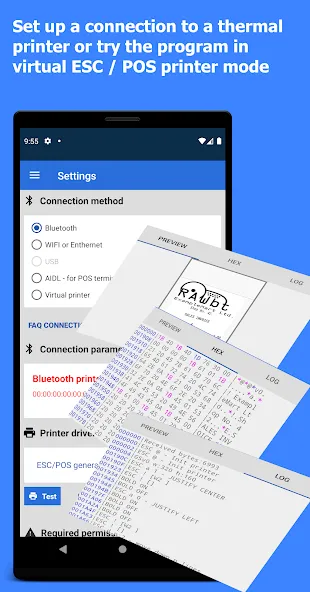
The RawBT interface is intentionally utilitarian: a terminal-like view for sending commands, a small editor for composing payloads, and quick-access buttons for frequent actions. Users can paste entire command sequences or build payloads with on-screen helpers for common ESC/POS operations. The workflow emphasizes rapid testing and deployment rather than polished document layout.
RawBT is particularly valuable in retail, food service, and field operations where compact thermal printers are used for receipts, tickets, or labels. Developers testing printer firmware, kiosk integrators building custom POS solutions, and small-business owners automating printouts from basic apps will find the tool useful for troubleshooting and fine-tuning output.
Performance depends on device Bluetooth stack and the connected printer model, but RawBT is optimized to send binary streams efficiently, minimizing latency and reducing the chance of corrupted print jobs. It supports a wide range of SPP and Bluetooth serial printers; some advanced features may be limited by specific firmware implementations.
RawBT requests the standard Bluetooth and location permissions required by Android for device discovery and connection. It does not require internet access, which helps keep printing operations local to the device and paired peripherals. Users should ensure trusted pairing to prevent accidental connections to unknown devices.
To begin, enable Bluetooth, pair your printer with the Android device, and open RawBT. Use the device scanner to select the target printer, then choose a template or compose a payload. Send a small test print to verify settings like encoding and line width before deploying complex templates.
RawBT is geared toward users who need direct control over printing at the byte level without a full POS suite. It simplifies testing, debugging, and integrating specialized printers into bespoke workflows. For developers and technicians who require predictable, repeatable print behavior from mobile devices, RawBT provides a focused toolkit to get the job done.