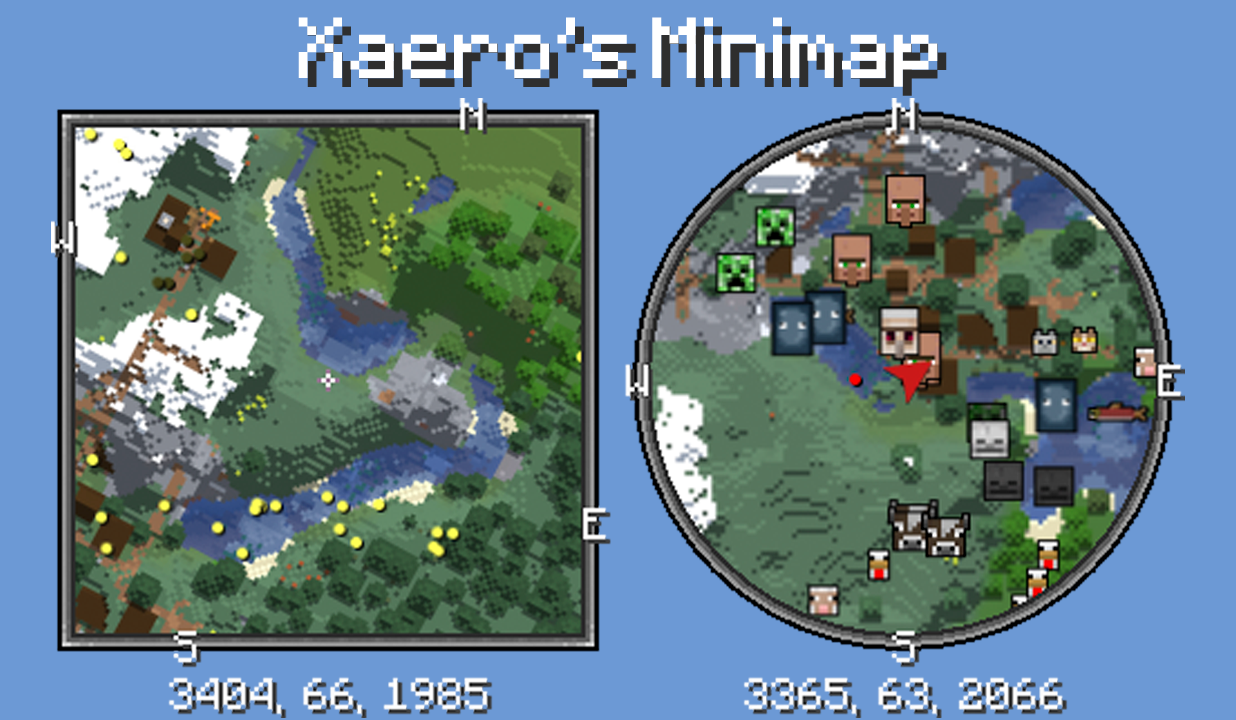
Xaeros Minimap Minecraft is a mapping utility for the Android edition of Minecraft that adds an interactive in-game minimap and waypoint system so players can navigate large worlds without losing immersion. The overlay provides a live, bird's-eye view of terrain, caves and biomes while matching Minecraft's visual style, and it integrates with the game's standard controls to let you mark, name and return to locations such as bases, mine shafts and strongholds. Whether you play single-player worlds or on servers, Xaeros Minimap Minecraft focuses on clear navigation tools that stay out of the way of gameplay.
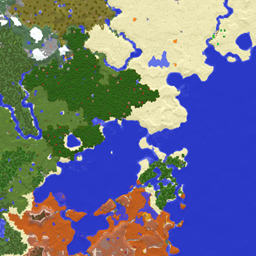
The minimap updates in real time to show explored terrain, nearby biomes and cave entrances, giving a small-scale overhead perspective that complements the first-person view. Entity visibility options let you display mobs and players as icons on the map when enabled, and cave mapping helps you track underground progress without switching screens. The map supports adjustable scale and overlay options so the level of detail suits your device and play style.
Waypoints are built around a tiered system of local and global markers. Local waypoints respect the maximum render distance setting and are ideal for temporary markers while exploring, while global waypoints remain visible regardless of distance for long-term locations like home bases or resource hubs. The app creates automatic death waypoints that mark your last location with a skull icon; you can convert past death markers into regular waypoints or choose to preserve an archive of death points for post-run analysis.
Controls are exposed through Minecraft's standard controls menu so you can bind map-related actions to keys or touch controls that fit your setup. The minimap interface supports quick waypoint placement, naming and deletion from within the overlay, and you can toggle display layers such as biome borders or cave shading without interrupting gameplay. Teleport-to-waypoint features, when used, operate by issuing chat commands like /tp and therefore require appropriate server permissions or local single-player command access to function properly.
Xaeros Minimap Minecraft preserves the blocky aesthetic of Minecraft while adding clean, configurable visual elements. You can change map size, choose between minimal and detailed render modes, adjust opacity and select which overlays are visible. Custom entity icons and avatars are available when Entity Radar is enabled, and icon visibility, size and color choices help you tailor the HUD for both clarity and accessibility on different screen sizes.
Rather than adding new progression mechanics to Minecraft, the mod enhances the way players progress through worlds by improving spatial awareness and waypoint management. Builders benefit from an organized network of saved waypoints for construction sites and resource deposits, explorers can chart strongholds and villages for repeat visits, and survival players can quickly retrace routes to recover loot after risky expeditions. The combination of mapped caves and persistent global markers adds replay value to subsequent playthroughs and supports planning for long-term projects.
The experience is designed to be lightweight and configurable so it runs acceptably on a wide range of Android devices; reducing map size and disabling extra overlays helps older devices maintain performance. Accessibility settings include adjustable icon sizes, contrast controls and map scaling so players with different visual needs can optimize readability. The minimap functions locally for offline single-player use and operates as an in-game overlay rather than a separate viewer, which keeps navigation straightforward when you load a saved world.
Keep in mind a few practical limitations: teleport commands require server-side permission to work and will not function on restricted servers, waypoints may appear missing if a server or client world map has been reset, and custom entity icons need to be enabled in the minimap settings to override defaults. If waypoints or map tiles seem out of sync after a world change, restoring the world map or reloading chunks is a recommended first step. These constraints reflect how the tool interacts with game state and server permissions rather than being bugs in the mapping code.
To get started, install Xaeros Minimap Minecraft, open any world and adjust bindings in the controls menu to suit your input method. Use the map overlay to create named waypoints, enable or disable overlays for better performance, and rely on automatic death markers to speed up recovery after dangerous encounters. The app aims to blend into the Minecraft experience and provide reliable navigation without changing core gameplay mechanics.