



myIM3 is a compact mobile account manager that brings prepaid and postpaid controls into one place, designed to help subscribers check balances, buy bundles, and manage billing without visiting a store or calling a hotline. The app combines clear account summaries with fast top-up flows and contextual support, so people who need quick access to service information can finish tasks in seconds. myIM3 focuses on practical daily management while keeping sensitive actions protected behind authentication and optional biometric locks.
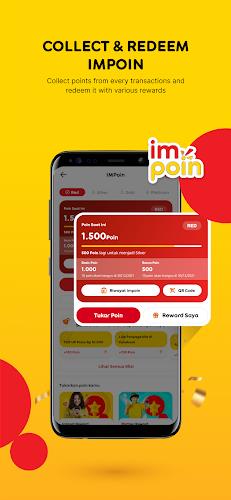
The core purpose of the app is to centralize telecom tasks: view remaining data, minutes and SMS allowances, browse and activate plans, pay invoices, and review recent transactions. For users who rotate between multiple SIMs or lines, the interface supports easy switching and consolidated views so each number’s usage is visible at a glance. myIM3 also surfaces personalized offers and promotions based on recent activity and account tenure, helping users discover relevant bundles without digging through menus.
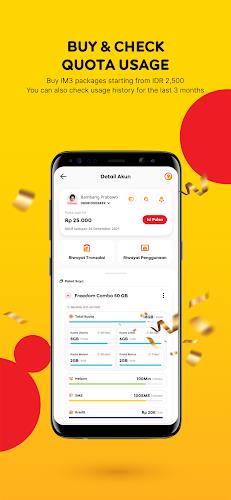
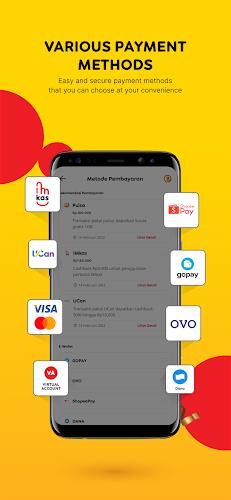
Instead of a long feature list, the experience emphasizes a few practical capabilities implemented with attention to detail. Real-time dashboards show current quotas and expiry dates, while purchase flows reduce the number of taps required to complete a recharge or payment. The app supports multiple payment methods and provides downloadable receipts for expense reporting. Notifications warn about low balance and expiring packages, and a searchable support center lets you run simple diagnostics before contacting a service agent. Transaction logs and clear itemization make it straightforward to reconcile charges.
User interaction is modeled around quick, repeatable tasks: a home screen displays primary actions, contextual menus present the next logical steps, and confirmations minimize accidental purchases. Controls are designed for one-handed operation; large tappable areas and short flows make topping up or switching plans feel immediate. Touch gestures are limited to avoid accidental navigation, and common actions are accessible from persistent elements in the interface so routine management is predictable and fast.
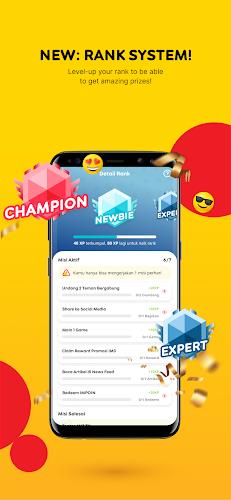
The app supports natural progression through account management rather than game-like leveling: recurring payments and usage patterns can unlock targeted promotions or loyalty discounts, and users can move between plan tiers as consumption changes. Plan activation is immediate when supported by the network, and the toolset includes side-by-side comparisons of plans so you can choose an option that matches recent usage. For businesses managing multiple lines, aggregated billing and allocation controls let administrators assign allowances and monitor consumption across employees.
Visual design favors clarity and contrast to make information easy to scan in different lighting conditions. Home screen tiles are customizable so frequently used actions are a single tap away, and font sizes and notification preferences can be adjusted for accessibility. Language support and simplified views help non-technical users complete tasks, while higher-contrast themes and clear iconography aid readability for all users. The interface avoids clutter to reduce cognitive load when reviewing bills or quotas.
The app is optimized for a broad range of Android devices and aims to keep battery and background data use low. Account queries and plan lookups are cached so recently viewed balances and plan details remain available offline for short periods, letting you review last-known usage without an immediate network connection. Background sync is conservative, and caching reduces repeat calls to the server so common screens load quickly even on mid-range hardware.
Security features include secure authentication, optional PIN or biometric locks for payments, and clear transaction histories to support dispute resolution. The in-app support section combines automated troubleshooting for common SIM and connectivity issues with direct channels to customer service when human assistance is needed. Privacy settings give you control over promotional messages and data sharing preferences, and encryption protects sensitive communications related to payments and account changes.
In everyday life the app streamlines small but frequent tasks: quick top-ups, scheduled payments for postpaid plans, and monitoring data during high-use activities like streaming. Regularly reviewing usage reports helps pick plans that match consumption patterns and avoid wasted allowances. Keep the app updated, link a preferred payment method for faster checkouts, and customize the home screen with the actions you use most to reduce the time spent on routine management. For anyone who wants straightforward control over mobile services, myIM3 offers a practical, secure and efficient way to stay on top of billing and quotas without extra friction.