Create and explore - ScratchJr offers a tablet-friendly introduction to coding that lets children build simple interactive stories and games by arranging visual blocks. The app is designed for early learners and focuses on playful experimentation: kids move characters across a scene, add sounds or voices, and change appearances using an in-app paint editor. This paragraph gives a quick snapshot of what you can expect from ScratchJr and how it supports creative learning without overwhelming young users.
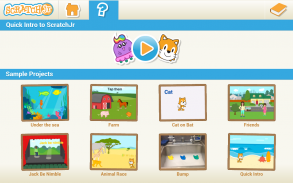
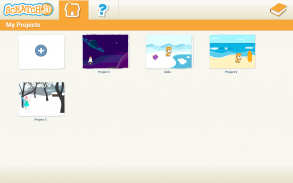
Install and open: After you install ScratchJr on a compatible tablet, tap the icon to reach a friendly home screen where projects are shown as large thumbnails.
Create a character: Use the character library or the paint tool to draw a new sprite; children can also import a photo and turn it into a playable character.
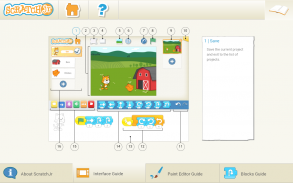
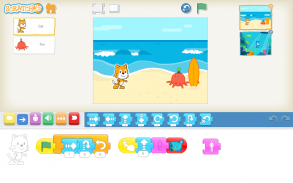
Build a script: Drag sequence blocks into the programming area to give motion, sounds, and control flows that define how characters behave.
Block-based coding: The visual blocks are color-coded and snap together, helping youngsters understand sequence and cause-and-effect without typing.
Simple editor: A built-in paint editor lets kids customize looks, resize parts, and experiment with color and shape.
Audio tools: You can record voices or add sound effects to make characters speak or sing, which adds personality to projects.
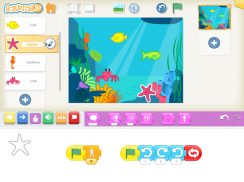
Scene editing: Multiple pages are supported so stories can unfold across different backgrounds and settings.
Start with a single action: Encourage children to begin by making one character move across the screen before combining multiple behaviors.
Use photos for engagement: Adding familiar images or faces helps sustain interest and makes stories feel personal.
Mix sounds and movement: Pair short audio clips with simple motions to teach timing and sequencing in an entertaining way.
What age is ScratchJr aimed at?
ScratchJr is built for children roughly five years and older, with a goal of matching early developmental stages; younger kids often enjoy it with adult guidance.
Does ScratchJr require reading skills?
No. The interface relies on icons and visual blocks so that children who are not yet fluent readers can still create and play.
What devices will run ScratchJr?
The app is intended for tablets and works best on larger-screen Android devices; check the app listing for exact minimum Android version and screen-size recommendations.
ScratchJr provides a gentle, visual path into computational thinking that emphasizes storytelling and creativity. If you’re introducing coding concepts to a child, the app makes it easy to experiment and learn by doing. Keep in mind device compatibility and that adult supervision helps younger children get the most out of the tools; feature sets may vary with updates and device models.