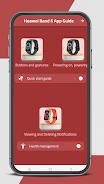
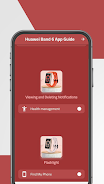
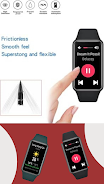
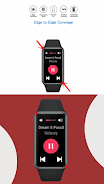
Huawei Band 6 Tips Guide is a compact, user-friendly app that helps owners get the most from their Huawei Smart Band 6 by explaining setup, smartphone pairing, customization and everyday use. The guide walks you through fitness tracking, sleep monitoring, calorie tips and notification management, and it highlights the band’s standout hardware such as the 1.47-inch AMOLED FullView display and the 194 x 368 high-resolution screen.
Step-by-step setup and pairing tutorials with clear screenshots make initial configuration straightforward. Detailed guidance covers health and fitness tracking, sleep monitoring, and basic calorie tips. Device specifications and display details are explained in plain language so you understand screen size, resolution and pixel density. A visual gallery demonstrates different watch faces and band options, while simple navigation helps you find information quickly.
The guide provides practical, illustrated instructions for both beginners and more experienced users, with coverage of software settings and hardware highlights to help you get the most from daily features like notifications, health apps and battery management. Content is focused and lightweight so it loads quickly and is easy to consult when you need a quick answer.
This is an unofficial guide and not an official product manual or a direct support channel from the manufacturer. Content is tailored to the Huawei Band 6 and may not apply to other models. Some illustrations and names are used for explanatory purposes and do not imply endorsement by Huawei.
Huawei Band 6 Tips Guide was developed by a small team of specialists who prioritized clear, image-rich explanations and an easy navigation structure to help everyday users make practical adjustments to their device.
The Huawei Band 6 Tips Guide is updated regularly with fresh tips, improved screenshots and minor enhancements to keep guidance current and useful for both new owners and long-time wearers.