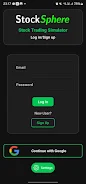
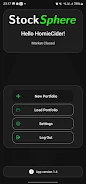
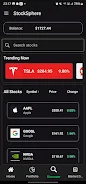
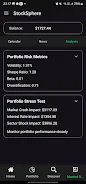
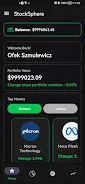
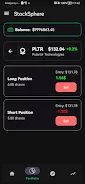
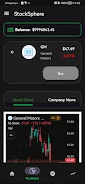
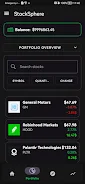
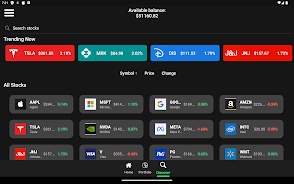
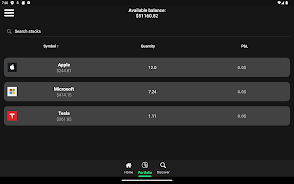
StockSphere trading simulator is a practical, simulated trading app that places realistic market mechanics into a controlled learning environment so users can practice trading concepts without risking real money. The opening experience introduces live-style price behavior, simulated buy and sell workflows, and contextual explanations that show how individual actions alter a virtual portfolio. Built to suit beginners, finance students, and experienced traders seeking private practice, StockSphere trading simulator emphasizes gradual learning and repeatable practice rather than hype or promises of real-world returns.
The core gameplay revolves around researching assets, building a portfolio, and executing simulated trades using clear, touch-friendly controls. Interaction is straightforward: tap to open asset details, enter a quantity or allocation target, and preview the simulated order summary before confirming. The interface surfaces estimated exposure, notional cost, and any simulated fees so you can weigh decisions before execution. Quick adjustment tools let you rebalance positions, close simulated trades, or apply stop-like exit scenarios to observe how different choices would have affected outcomes in the same market sequence.
Progression follows a curated learning path that gradually increases in complexity to match your growing understanding. New users start with guided lessons that explain market basics, order mechanics, and risk concepts; from there, scenario-based exercises focus on specific skills such as handling volatility, position sizing, and managing drawdowns. Completing lessons and scenarios opens more advanced practice sessions and configurable challenges so you can concentrate on particular instruments or strategy ideas. The progression model tracks completed modules and highlights measurable improvements so you can see where practice has had the most impact.
Levels are organized by market themes rather than arbitrary stages: calm ranges, trending markets, rapid volatility spikes, and sector rotations are all simulated to demonstrate how common events affect portfolio performance. Challenge systems include objective-driven sessions—reach a target return, limit a drawdown, or replicate a historical move—and time-limited exercises that test decision-making speed under pressure. Each challenge ends with a debrief that summarizes trade outcomes and shows which choices contributed most to results, helping you refine strategy in subsequent runs.
The app adopts a clean, data-first visual style that keeps essential information prominent while minimizing clutter. Interactive charts provide clear time-series views, simple trend overlays, and selectable timeframes so you can quickly read market behavior. Analytics screens break down performance by trade, period, and asset class, with return metrics, win-loss summaries, and exposure visualizations. Contextual tooltips and brief explanations accompany each metric so learners understand what the numbers mean and how they should influence future decisions.
Customization options let you tailor practice to your learning goals: choose from a range of global stocks and sectors, set simulated starting capital, and adjust leverage-like parameters where available to explore different risk profiles. You can save multiple portfolio setups to compare outcomes or rerun the same scenario under altered assumptions to observe cause-and-effect. This flexibility increases replay value because the same market episode can be revisited with different position sizes, allocation choices, or exit rules to see how results diverge.
The user experience is designed for clarity and approachability, with step-by-step tutorials, contextual help, and readable layouts suitable for mobile touchscreens. Accessibility features include scalable text sizes and simplified display modes for users who prefer fewer chart elements and larger labels. Feedback is immediate and informative: simulated trade confirmations, concise portfolio impact summaries, and post-session performance reports make it easy to learn from each session even without prior market experience.
StockSphere trading simulator supports flexible practice when network connectivity is limited by using cached snapshots or delayed price data so you can continue rehearsing decision-making offline. When a connection is available, the app refreshes data to approximate live conditions and synchronizes progress to local storage. Privacy-conscious design keeps practice data on-device unless you choose to export session summaries for study or coursework, and the app provides clear options to manage stored sessions and cache usage.
Whether you are new to investing, studying finance, or testing a hypothesis in a low-stakes setting, StockSphere trading simulator offers a structured sandbox to improve market literacy and disciplined trade management. It does not execute real-money transactions and simulated outcomes are educational; however, its combination of guided lessons, scenario simulations, and practical analytics makes it a useful tool for learning how markets move and how different decisions shape portfolio results over time.