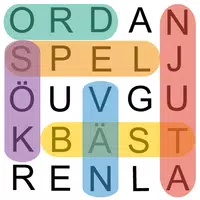
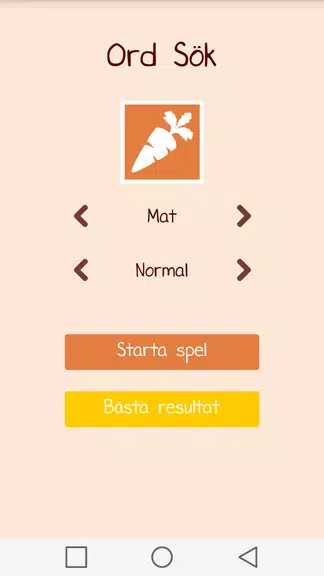
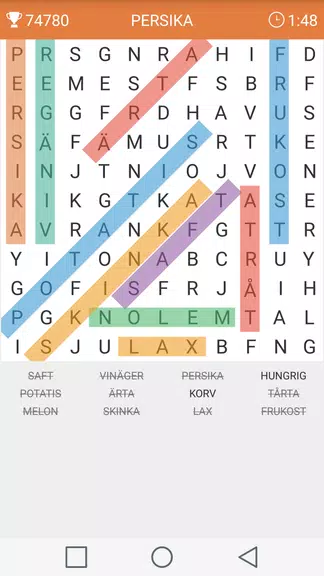
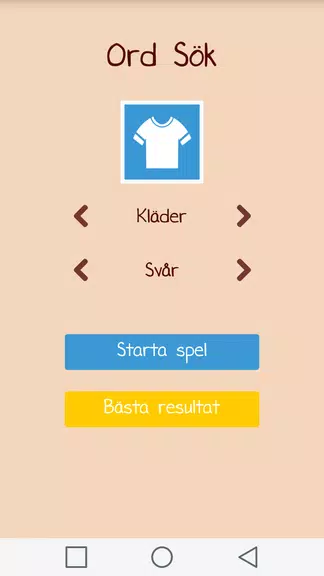
Ord Sök is a free Swedish word search game designed for quick brain-training sessions and relaxed vocabulary practice. In the opening screens you can jump straight into a puzzle or adjust settings to match your skill level, and the interface keeps the focus on finding words across themed grids. Ord Sök provides a polished, tablet-friendly layout with bright colors and clear letter tiles, making it easy to scan boards on phones or larger displays while still feeling compact for short play bursts.
The core of Ord Sök is its combination of five difficulty levels and ten themed categories, which together shape each round without requiring complicated menus. Difficulty ranges from easy through normal and difficult up to larger big and huge grids, and categories include common topics such as animals, food, sports and countries so vocabulary remains varied. Each puzzle is randomly generated, so you encounter fresh word placement and combinations every time, and you can choose grid sizes from smaller 9x9 boards to a 13x13 option that works well on tablets.
Gameplay centers on classic word-search mechanics: scan the grid, identify a hidden word, and select it. Controls are intentionally simple to suit touchscreens — tap the first and last letter of a word or drag your finger across contiguous letters to mark a find. The app accepts horizontal, vertical and diagonal placements, and the selection visual feedback is immediate so you know when a word has been found. Pacing is flexible; you can play deliberately to study language or race to improve pattern recognition during timed practice.
Progression in Ord Sök comes from moving between difficulty tiers and testing yourself on larger grids rather than through gates or unlocks. As you master easier puzzles you can step up the difficulty or select a bigger grid size to increase search area and the number of words to find. Challenge is also adjustable by category choice: some topics tend to repeat letter combinations while others introduce rarer vocabulary, so switching categories is a simple way to vary the cognitive demand without changing the underlying rules.
The visual presentation favors clarity and contrast so letters remain legible at a glance. Tile sizes adapt to screen dimensions, which helps readability on small phones and on tablets where the 13x13 grid benefits from extra surface area. Accessibility considerations include adjustable text size and high-contrast color schemes that reduce eye strain during extended play. Touch targets are large enough for casual players and responsive for quick gestures, and controls do not require precise tapping so the game is approachable for a wide age range.
Ord Sök offers practical customization by letting you select difficulty, grid size and category before each round, so you can tailor sessions to the time you have and the type of vocabulary you want to practice. Because puzzles are randomly generated, replay value is high: you rarely see the same board twice, and even familiar categories produce different letter arrangements that keep searches engaging. The straightforward rule set makes it easy to track personal improvement through speed and accuracy rather than complex scoring systems.
One of the strong points of Ord Sök is full offline play: all puzzles are created on-device so you can play while commuting, traveling, or anywhere you don’t have a reliable connection. The app loads quickly, preserves your last settings between sessions, and provides smooth touch responses with minimal load times. This makes it well suited for quick warm-ups, focused vocabulary practice, or relaxed sessions where you want a tidy, distraction-free experience.
If you enjoy word games, language puzzles or compact brain-training tools, Ord Sök is a low-friction option that emphasizes observation and Swedish vocabulary in a casual package. The mix of selectable categories, scalable grid sizes and clear controls makes it accessible for beginners while still offering larger puzzles that appeal to more experienced players seeking a steady cognitive challenge. Install the app to try a few rounds and see how it fits into your daily routine for short, enjoyable mental workouts.