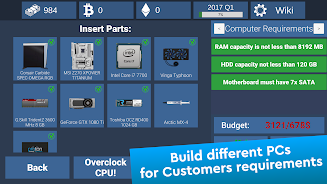
PC Creator Simulator is a hands-on single-player simulation that puts you in charge of designing, assembling, and testing custom computers from 2004 through 2023. PC Creator Simulator recreates the feel of a real workshop with realistic part models, measurable performance results, and a learning curve that rewards careful planning; beginners and experienced builders can both spend hours experimenting with components, cooling layouts, and case configurations.
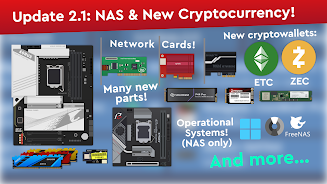
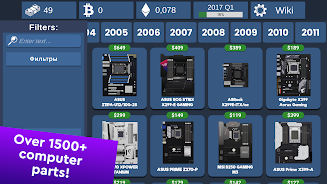
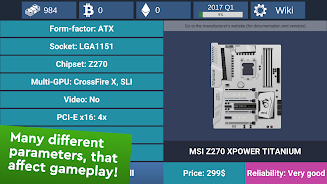
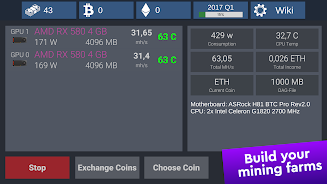
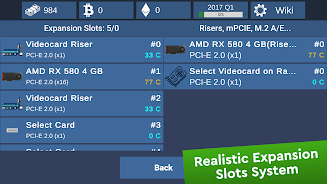
The core of PC Creator Simulator is a library of more than 2,000 components that includes CPUs, GPUs, motherboards with integrated processors, ECC REG memory, varied power supplies, ITX and larger form factors, and niche items such as used Intel Xeon chips. The simulator tracks size, thermal behavior, electrical reliability, and compatibility so your choices have measurable consequences: mismatched parts can cause poor performance or increased failure rates, while balanced builds run cooler and last longer. The game also supports mining two cryptocurrencies—Ethereum and Bitcoin—and includes an in-game online marketplace where players can search for rare or used parts from lesser-known brands.
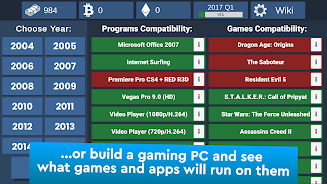
Gameplay centers on realistic assembly mechanics that use intuitive drag-and-drop building, contextual tooltips, and a set of virtual tools for tightening screws, applying thermal paste, and routing cables. Controls are designed for touch and mouse: parts snap into place when correctly aligned, and the interface offers both a free-placement sandbox and a guided build checklist for step-by-step assembly. Visual overlays give live feedback on fitment, airflow, and temperature, and a testing bench runs benchmarks to demonstrate how component choices affect real-world performance metrics.
Progression is driven by scenario-based goals, unlockable parts, and reputation growth: complete repair requests, benchmark challenges, and customer orders to earn credits and gain access to higher-tier components. Challenge systems include timed builds, thermal puzzles that require creative cooling solutions, and troubleshooting scenarios where you must diagnose faults from symptom reports and diagnostic logs. These layered objectives create a steady sense of advancement while preserving a sandbox feel for players who prefer open-ended experimentation.
The visual presentation leans toward functional realism rather than stylized graphics: high-detail 3D models, clear UI overlays, and realistic part textures help you inspect components closely. Levels are structured as discrete scenarios and open benches—scenario levels present specific constraints such as budget limits or legacy hardware compatibility, while bench sessions let you build freely, run stress tests, and compare results across multiple configurations.
Customization goes beyond hardware selection: personalize workshop layouts, case colors, and decals to create a recognizable build portfolio. The vast component library and the marketplace ensure that every new part combination can produce different thermals and performance outcomes, so replay value comes from testing new cooling strategies, swapping generations of hardware, or recreating famous rigs. The simulation supports deep experimentation—overclocking parameters, fan curves, and part substitutions affect benchmarks and longevity in ways that reward repeat play.
The game provides onboarding tutorials, step-by-step guided builds, and an interactive manual to help beginners learn fundamentals like motherboard form factors, connector types, and cooling considerations. Accessibility options include adjustable UI scaling, colorblind-friendly overlays for temperature and airflow, and a simplified assembly mode that reduces complexity for new players. Multiple language translations are available to reach international players and an active community supplies tips and downloadable build guides.
Most simulation content, tutorials, and scenario challenges are available offline so you can play without an internet connection; the in-game online marketplace and community features require connectivity only when you want to browse or trade niche parts. This design keeps the core learning and building experience accessible while still offering an optional market layer for sourcing rare components.
Recent updates expanded localization, refined assembly and compatibility checks, and added more niche motherboards, SSD models, and used processors to the marketplace. The development approach is iterative: compatibility systems and thermal simulation receive periodic tweaks to improve realism and balance, and the in-game documentation grows alongside new parts and scenarios to help both newcomers and hardware enthusiasts get the most from their builds.