
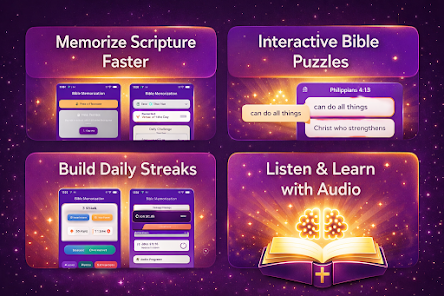
Bible Memory Trainer helps learners commit scripture to memory with short daily drills, spaced repetition, and customizable verse lists. The app blends simple review routines with progress tracking, making steady improvement achievable for individuals, small groups, or Bible study leaders who want reliable recall and devotional practice.
Bible Memory Trainer is built for focused practice: short sessions, clear goals, and measurable results. It prioritizes bite-sized learning over long study sessions, so users can add consistent review into a busy schedule. The design aims to reduce friction—few taps to start, fast loading, and intuitive navigation.
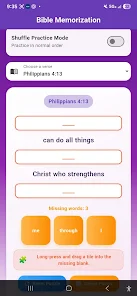
After selecting or importing verses, the app presents short exercises that focus on retrieval instead of passive reading. Sessions are typically three to ten minutes, with timed prompts and optional audio playback. Spaced repetition adjusts the review cadence based on correct recalls and mistakes, so challenging verses appear more often until they are secure.
The app's toolbox supports customization without complexity. Tag verses for topics like hope, comfort, or leadership. Create multi-verse collections for sermon preparation or daily devotionals. Adjust session length, review frequency, and difficulty thresholds to match your learning pace.
Progress metrics show streaks, accuracy percentages, upcoming reviews, and long-term retention estimates. Visual indicators highlight weak spots so you can prioritize review. Exportable reports let group leaders or teachers monitor collective progress while preserving individual privacy.
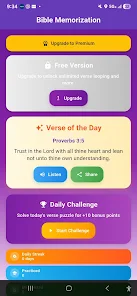
Design choices emphasize readability: high-contrast text, adjustable font sizes, and a distraction-free reading mode. The app performs smoothly on a range of devices, keeps network usage low, and supports offline study so you can practice anywhere. Lightweight backups and cloud sync keep data safe without a heavy footprint.
Voice playback and screen-reader compatibility make the app accessible to more users. Widgets and scheduled reminders help maintain daily habits. The settings page simplifies mode selection, font options, and notification preferences.
Short, frequent repetition beats occasional marathon sessions. Use the type and quiz modes to force active recall, and add thematic folders for contextual learning. Review weak verses first and vary your practice modes to strengthen both recognition and spontaneous recall.
Users appreciate Bible Memory Trainer for its practical balance of technology and simplicity. It reduces friction in daily spiritual practice and gives clear feedback on progress. Whether preparing for a presentation or growing personal knowledge, the app supports steady improvement without overwhelming complexity.
Install the app, choose an initial list, and run the guided first session to see how spaced repetition adapts to your answers. Explore the settings to match the interface to your preferred reading style, and consider syncing with cloud backup if you plan to use multiple devices. A few consistent minutes a day can turn scattered verses into reliable recall.