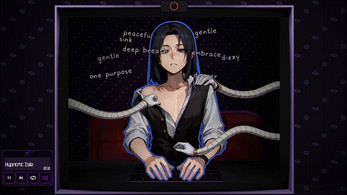
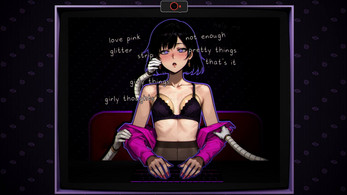

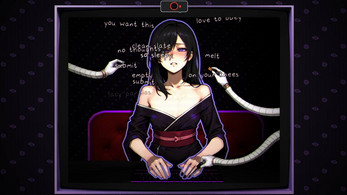
Hypno Booth is a playful visual-effects app that generates hypnotic animations and soundscapes to entertain friends or add atmosphere to events. It offers a collection of spirals, color pulses, and synchronized beats designed for quick setup, live interaction, or recording short hypnotic loops for social media and presentations.
Hypno Booth blends simple controls with striking visuals to create immersive, loopable sequences on Android devices. The interface focuses on one-touch access to popular patterns while allowing deeper adjustment of tempo, color palettes, and motion curves. It’s built for casual users, party hosts, and creators who want fast, repeatable hypnotic clips without complex editing tools.
Open Hypno Booth and choose a pattern from the gallery. Tap play to launch an animation, then tweak speed and color using simple sliders. If you want music, pick a beat or use your device’s mic to let visuals respond to ambient sound. Recording is available from the main screen so you can save a take in seconds.
Customizing a scene is straightforward. Color wheels and gradient selectors let you craft subtle or high-contrast looks, while blend modes change how layers interact. For advanced users, the app provides curve editors to shape easing functions, creating smoother acceleration or dramatic stutters. Hypno Booth supports layering multiple effects for richer visuals without sacrificing performance.
The app prioritizes consistent frame rates across a range of devices. Lightweight shaders are used for most effects, which reduces battery drain and thermal load during extended sessions. Layout is touch-first: large buttons and contextual tooltips shorten the learning curve. A compact settings area houses exporting preferences and privacy controls, including an option to disable cloud telemetry.
Hypno Booth is suited for streamers, DJs, educators, and anyone staging small events who needs quick visual accents. Creators will value the export features for short clips, while casual users will appreciate the playful presets during gatherings. It’s also useful for teachers exploring visual perception demonstrations in a classroom setting.
Install Hypno Booth from your device’s app marketplace and grant only the permissions you need—microphone access is optional unless you plan to use sound-reactive features. Launch the app, tap the gallery icon, and explore presets. Most users will get comfortable within five to ten minutes.
With an emphasis on speed and visual clarity, Hypno Booth offers approachable tools for making hypnotic visuals on the go. Whether you’re creating quick social clips or enhancing a live set, the app balances customization with simplicity so you can focus on the creative moment rather than technical setup.