
ChaVegaPlay is a versatile Android media hub that brings streaming, on-demand content and personal libraries into a single, polished interface. Designed to be lightweight yet powerful, ChaVegaPlay focuses on smooth playback, easy discovery and flexible download options for offline viewing across a wide range of devices.
ChaVegaPlay offers a compact set of tools aimed at making media consumption faster and more reliable. Key highlights include adaptive streaming that adjusts quality in real time, batch download support for episodes and playlists, adjustable subtitles and multi-audio track switching. The app also integrates basic parental controls and secure profile separation to keep shared devices organized.
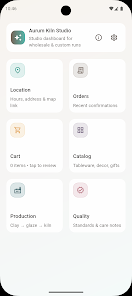
The interface is clean and purpose-driven: a tabbed layout surfaces Home, Library, Downloads and Search, while contextual menus give quick access to playback speed, audio tracks and subtitle settings. Thumbnail previews and intelligent recommendations appear on the Home feed, helping users find newly released content or related titles without deep navigation.
Offline functionality is one of ChaVegaPlay’s strengths. Users can queue multiple items for download, choose storage location (internal or SD card), and set automatic cleanup rules to remove watched files. Downloading supports background operation with pause/resume and bandwidth limits so other apps won’t be interrupted during transfers.
Customization is available through profiles and watchlists. Each profile stores viewing history, personalized recommendations and watch progress. Playlists and favorites let users collect movies, shows or music videos into sharable collections. Visual themes and compact versus detailed list modes let individuals tailor the look and density of information to their preference.
ChaVegaPlay is built to run smoothly on a wide range of Android hardware. The app uses optimized codecs and lightweight decoding routines to reduce battery draw while supporting high-resolution streams. Compatibility extends across Android versions and a variety of screen sizes; Chromecast and DLNA support enable casting to TVs and networked players for a seamless living-room experience.
Security-conscious users will appreciate ChaVegaPlay’s focus on permissions and data control. The app requests only necessary permissions and keeps local metadata with options to clear history or disable analytics. Account-based features use encrypted tokens for authentication, and parental controls include PIN protection for restricted content.
ChaVegaPlay plays nicely with other services: import options for local media servers, support for external subtitle files, and quick links to third-party music services allow flexible workflows. Advanced users can configure network preferences, proxy settings and custom download folders to fit unique setups.
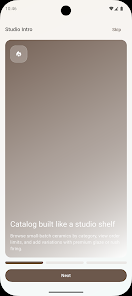
Getting started is straightforward: install ChaVegaPlay, sign in or create a profile, then browse the catalog or import your library. The initial setup walks through download locations and streaming quality preferences so users can optimize behavior for their data plans and device storage. Helpful tooltips make it easy to discover features like offline playlists and Chromecast setup.
ChaVegaPlay suits anyone wanting a compact, reliable media player that handles both streaming and offline viewing without unnecessary bloat. It’s particularly useful for commuters or travelers who rely on downloads, households that share devices with multiple profiles, and users who value configurable performance and privacy controls.
With ongoing updates focused on stability and smart feature additions, ChaVegaPlay remains a flexible choice for Android users looking to centralize media management in one responsive application.