My Boy! - Emulador GBA delivers a high-performance Game Boy Advance emulation experience on Android, combining compatibility, speed, and practical tools for handheld gaming. It reproduces core GBA features and modern conveniences so you can play classic titles with responsive controls, configurable options, and reliable save systems.
At its core, My Boy! - Emulador GBA focuses on faithfully reproducing Game Boy Advance gameplay while adding contemporary enhancements that make mobile play more comfortable. The emulator supports multiple display and input options, fast-forward and frame-skipping for time-saving, and a variety of save mechanisms that preserve progress across sessions.
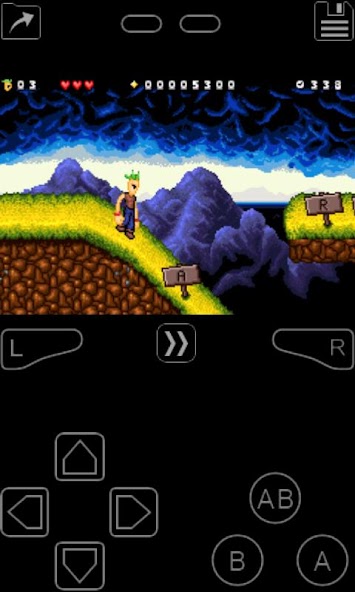
My Boy! - Emulador GBA presents a clean, functional interface that prioritizes quick access to key options. The main game screen offers an overlay of touch controls that can be repositioned and resized. If you prefer hardware input, Bluetooth gamepads are recognized and can be mapped through the in-app configuration. Menu layouts emphasize clarity, so common tasks like loading ROMs, adjusting speed, or managing save states happen with minimal taps.
Performance is a strong point: the emulator aims to balance accuracy and speed so games run reliably on a wide range of devices. Graphics rendering supports different scaling and filtering modes to suit screen sizes and performance profiles. Audio emulation attempts to preserve original soundtracks while offering volume and latency controls to match device capabilities. Compatibility notes are presented within the app so you can verify which titles work best under default settings.
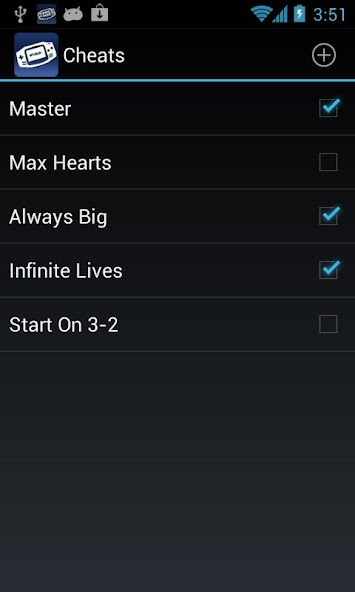
Enthusiast-friendly tools let you tailor the emulator precisely. Frame skip, audio resampling, and video rendering options help optimize performance on older hardware. Per-game cheats, BIOS-less operation, and link-emulation features expand possibilities: you can simulate multiplayer link functions through supported networking methods where available. Visual tweaks include screen rotation, aspect ratio choices, and shader-like filters to emulate different display aesthetics.
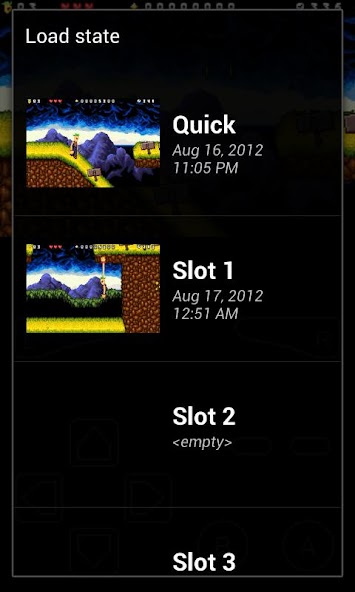
Getting started with My Boy! - Emulador GBA is straightforward. Place your legally obtained GBA ROM files on the device, open the app, and browse to load a game. Use the on-screen configuration to adjust the control layout, or pair a controller for a more traditional feel. Save states are created and loaded via an on-screen menu, and per-game settings are stored automatically so each title behaves how you prefer.
My Boy! - Emulador GBA strikes a balance between authenticity and convenience. It keeps the feel of GBA classics while adding mobile-friendly features that make extended play sessions more enjoyable. Whether you want a faithful playback of a favorite title or a flexible environment for experimenting with settings, the app provides a robust toolkit to accommodate both casual play and deeper customization.