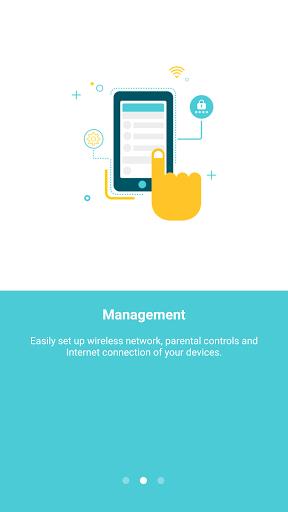
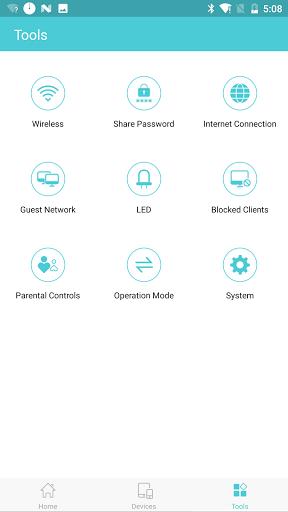
TP-Link Tether simplifies the way you manage your network devices from your smartphone. With this innovative app, you can easily set up your devices, control who has access to your network, and even customize internet access for different users. The parental control feature allows you to schedule internet usage and block specific websites, giving you peace of mind when it comes to your family's online safety. Additionally, the app helps you optimize your Wi-Fi signal by guiding you to the best range extender placement. Say goodbye to complicated network management and hello to a seamless, user-friendly experience with TP-Link Tether.
* Easy Setup: With TP-Link Tether, you can quickly set up your devices by easily configuring SSID, password, and Internet settings. The intuitive user interface makes the setup process a breeze for users of all levels.
* Enhanced Security: TP-Link Tether allows you to block unauthorized users from accessing your devices, giving you peace of mind knowing that your network is secure. You can also manage permissions of client devices to control their access.
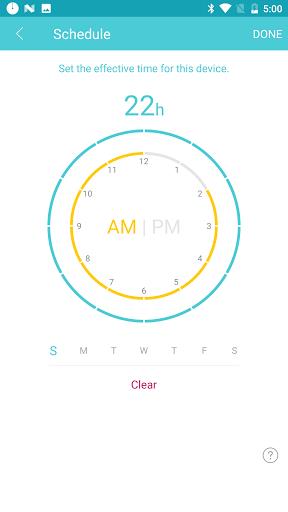
* Parental Controls: The app offers a comprehensive parental control function that allows users to set schedules and manage Internet access based on URLs. This feature is perfect for families looking to monitor and limit their children's online activities.
* Range Extender Optimization: TP-Link Tether helps you find the best location to place your range extender for optimal coverage and performance. By maximizing the range extender's placement, you can ensure a seamless and strong Wi-Fi connection throughout your home.
* Is TP-Link Tether compatible with all TP-Link devices?
Yes, TP-Link Tether is designed to work with a wide range of TP-Link devices, ensuring that you can easily manage and control your network from one central app.
* Can I schedule when the LEDs on my devices turn off?
Yes, TP-Link Tether allows you to automatically turn off the LEDs on your devices at specific times, providing a convenient way to reduce distractions and save energy.
* How do I set up parental controls on TP-Link Tether?
Setting up parental controls on TP-Link Tether is simple and straightforward. You can easily create schedules and manage Internet access for specific client devices, giving you full control over your network's usage.
TP-Link Tether offers a user-friendly experience for setting up, managing, and optimizing your network. With features such as easy setup, enhanced security, parental controls, and range extender optimization, this app provides everything you need to take control of your network. Whether you're a tech-savvy user or a novice, TP-Link Tether makes managing your network a seamless and efficient process. Download TP-Link Tether now and experience the convenience and power of controlling your network from the palm of your hand.