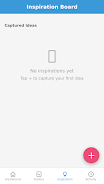
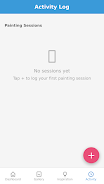
PaintDiary Sphere is a focused mobile web app for painters and visual artists who want a simple, reliable system to log painting sessions and capture creative inspiration. PaintDiary Sphere places your practice into four clear work areas—Dashboard, Gallery, Inspiration Board and Activity Log—so you can quickly review statistics, access recent pieces, collect reference material and record session details such as time spent or materials used. The first paragraph of any entry can include required fields like title and date, and optional fields for medium, dimensions and notes, making it easy to preserve context and trace progress across a body of work.
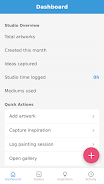
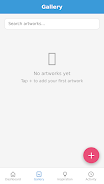
The Dashboard gives an at-a-glance summary of your recent activity and simple statistics that reflect time invested, number of sessions and series progress. Gallery views organize artworks into albums or series with thumbnail browsing and a detail page for each piece where metadata is displayed and edited. The Inspiration Board saves images and short text snippets so ideas are available when you start a new session. The Activity Log records session start and stop times, allows manual adjustment of durations, and captures materials used so you can later analyze supply consumption and technique trends.
Within these feature areas the app offers controls that are intuitive on touch devices: tap to open, long-press to select multiple items, swipe to navigate between artworks, and inline editing controls for quick updates to fields. Form fields validate date and title entries to reduce errors, and image uploads are optimized for mobile browsers to keep the interface responsive even with many items in the Gallery. PaintDiary Sphere also supports simple tagging and filtering of works so you can locate pieces by project, medium, or technique without complicated menus.
Sessions are logged either by starting a built-in timer or by entering session details manually; this dual approach supports artists who prefer a strict time-tracking workflow and those who add sessions after the fact. The controls are designed for low friction during creative work: start/stop timers are prominent on the Activity Log page, editing fields remain visible while you work, and image attachments can be added from the camera or device library. The app avoids heavy editing tools and focuses on cataloguing and contextualizing each artwork.
Although not gamified, PaintDiary Sphere supports progression-oriented practice through session accumulation, streak monitoring and milestone notes on the Dashboard. You can define personal goals such as weekly hours or number of pieces per month and then review your progress in the Dashboard statistics. This type of structured tracking helps artists identify productive patterns, experiment with focused challenges, and build a history that can inform future creative decisions.
The visual design is intentionally minimal and clean so artworks remain the focus: neutral backgrounds, high-contrast text for readability and simple controls that keep the interface unobtrusive. Customization options let you adjust sorting preferences, toggle compact or expanded list views in the Gallery, and choose a primary accent color to personalize the workspace. Accessibility considerations include scalable text sizes, clear button targets for touch navigation and semantic labels that improve compatibility with screen readers and external keyboards.
As a mobile web app, PaintDiary Sphere stores data locally in the browser which enables basic offline access to recent entries and the ability to create new logs without an immediate network connection. When connectivity is available the app synchronizes pending changes within the browser context, so you retain control over your records. The replay value comes from the cumulative archive: reviewing past sessions, revisiting old inspiration items, and comparing material usage over time provide ongoing insight that rewards regular use rather than one-off interaction.
Because PaintDiary Sphere is designed for logging and organization rather than image editing, it does not include advanced photo retouching or painting tools. Performance and integration options are shaped by the constraints of mobile web apps, so some native-level features like deep device integration or platform-specific widgets may be limited. Manual entry is sometimes necessary when capturing detailed metadata, but this trade-off keeps the app lightweight and focused on accurate record-keeping rather than complicating the creative flow.