
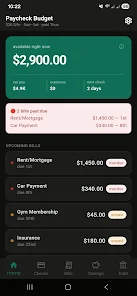
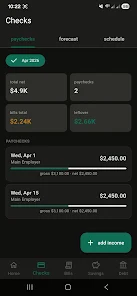
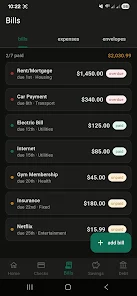
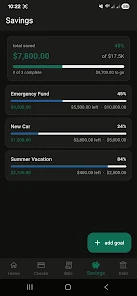
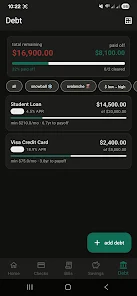
WageWise is a compact payroll and wage-tracking app designed for freelancers and small businesses to manage payments, hours, taxes, and invoices. It streamlines timekeeping, calculates net pay, and organizes paystubs while providing clear reports to simplify payroll tasks without heavy accounting knowledge.
WageWise focuses on reducing the administrative burden of payroll and hourly tracking. It combines a straightforward timer, customizable pay rules, tax estimation, and invoicing tools in one mobile-friendly package. The goal is fast setup, minimal manual entry, and transparent records you can export or share with a bookkeeper.
The workflow is built around three simple steps: record time, assign pay rules, and generate pay documents. Timers run in the background or on-screen, and entries can be merged or split for irregular shifts. Pay rules let you define base rate, overtime thresholds, and fixed deductions so payroll calculations adapt to each worker or contract.
Automation reduces repetitive tasks. WageWise can auto-calculate overtime, round times to configurable intervals, and apply tax presets for common jurisdictions (editable for local variations). Export options include CSV and PDF for reporting or importing into accounting software.
Design emphasizes clarity. The main dashboard shows today's hours, pending invoices, and an at-a-glance payroll estimate. Menus are kept shallow to limit taps, while key actions are available via quick-action buttons. Performance is optimized for everyday use: timers run reliably without draining battery, and syncing is lightweight to keep data current across devices.
Users can tailor WageWise to common business scenarios: hourly contractors, salaried employees with additional duty pay, and multi-rate projects. Labels, client lists, and tax withholdings are editable. Notifications for unpaid invoices, low-balance estimates, and upcoming payroll dates can be toggled to reduce noise.
For new users, the path from install to first paycheck report is short. A guided setup asks about pay frequency, default hourly rates, and whether you want invoices enabled. Once configured, adding a contractor or client is a few taps. Reports use visual summaries plus drill-down tables for deeper analysis.
Security focuses on basic safeguards: encrypted local storage, optional passcode lock, and cloud backup for account recovery. Integration options are geared toward freelancers—simple export formats and email-based invoice delivery—rather than deep ERP connections. For teams, shared client records and multi-user access help coordinate payroll and invoicing without duplicating entries.
The app works especially well for solo operators and small teams who need dependable time tracking and straightforward payroll math without costly software. WageWise is useful when you want quick visibility into labor costs, handled invoices, and a compact record set to hand to a tax preparer or payroll service.
Download the app, complete the short setup wizard, and create your first timer entry. Add clients and rates as you go—WageWise is designed so you can be operational within minutes, then refine rules for overtime and deductions as real data comes in. For teams, invite collaborators and assign roles to split time tracking from administrative tasks.
If you need a focused, mobile-first tool for hourly pay and simple invoicing, WageWise keeps the essentials accessible while avoiding unnecessary complexity, making it a practical choice for freelancers and small business owners who want to move faster through payroll chores.