

Helpr is a streamlined productivity app designed to centralize daily tasks, team coordination, and personal reminders in a single, lightweight interface. It blends quick task creation, smart notifications, and simple collaboration tools to help users stay organized without the clutter found in larger project management suites.
Helpr focuses on practical task management for individuals and small teams. Rather than providing a full enterprise suite, it targets users who need speed, clarity, and reliability. The app is especially useful for freelancers, small business owners, and anyone who wants a minimal learning curve with immediate benefits.
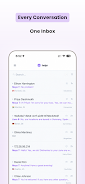
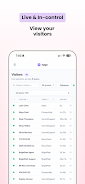
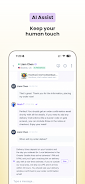
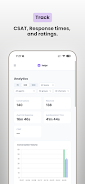
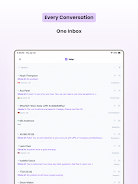
The interface in Helpr keeps visual clutter to a minimum. A clean dashboard shows pending tasks, upcoming deadlines, and recent activity at a glance. Controls are grouped logically, so common actions like snoozing a reminder or reassigning a task are accessible with a single tap. Themes and font size adjustments allow for personalization, while maintaining a consistent reading experience.
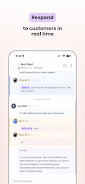
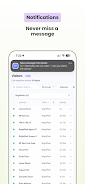
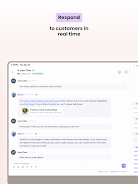
Helpr is built around short interaction cycles: add a task, set a reminder, and move on. This encourages quick capture whenever ideas or requests arise. Integration points with calendar apps and email allow tasks to be created from external sources, reducing duplication of effort. For teams, shared lists act as lightweight project boards without the overhead of complex workflows.
The app offers a selection of integrations that extend its utility without overwhelming users. Calendar sync ensures deadlines appear where you already manage time. Basic email-to-task conversion makes it easy to turn actionable messages into tracked items. File attachments and link previews keep context available, while a simple API provides scope for third-party automation.
Helpr balances simplicity with essential customization. Users can define default notification windows, set preferred sorting methods, and create templates for recurring task groups. Labels and color tags provide additional ways to filter tasks, and privacy settings let you control what gets shared when working across teams.
Performance is a strong point; Helpr loads quickly and performs smoothly on a wide range of devices. Data sync is optimized to minimize battery and data usage while keeping items current across devices. Offline mode allows access to tasks without connectivity, with changes syncing automatically when a connection is restored.
People gravitate toward Helpr because it strikes a balance between capability and usability. It provides the essential tools for task tracking and collaboration without forcing steep setup or maintenance. For those who need dependable task management that fits into existing routines, Helpr is a practical alternative to bulkier productivity suites.
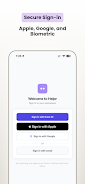
Installing Helpr is straightforward; create an account, import any existing lists if desired, and take a short guided tour. The initial setup walks you through notification preferences, list creation, and sharing options so you can begin organizing tasks in minutes. Whether managing personal errands or coordinating simple team efforts, Helpr aims to reduce friction and keep you focused on the work that matters.





















