


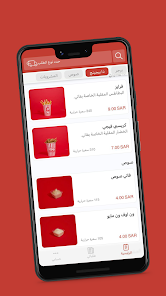


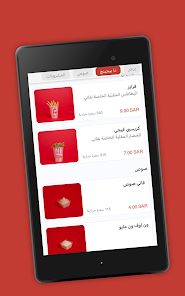

فاتي | PHATY is a compact Android app that centralizes file management, sharing, and light editing tools into a single efficient workspace. It focuses on speed and minimal setup, enabling users to organize media, transfer documents securely, and apply basic edits without switching between multiple apps.
At the heart of فاتي | PHATY are fast file operations and a clean workflow. The app supports browsing across local storage and removable media, quick previews of images and documents, and one-tap sharing to contacts or nearby devices. It prioritizes responsiveness so common tasks complete with minimal delay.
The design philosophy of PHATY emphasizes utility with minimal clutter. Navigation is finger-friendly with large tap targets, swipe gestures for common actions, and contextual menus that appear when needed. A persistent search bar helps locate files quickly, and customizable shortcuts let users pin folders or contacts for instant access.
فاتي | PHATY is optimized to run smoothly on a wide range of Android devices. Background operations use conservative memory and battery profiles, while file transfers adapt to available bandwidth and hardware capabilities. The app performs well on older phones as well as the latest models, providing consistent speed without heavy resource consumption.
The app works with major cloud providers and accepts links from popular services so you can import and export content seamlessly. Integration points include sharing intents and document providers, allowing PHATY to act as both a primary tool for file handling and a companion to other productivity apps. Support for common file types means fewer interruptions when exchanging files across platforms.
Security features are tailored for everyday use: optional encryption for shared links, granular permissions for app access to storage, and local-only modes that avoid cloud syncing when privacy is a priority. فاتي | PHATY also includes a simple activity log so users can review recent transfers and actions without exposing sensitive content to third parties.
Users can choose list or grid views, set the default landing folder, and toggle auto-sorting rules for media and documents. Theme options include light and dark modes to reduce eye strain and improve visibility in different lighting environments. These settings help the app adapt to personal preferences and workflows.
Installation and setup are straightforward. After granting necessary storage permissions, the app scans available folders and surfaces key locations like Downloads and Camera. A brief onboarding highlights transfer methods and quick-edit features so users can start organizing files immediately.
Regular updates add compatibility improvements, performance tweaks, and new convenience features based on user feedback. Built-in help sections and troubleshooting guides assist in resolving common issues, while in-app reporting makes it easy to submit bug reports or feature suggestions.
Feedback from users commonly emphasizes how PHATY reduces the friction of daily file tasks. Tasks that used to require multiple apps — locating, adjusting, and sending a file — are often completed within a single interface. That streamlined flow makes the app a practical choice for people who handle many files on the go.
For Android users seeking a compact, efficient tool to manage media and documents, PHATY offers a focused feature set and responsive design. It balances capability with simplicity, providing practical tools that integrate with existing services while keeping routine tasks quick and predictable.