
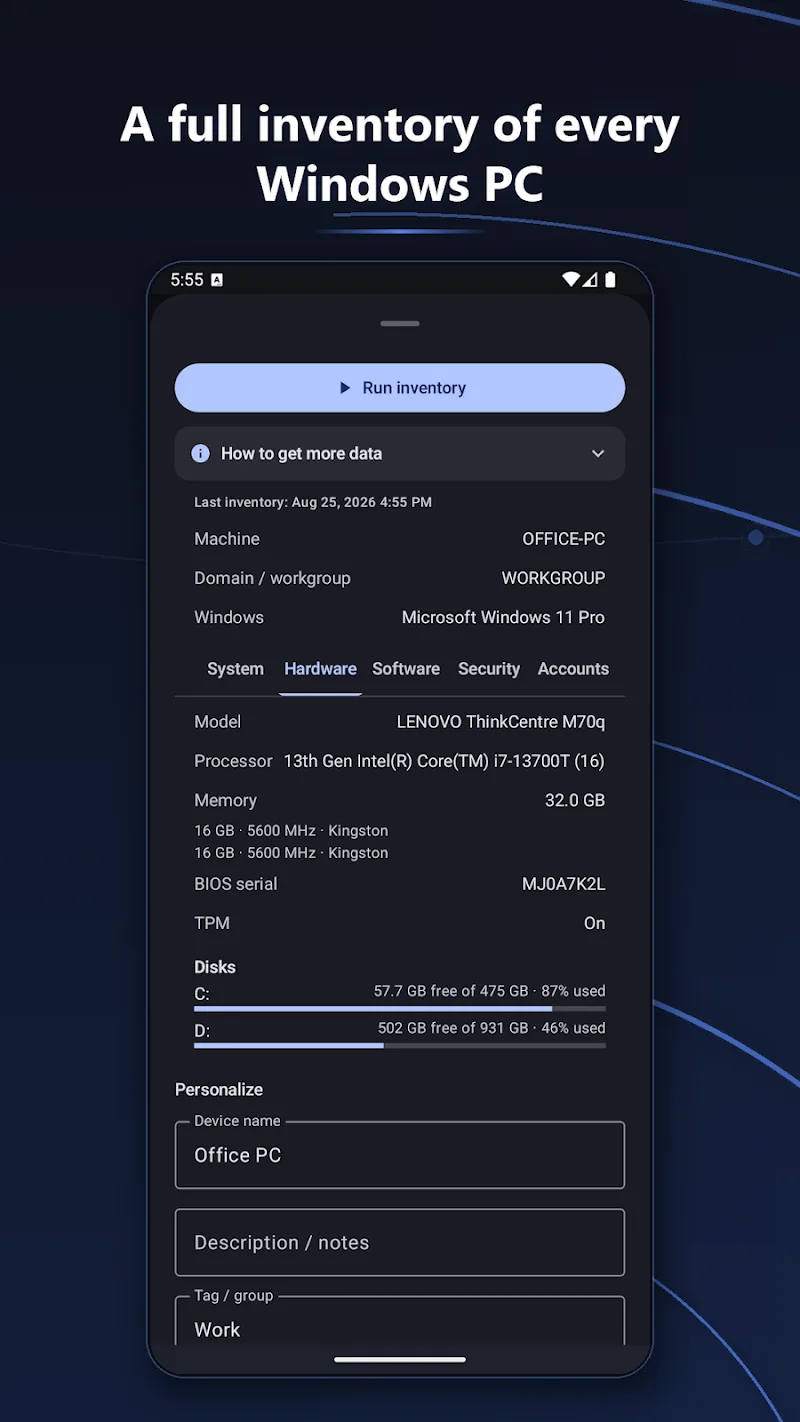
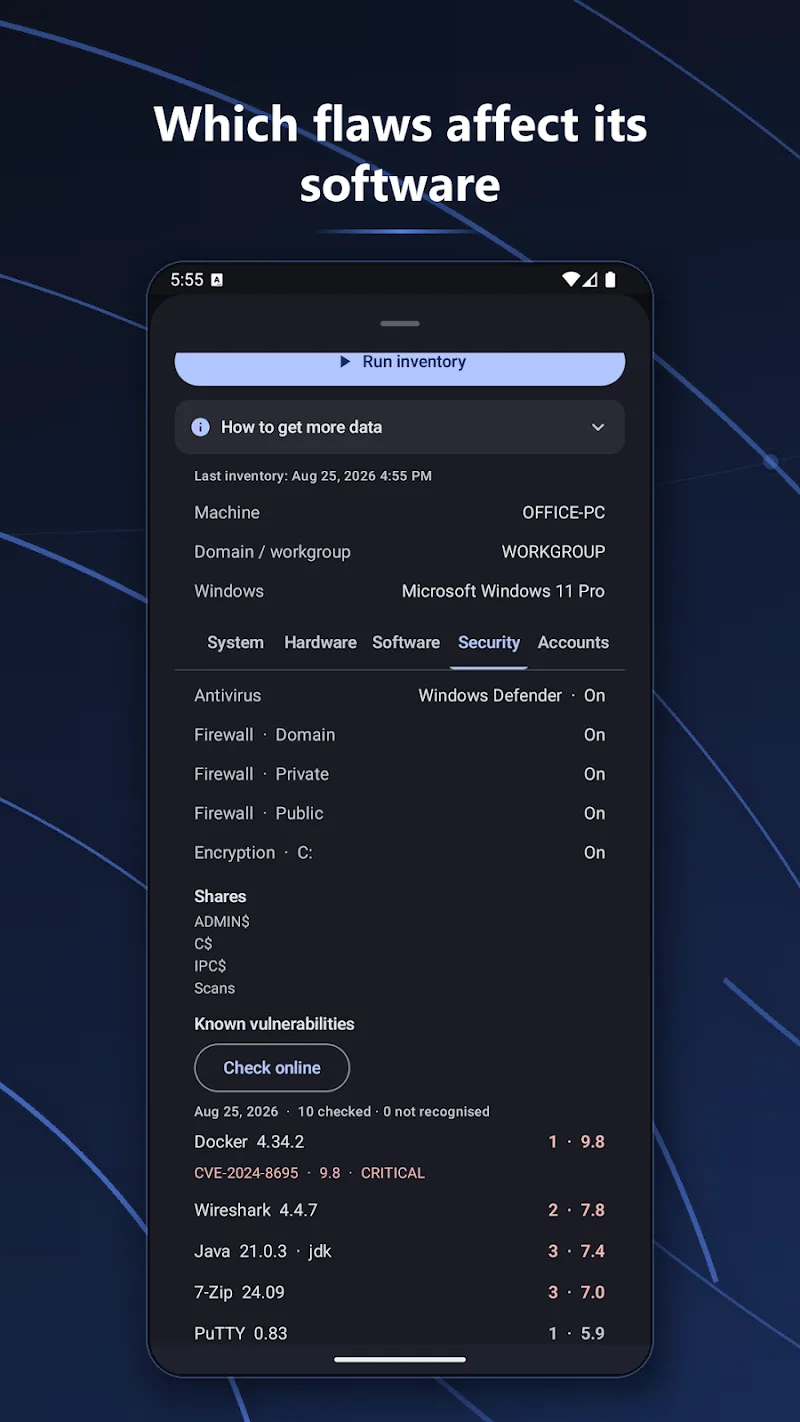
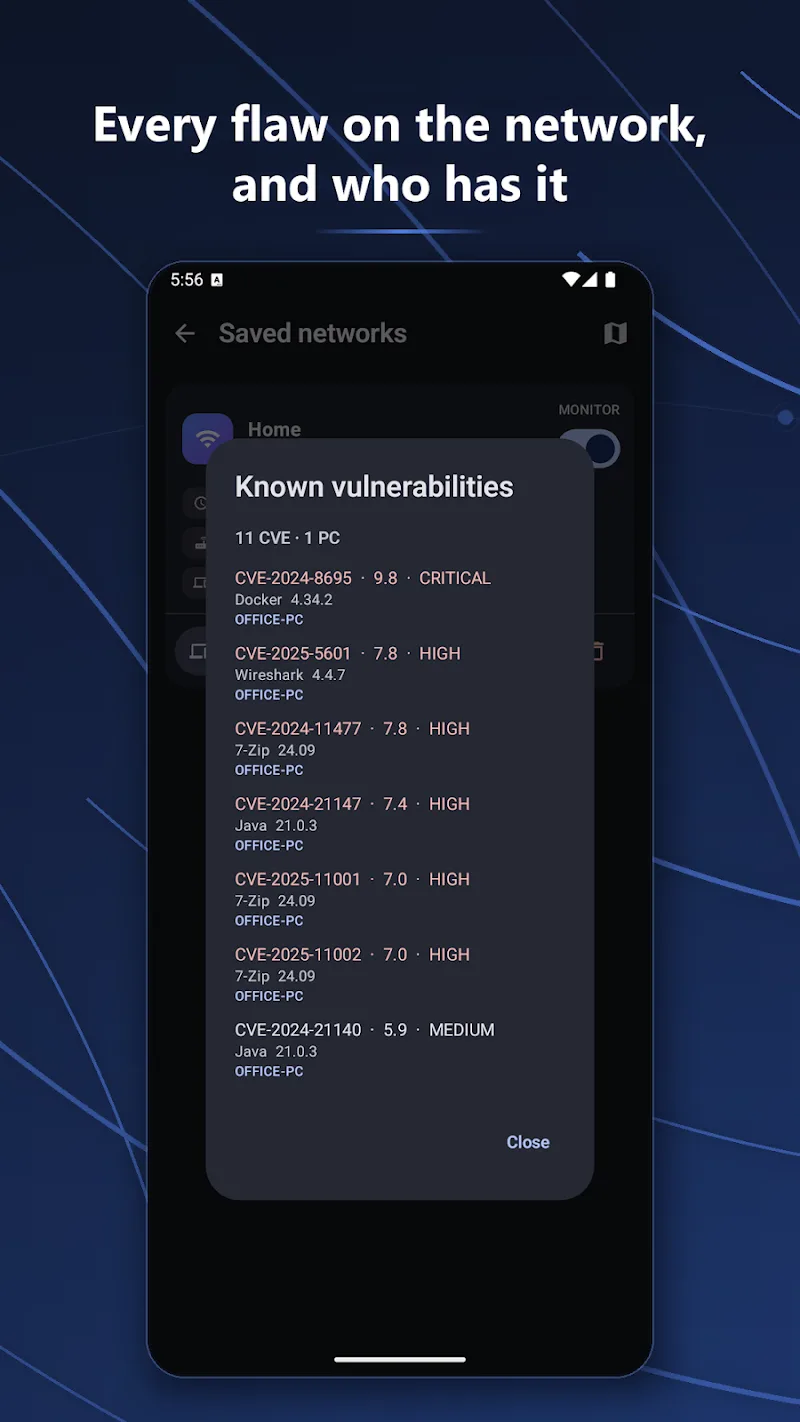
NetBlade: WiFi & LAN Scanner is a compact network utility that helps you discover devices, analyze Wi‑Fi signals and map local networks quickly. It combines real-time scanning, device details, and signal heatmaps in a simple interface, making it practical for home users and IT technicians.
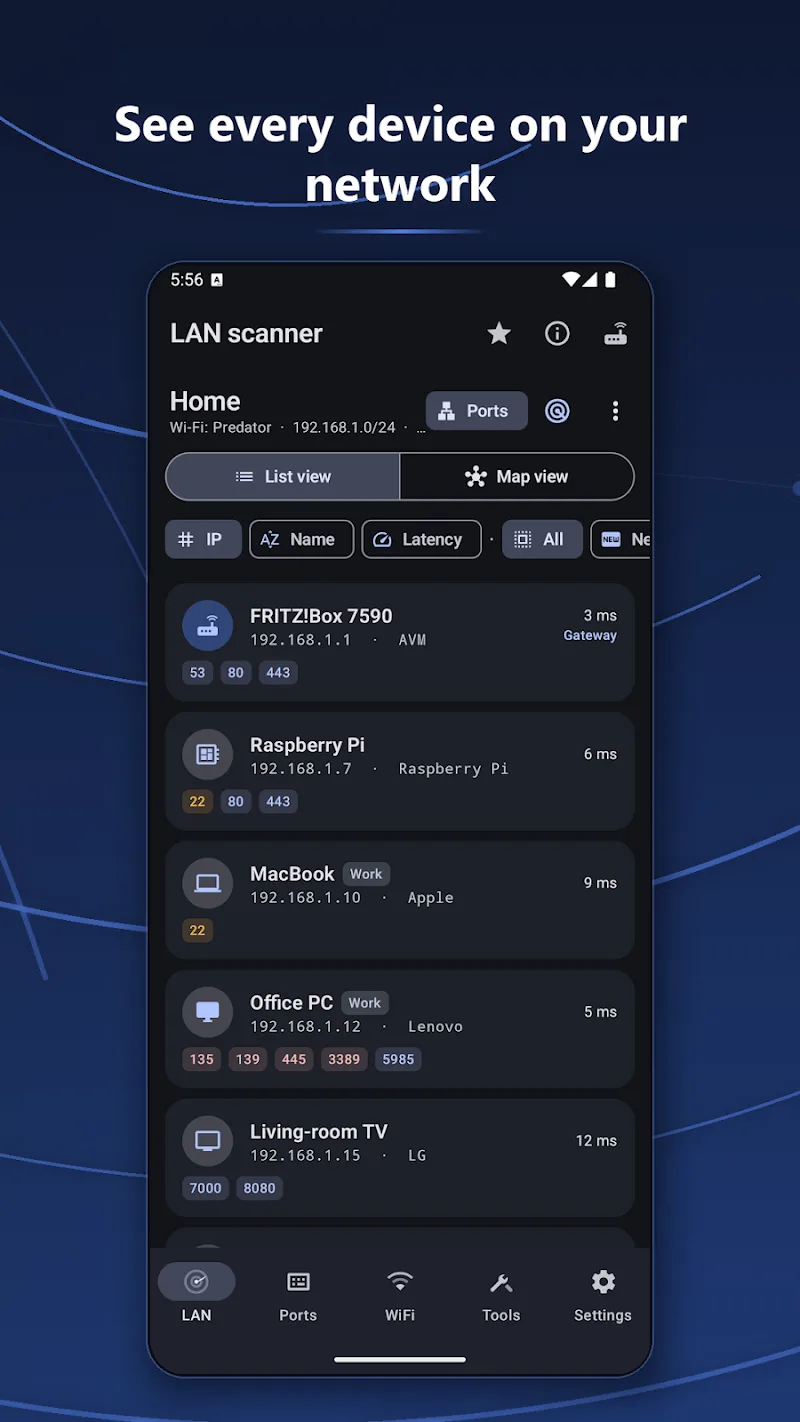
NetBlade: WiFi & LAN Scanner focuses on making network discovery straightforward. The app scans wireless and wired segments, lists active hosts, shows open ports and identifies device manufacturers using MAC addresses. It’s designed to reduce the time spent hunting down connectivity issues and to deliver clear data for troubleshooting.
After granting the required permissions, NetBlade: WiFi & LAN Scanner performs active scans across the specified IP ranges and wireless channels. The app first probes hosts with ICMP and TCP probes, then performs further port checks on responsive addresses. When a device is detected, vendor lookups and reverse DNS attempts enrich the listing so you can quickly identify printers, NAS units, smart devices and computers.
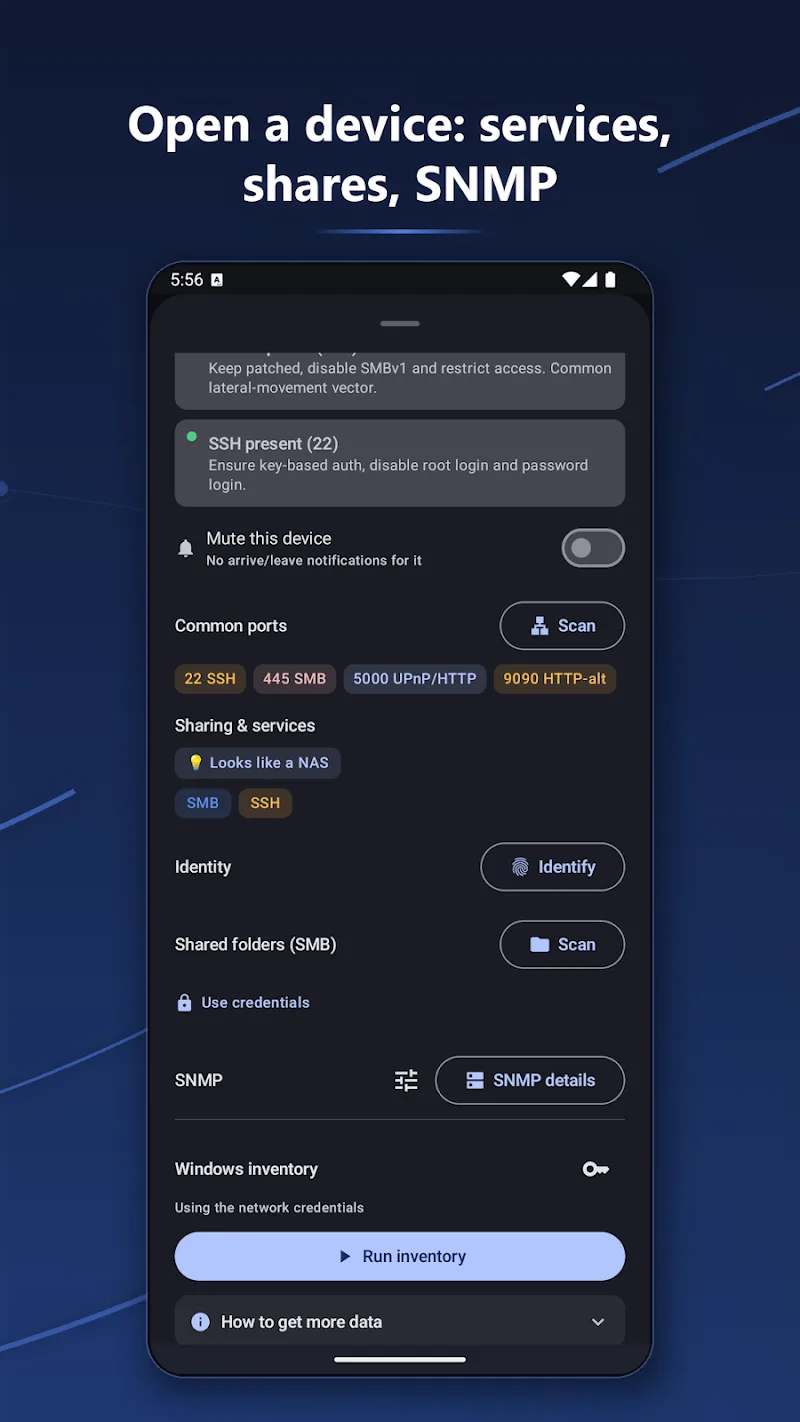
The interface is organized into a dashboard, device list and an analyzer tab. Scans run in the background and update live, and the app uses adaptive timeouts to balance thoroughness and speed. A compact results view shows key info at a glance, while tapping an entry expands detailed statistics, including latency history and open service ports.
NetBlade lets you control scan depth and concurrency to fit different network sizes and device capabilities. You can add friendly names to devices, pin frequently used subnets, and schedule recurring scans. Advanced options include changing port scan ranges, toggling ICMP probes, and adjusting the signal sampling interval for Wi‑Fi graphs.
The app requires network and location permissions on Android to perform wireless scans and map nearby access points. It does not alter device configurations or collect personal content. Use administrative tools responsibly and obtain consent before scanning networks you do not own.
The appeal lies in practical balance: powerful features without a complex setup. NetBlade: WiFi & LAN Scanner provides enough detail for technicians to diagnose problems while remaining accessible for casual users trying to locate rogue devices or improve signal coverage.
Installation is straightforward: download from a trusted store and run the initial setup to grant network and storage permissions. Typical device requirements are modest; most modern Android phones handle scans for small-to-medium home networks with ease. For large enterprise environments, adjust scan concurrency and timeouts to avoid excessive network load.
Whether you’re optimizing a home Wi‑Fi layout or documenting devices on a small LAN, NetBlade: WiFi & LAN Scanner provides concise diagnostics and exportable reports. Its combination of port checks, device identification and Wi‑Fi tools makes it a useful addition to any troubleshooting toolkit.